
Releases
Release of the workplaces
In order to use workplaces via the PDC and to report times on them, they must be released after they have been created:
The function for this is Edit assignments.
It can be found in FEPA at: PDC - Assignments - Edit assignments
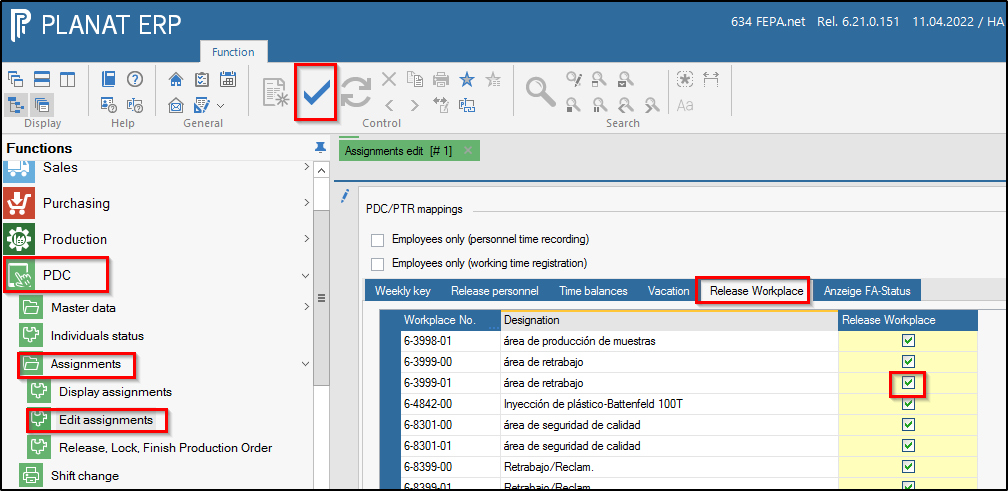
After opening the mask, click on the tab release workplace, search for a new workplace in the list and tick the box in the column "Release workplace".
To save, click on the large tick in the symbol line. The Edit Assignments mask is closed.
Afterwards, the data for the GEMO-AZE must be updated (a setter must update the data in the GEMO-AZE terminal), then the workplace is available for the GEMO-AZE. By default, the update takes place approx. once a day.
Release personnel
After creating a new employee via the Edit personnel function, a weekly key must be entered for the new "personnel" and it must be released. The FEPA function Edit assignments is used for this.
The function can be found under: PDC - Assignments - Edit assignments
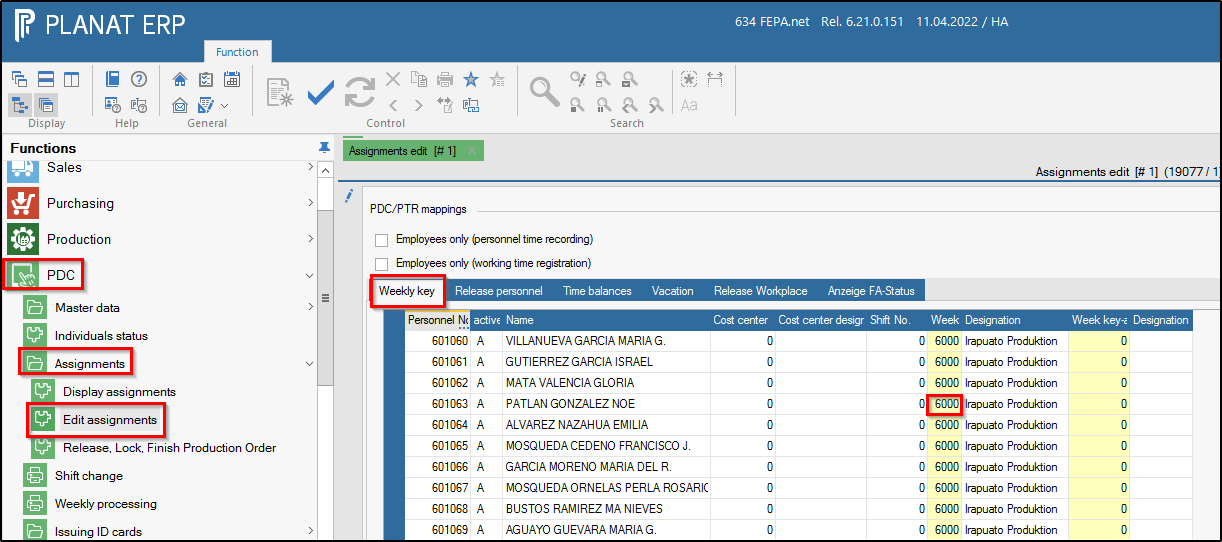
Click on the Week key tab, enter the location-specific week key in the "Week key" field, e.g. Irapuato, Mexico = 6000
Then click on the tab Release personnel search for a new employee in the list and tick the column "Release personnel",
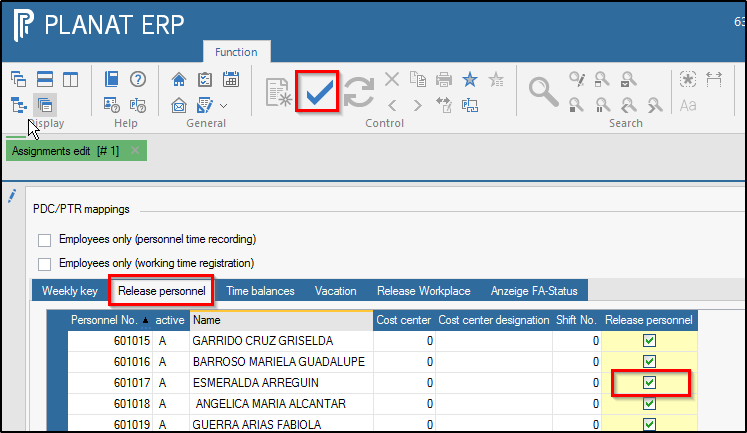
Save (click on the large tick in the symbol line). The function Edit assignments is closed.
Afterwards, the data for the GEMO-AZE must be updated (a setter must update the data in the GEMO-AZE terminal), then the workplace is available for the GEMO-AZE. By default, the update takes place approx. once a day.