Skip to main content
Swap workplace
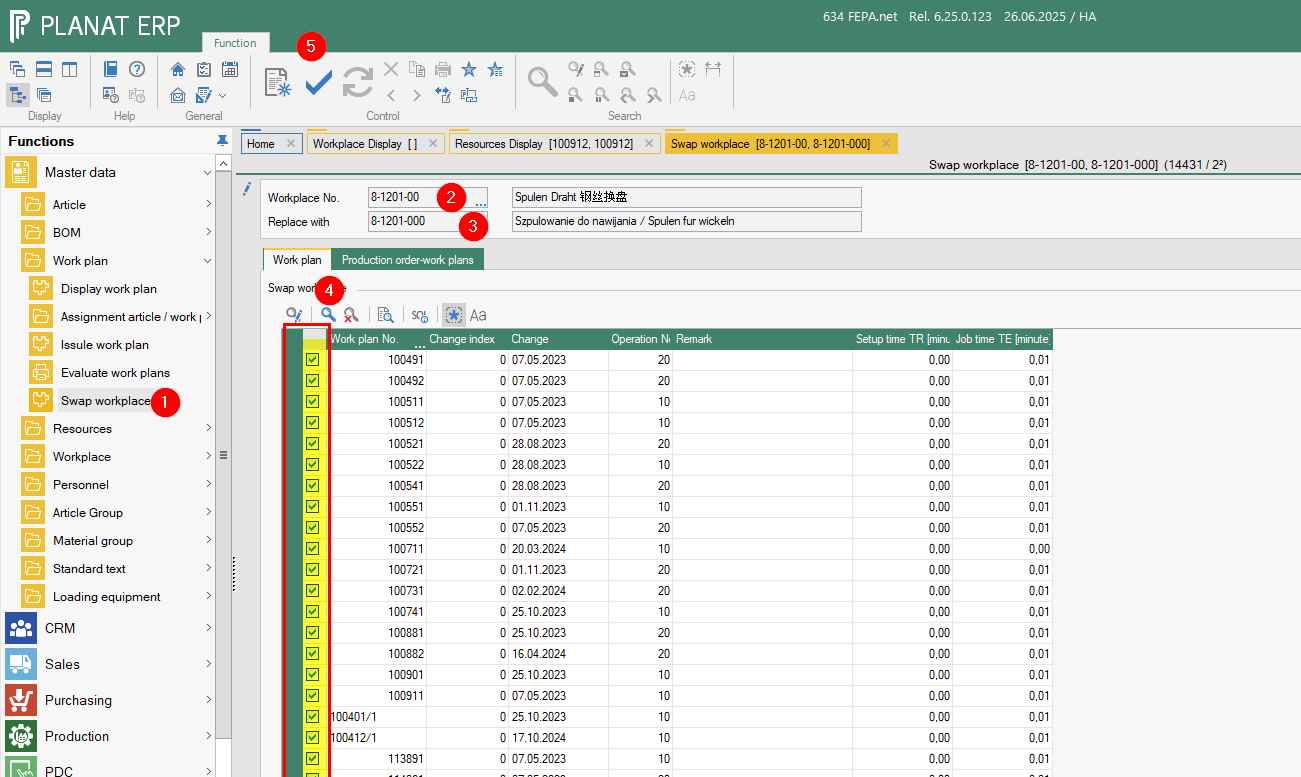
- open FEPA function
Master data > work plan > Swap workplace
- enter the old workplace number currently used in the work plan
- enter the new workplace number that should replace the currently used workplace in the work plan
- press the magnificent glass of the search and FEPA load all work plans in which the work place is used - with the mark you decide which work plan will changed (Yellow mark)
- With the save button FEPA change all work plans an replace the work place.