Check ASN status
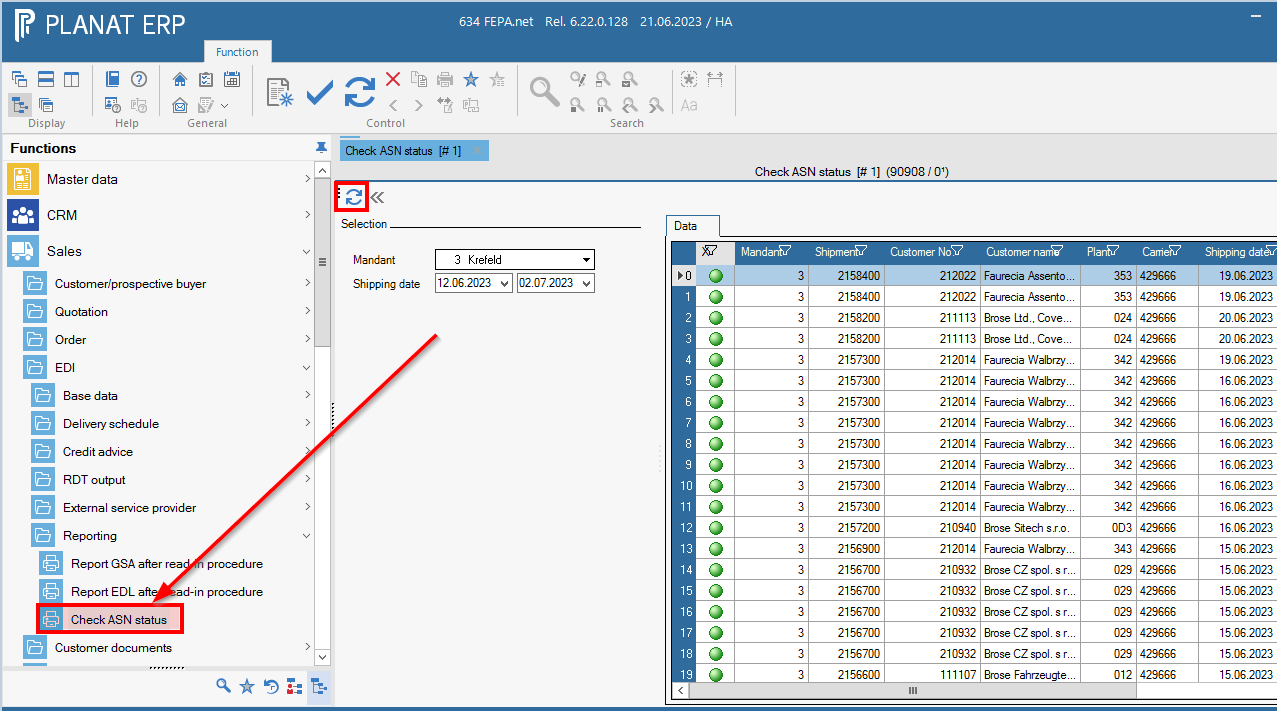
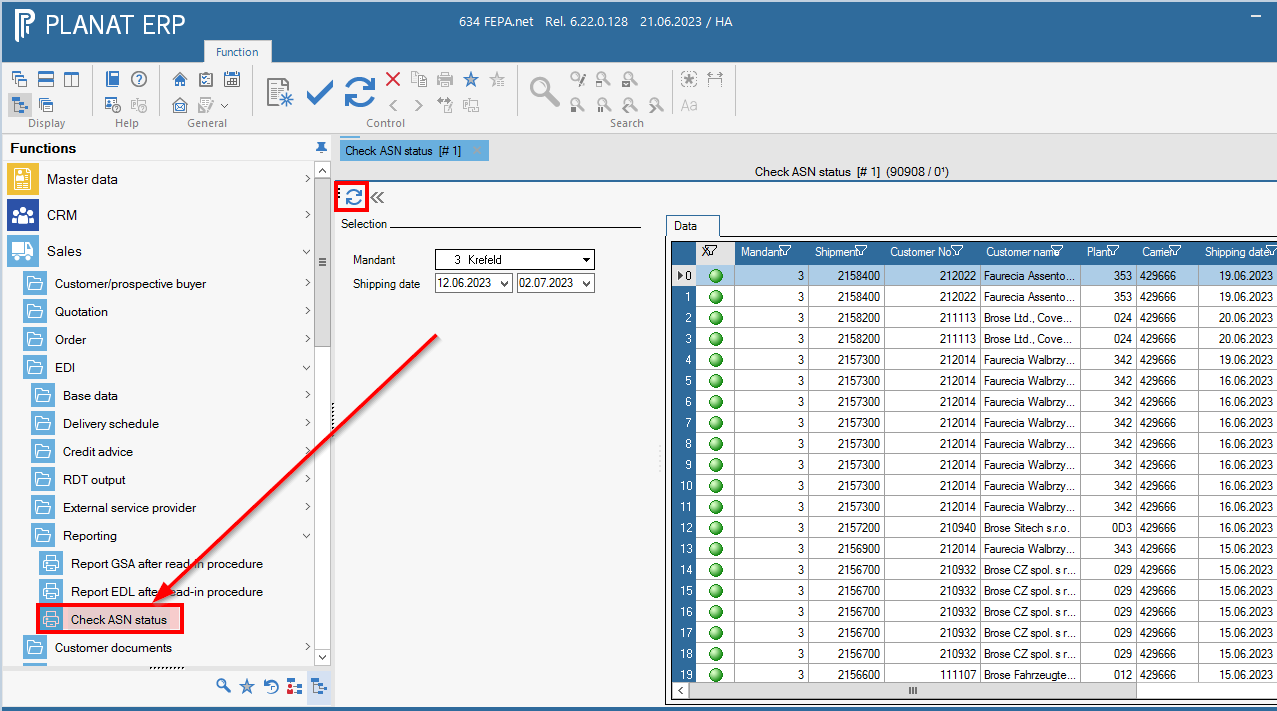
There is a program that displays the ASN status of EDI delivery notes. For this, the user must have permissions for sales in FEPA.
In FEPA you can find this overview under Sales > EDI > Reporting> Check ASN Status.
The following things have to be considered:
- The program shows only EDI delivery notes because only these can be sent via ASN.
- The whole process "Send ASN to customer" is quite complex and needs several different systems. Therefore this program can only check if everything has been done in FEPA to get the ASN on its way.
The status "ASN has been sent!" (green traffic light) means in this case that FEPA is "ready" and a file has been generated which will then be taken over by the next system. Should an ASN still be criticized by the customer as "missing", please continue to open a ticket (as always stating the customer no., the date and either delivery note no., consignment no. or article no.).