
Delete The Teams Cash
If you experience issues that affect Microsoft Teams, clearing the cache on your device may help. After you clear the cache, restart Teams. Fore more information see Microsoft Learn.
You will not lose any user data by clearing the cache.
Restarting Teams after clearing the cache may take longer than usual because the Teams cache files need to be rebuilt.
1. Quit Teams
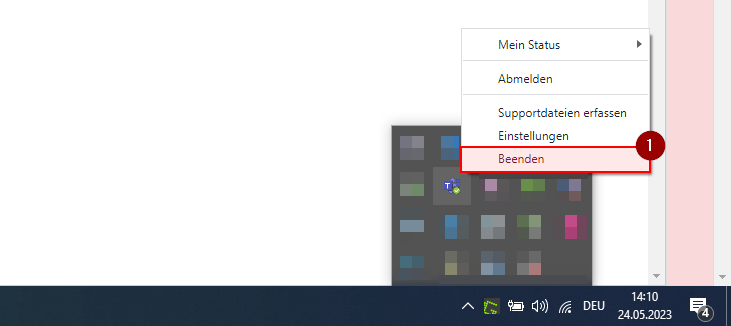
If Teams is still running, right-click the Teams icon in the taskbar, then select Quit [1].
2. open path to cash
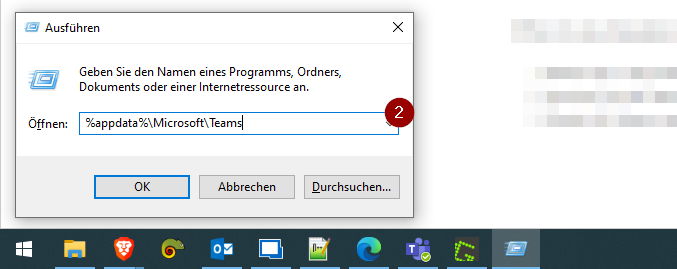
Open the Run dialog box by pressing the Windows logo key +R. In the Run dialog box, type %appdata%\Microsoft\Teams [2], and then click OK.
3. Delete Cash
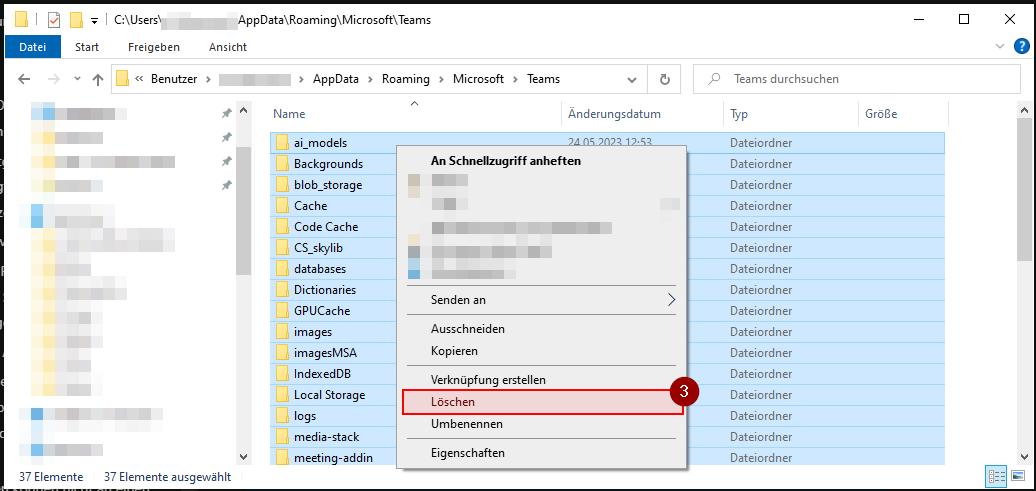
Delete all files and folders in the %appdata%\Microsoft\Teams directory [3].
4. Start Teams
Now you can restart Teams.