
Personnel
General
Personnel data (employee data) is required if confirmations are to be made via a manual or optionally via an automatic production data acquisition system (PDA) for employees and employees have to make the notifications or entries in project management.
Edit personnel
Personnel for FEPA are created in the Edit personnel function.
FEPA function: Master data > Personnel > Edit personnel
Personnel data for the AZE (Recording working hours)/project management
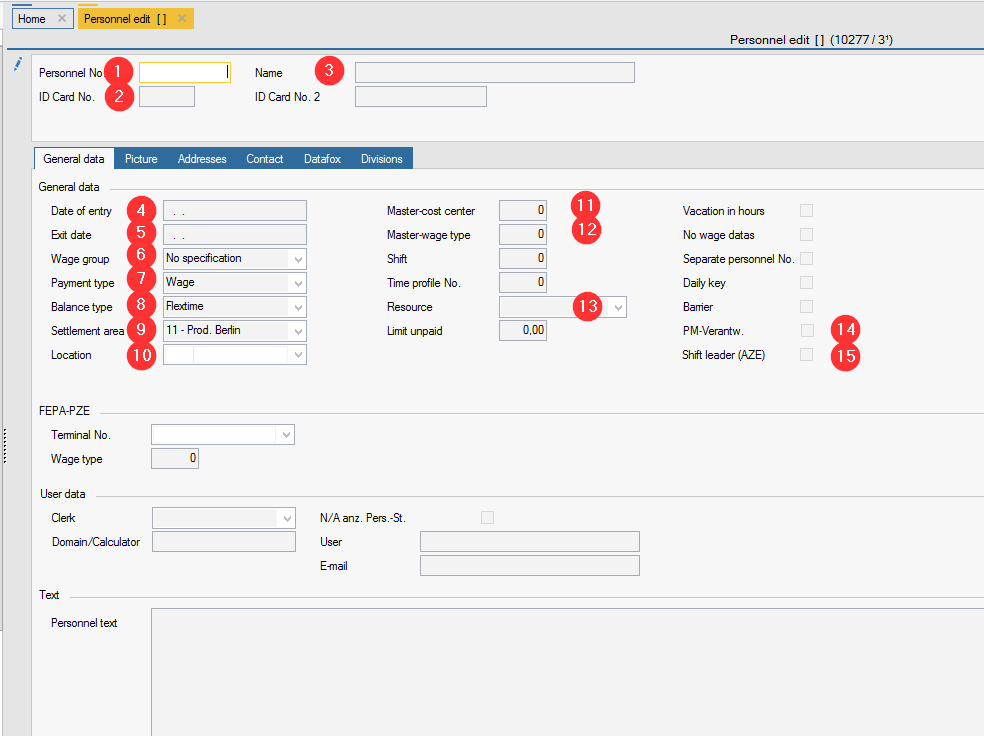
- Personnel no.: If only the AZE is made at the location, it may have a maximum of 6 digits and begins with the client.
begins with the client, the rest is freely selectable, unless there are specifications at the location. - ID card no.: must be 6 digits - for legibility when reporting via AZE for the work processes. The personnel number can be used again.
- Name: Enter the first name of the employee
- Date of entry: a date can be entered
- Exit date: a date can be entered when the employee has left the company. The employee is then no longer displayed in the personnel assignments in the PDC area.
- Wage group: can be that of the client, but does not have to be selected
- Balance type: select wage or salary
- Balance type: select flexitime
- Settlement area: is a mandatory field, select from the list the payroll area that matches the employee/location (11 is the first - it only appears in FEPA if it has also been selected) Krefeld e.g. 30
- Location: Select the location for the Mandant
- Master cost centre: Select the employee's cost centre, if known - starts with the client (note: cost centres are created in the service programmes)
- Master wage type (mandatory field): 1
- Resource, only required for employees who have to make entries in project management. Please contact Engineering to find out which one should be entered)
- PM responsible: Must be ticked for employees who have to make entries in project management
- Shift leader (AZE): enables additional functions in the GEMO AZE for responsible employees
Example - Mexico Shift leader
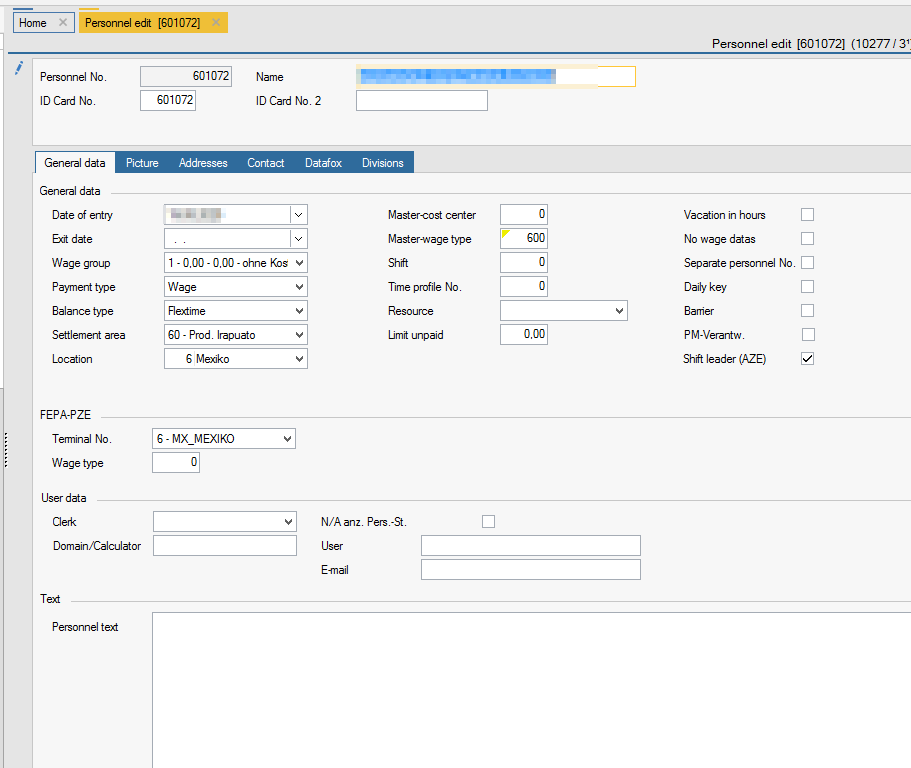
Rest and other tabs can remain empty if only the AZE is done - would only be important if you do the personnel time recording via FEPA, then it would have to be filled in differently. Therefore, if you have authorisation to edit personnel, you must not change anything for personnel at other locations!
After recording the personnel, the personnel must still be released so that they can report working times via AZE. Continue with Instructions for release of personnel