
Packing slip
Deposit markings / information for packing slips
Serves to avoid having to store a marker for each new order, which means that it is only stored once for the customer. (Deposit of constant information about the customer for the shipping employees who pack the goods).
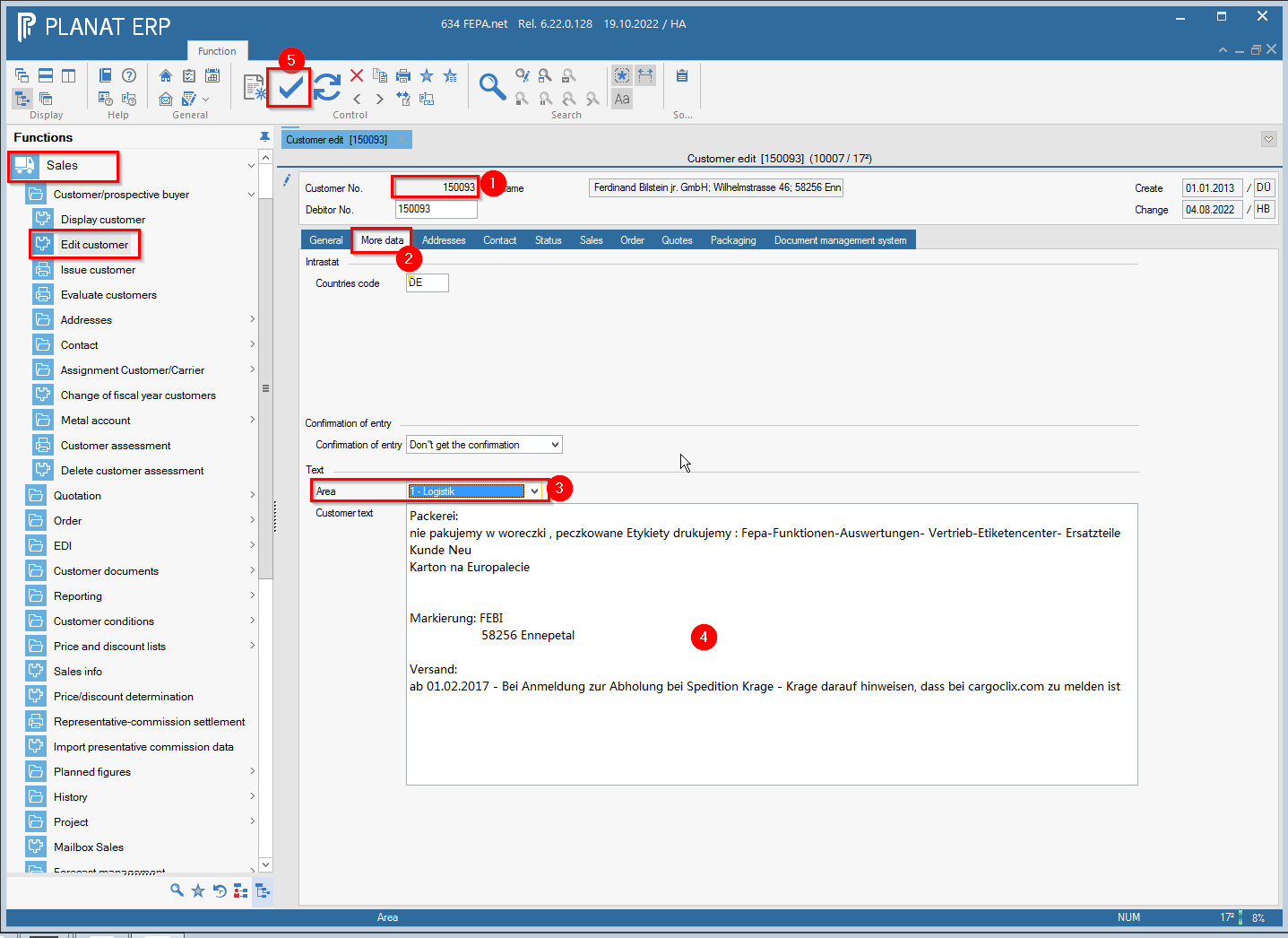
FEPA function: Sales > Customer/prospective buyer > Edit Customer
- enter customer number, press enter
- click on the tab More data
- select Logistics in the Text drop-down menu
- enter the desired marking in the field Customer text
- save
Create packing slip
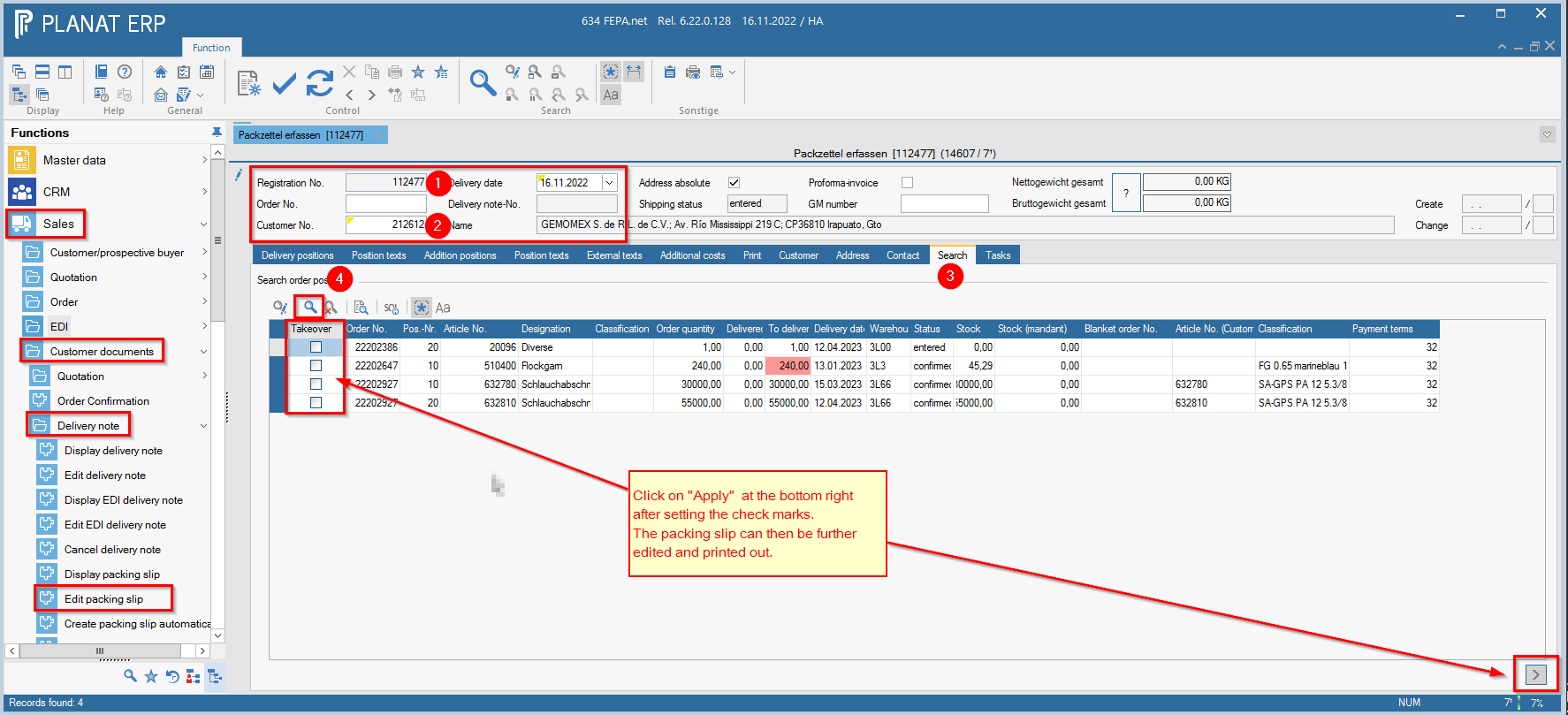
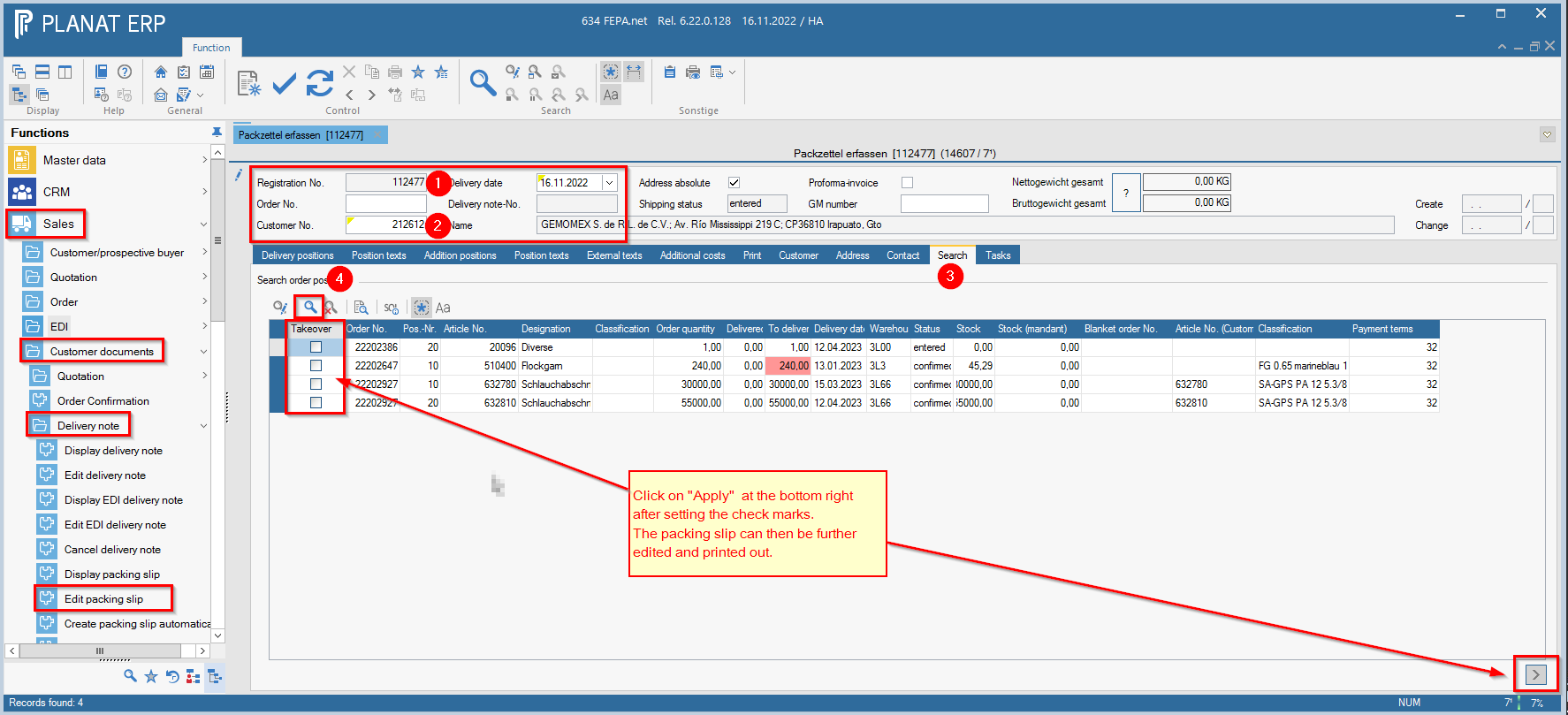
FEPA Function: Sales > Customer Papers > Edit Packing Slip
- press enter at registration number (an registration number will be generated)
- enter order number or customer number, enter delivery date or confirm current date, enter
- FEPA jumps to the search tab, otherwise click on this tab.
- click on start search (magnifying glass)
- All items for this order appear
- In the box at the front, check the box take over for the positions you need. (The items marked in red have no or not enough stock to deliver the item completely in the warehouse that is also displayed here).
- Then click on ">" at the bottom right (positions are taken over).
-
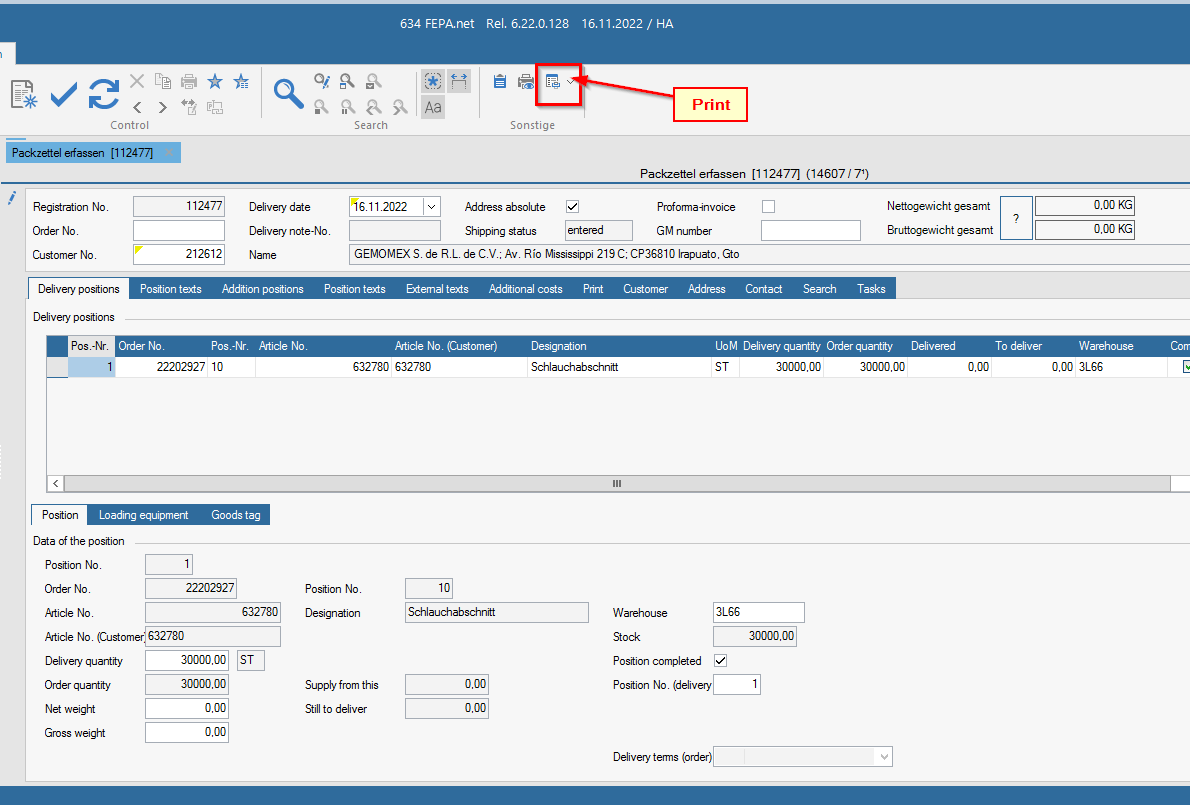
Return to the Delivery positions tab and check everything, change the delivery quantity if necessary.
-
In the External Texts tab, enter the prefix text, e.g. the week in which it is to be packed and other notes, e.g. in the package
-
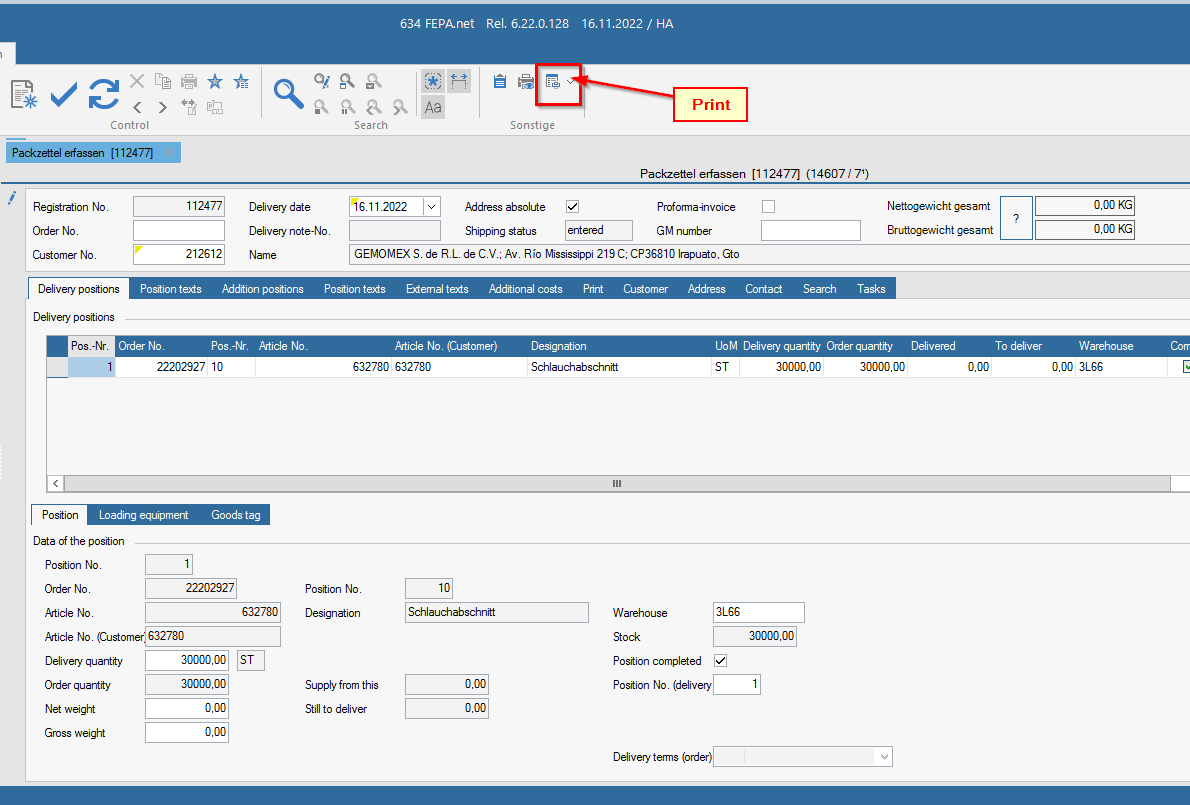
If everything is OK, click on Print and the packing order will be printed and saved.
Note: If there are more customer orders to be included in one packing slip for the same customer, only start with the customer number (2)!