
Configure ZW3D license [CAD]
We use ZW3D in every GEMO location as CAD software. The licenses are so called floating network licenses. This means that everybody using the software is sharing the licenses with all other users. We can have more installations than licenses but there can only be as many programs open as we have licenses.
When you first start ZW3D software you've been asked to set up the license.
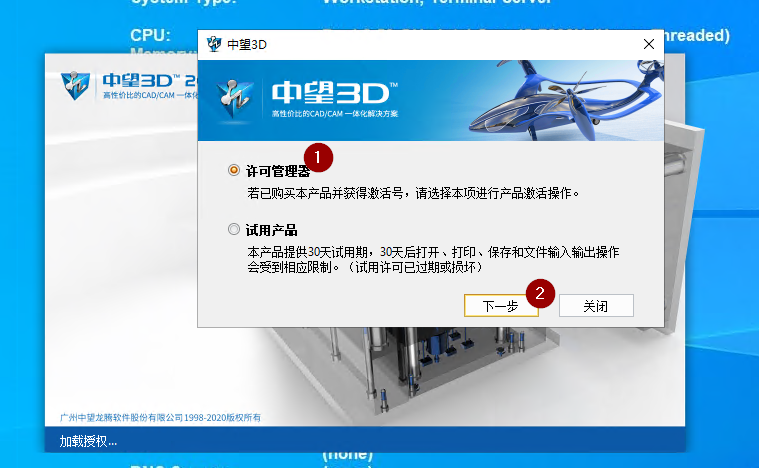
- Select "Licensemanager" [1].
- Click "Ok" [2].
|
|
|
|
|
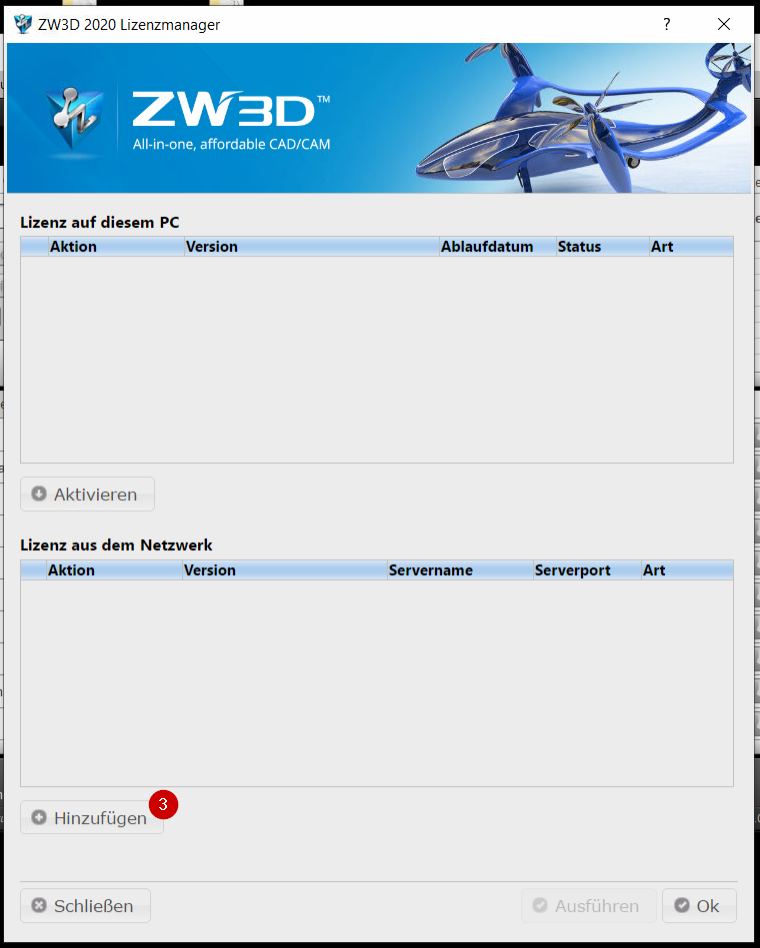
- Click on "Add" [3].
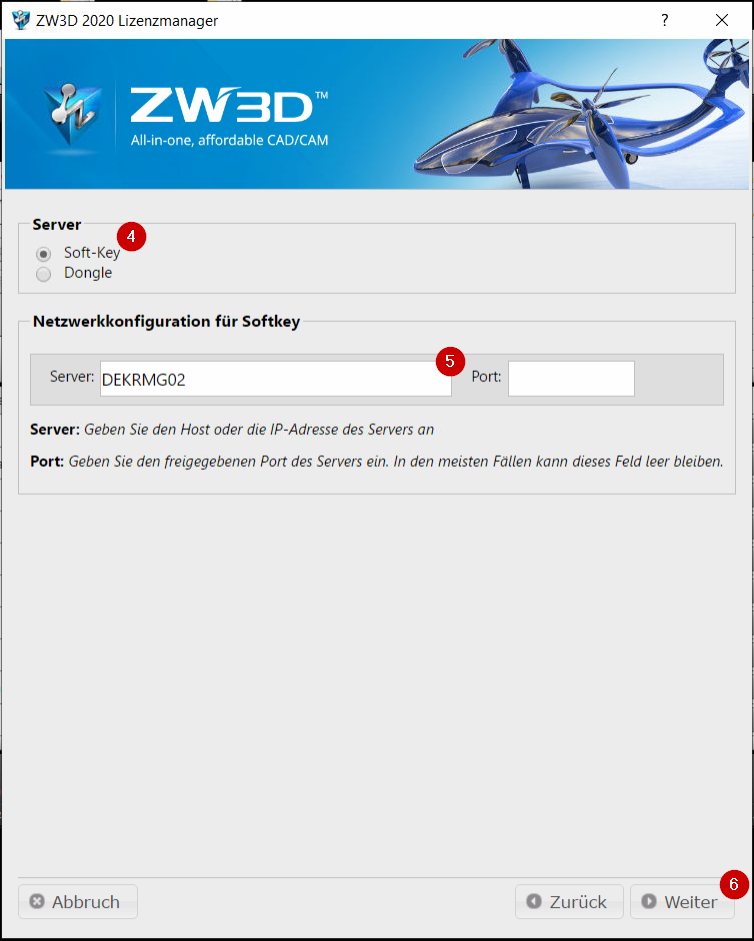
- Choose "Soft-Key" [4].
- Enter our network license server "DEKRMG02" [5]. The field for "port" can stay empty.
- Click on "Next Step" [6].
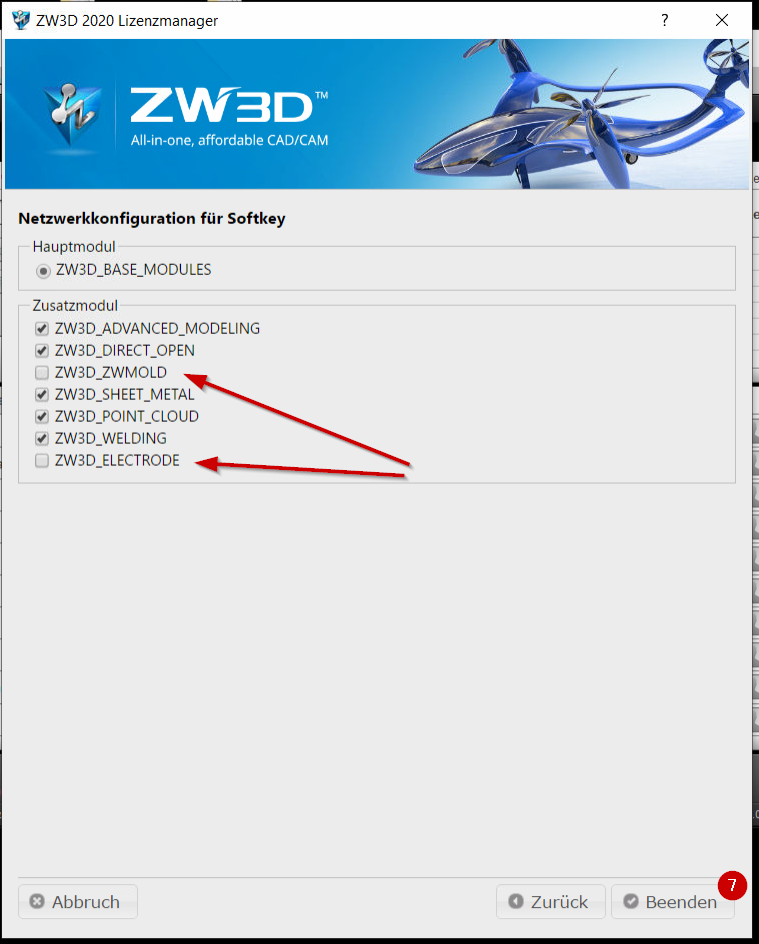
- You will see the available modules. Confirm with "Finish" [7].
Make sure to remove the two checkmarks in front of the modules ZW3D_ZWMOLD and ZW3D_ELECTRODE! For these two modules there is only one license and leaving them active leads to the fact that ZW3D can be started only once.
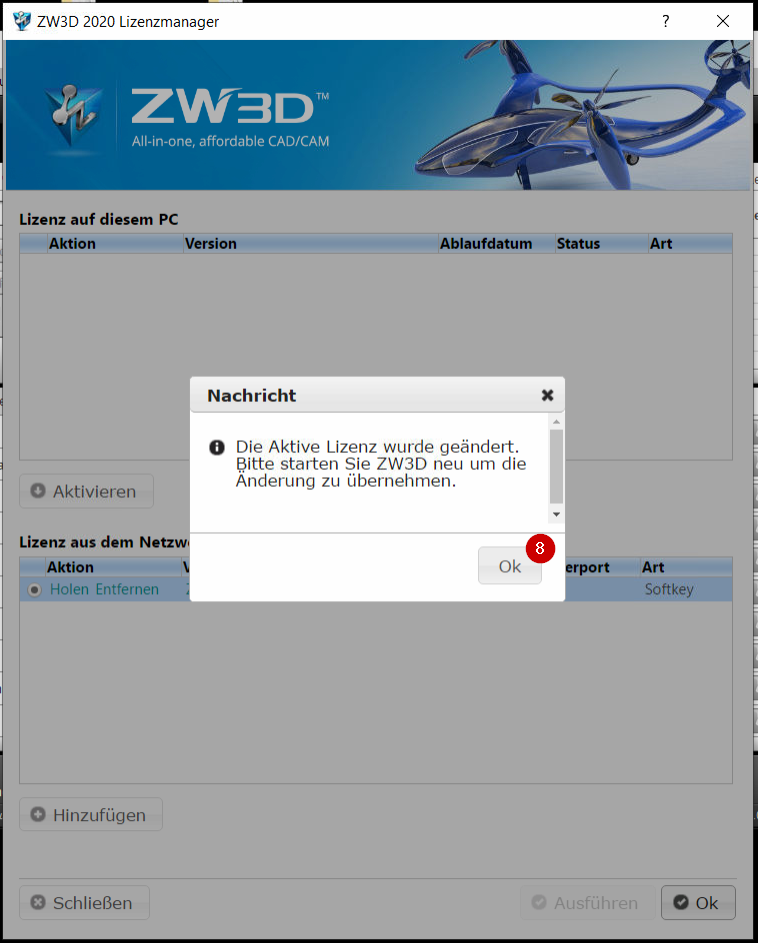
- Confirm the message with "Ok" [8] and let the program continue starting.
Now you should be able to start the program ZW3D and use it, as long as there is one unused license for you the time you start the program.