Standard texts
General
Standard texts are mainly used in sales orders and purchase orders or in all areas where textual input options are available (also, for example, in the description of operations).
Standard texts make it possible to call up recurring phrases by specifying a standard text number.
"Text numbers" have been defined for certain areas. These are to be requested from the responsible heads.
Standard texts can already be inserted in plain text in the prefix or suffix in the various functions such as Edit Order or Order via the function Text field, Insert Standard Text and the entry of the text number.
Edit standard texts
FEPA function Master data > Standard text > Edit standard text
Search Standard Texts
Open the search.
The text number has a maximum of 10 digits. The 1st line of the text in the search is always displayed as the text.
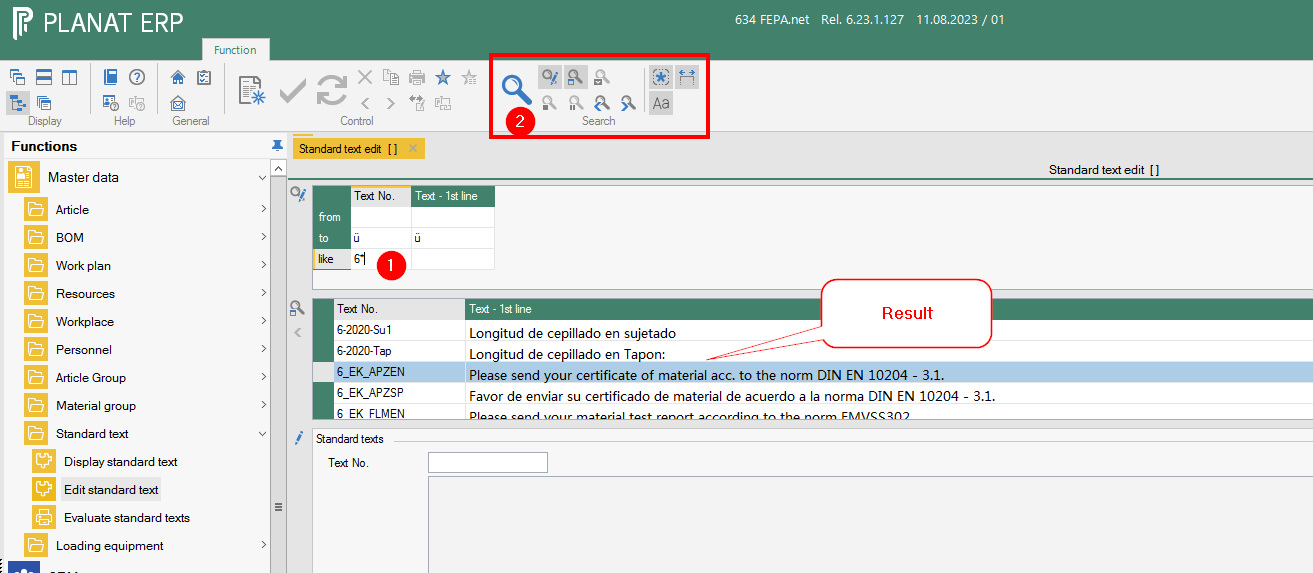
By double-clicking in a text number, text is loaded in the lower area and can be edited.
Entering new texts
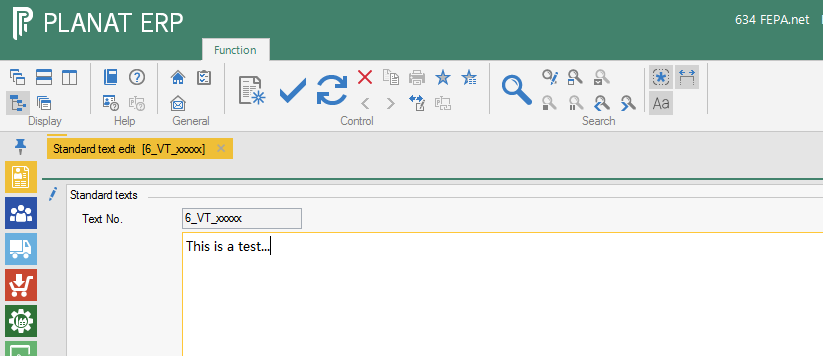
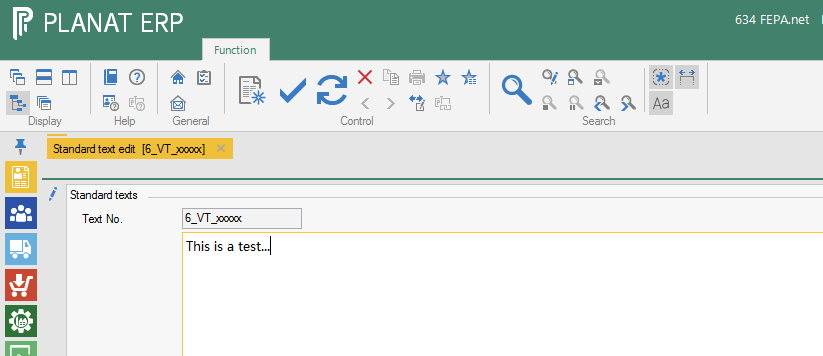
- Enter a number in the Text No. field and confirm with Enter.
- This releases the text field and a text can be entered.
Bild
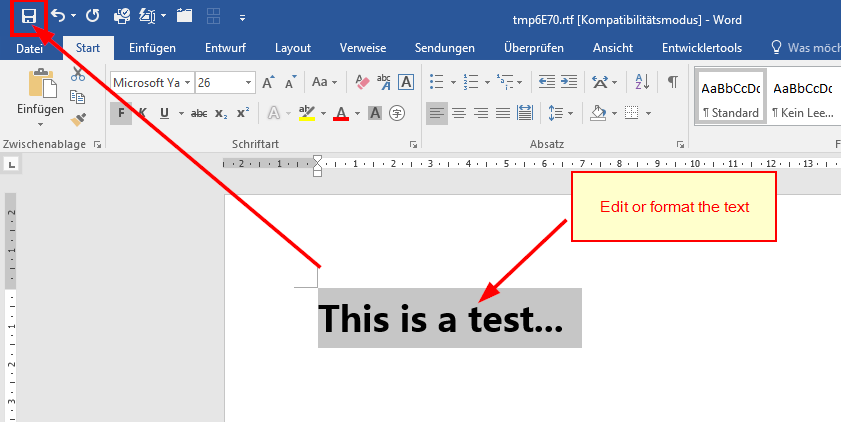
- Double-click in the text field to open Word, where the text can also be entered and formatted.
- Save in Word. Then close Word.
Bild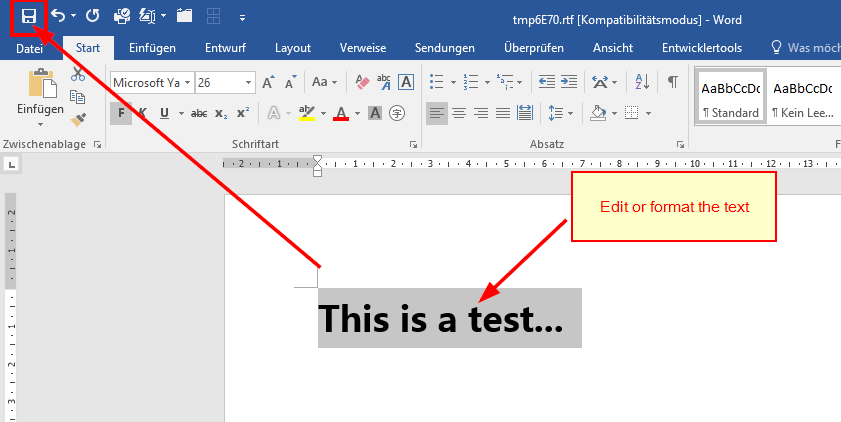
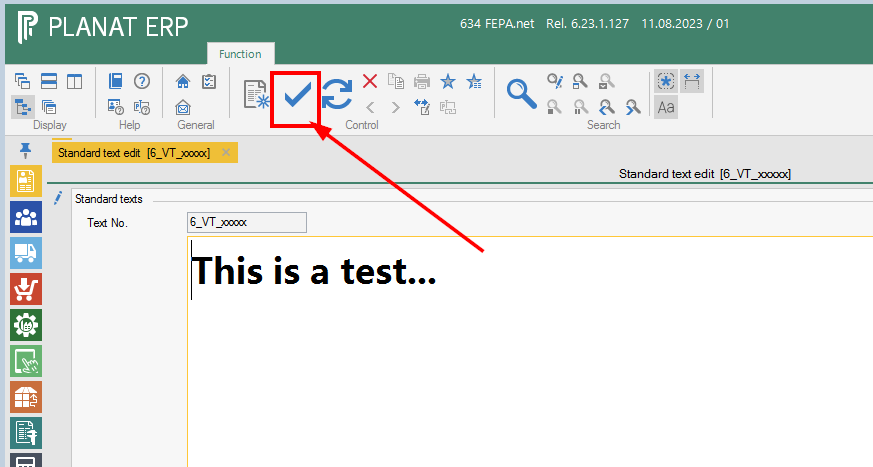
- Save in FEPA
Bild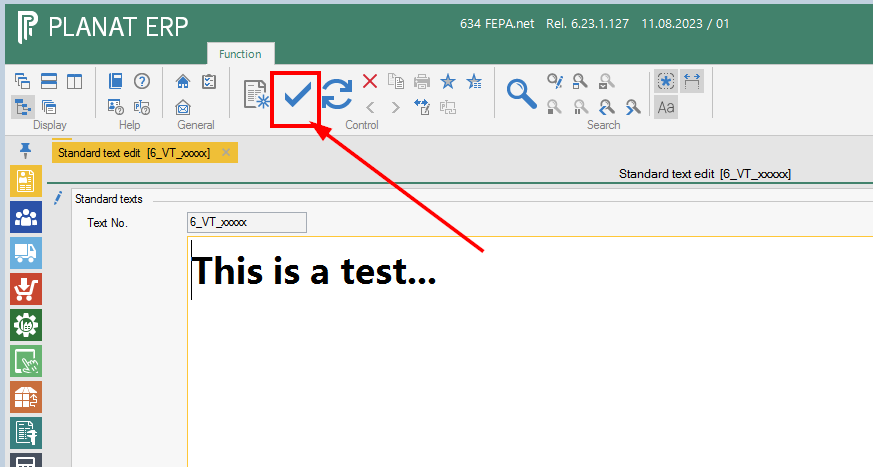
Search and insert standard texts in text fields
For example, in the sales order:
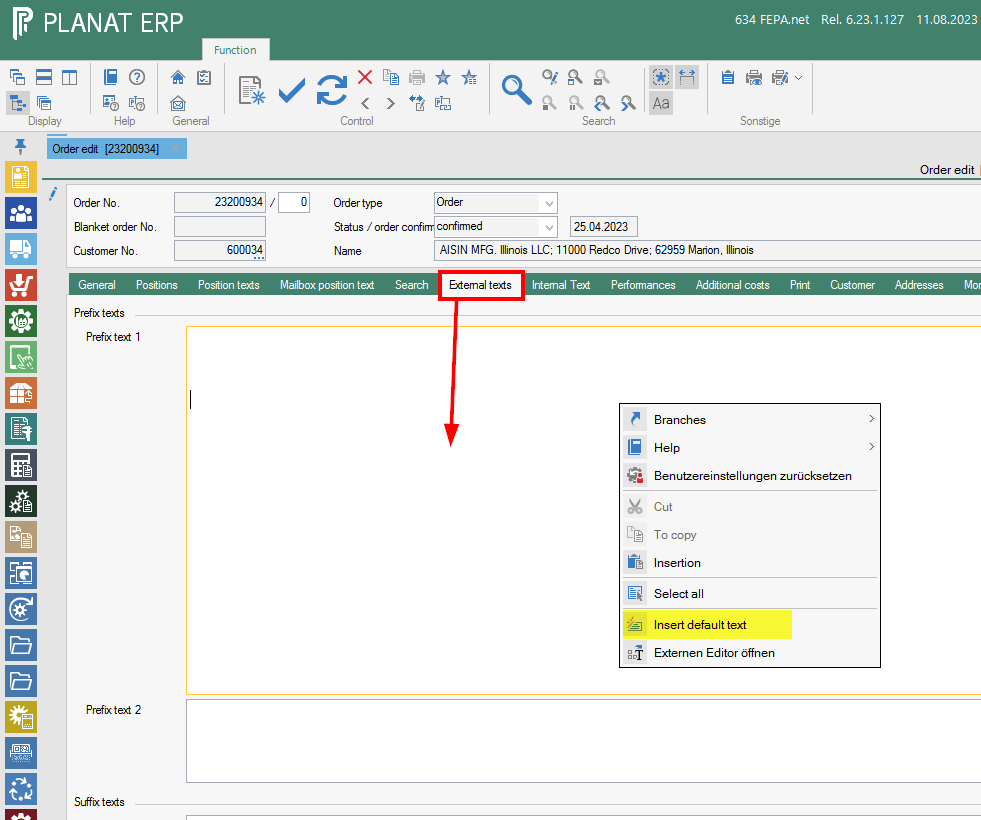
- Click in the text field where you want to add a text and press the
keyrightcombinationmouse[Ctrl]button,+click[T].in the context menu Insert default text.Bild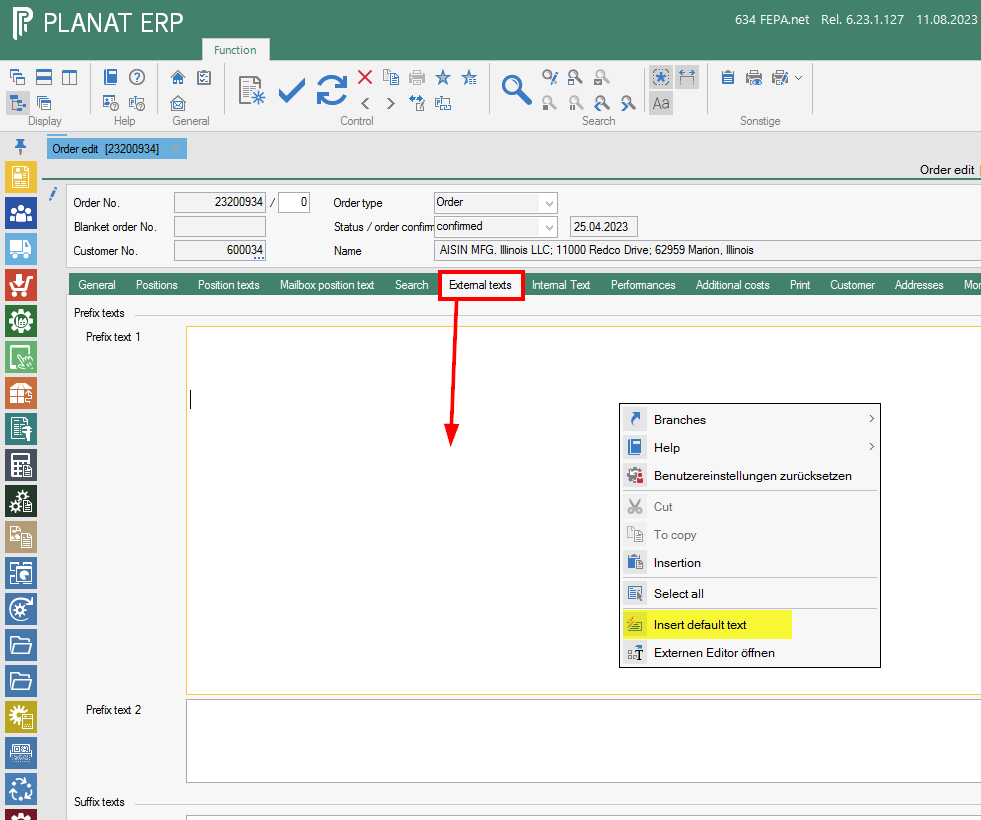
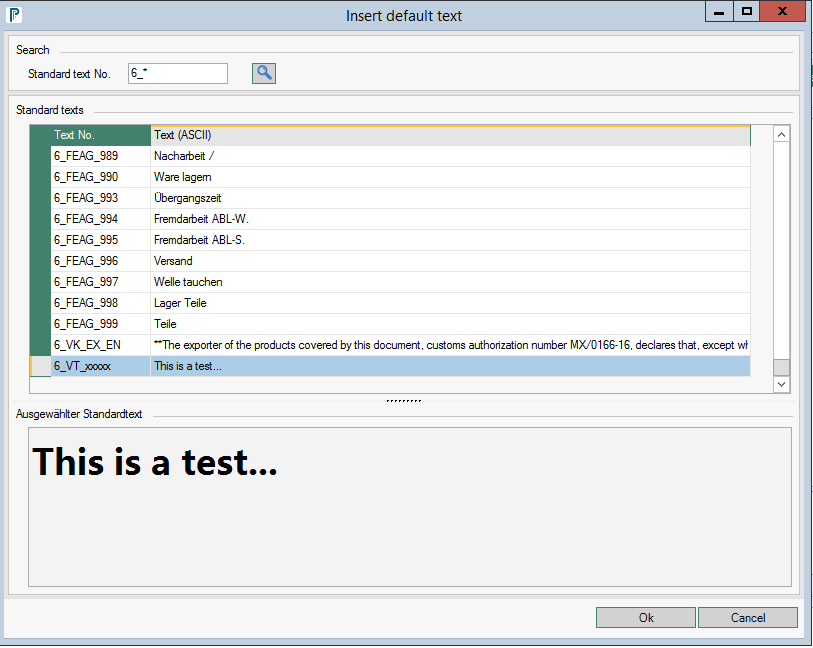
- Search for the standard text number, you can limit the search by using a '*' as a placeholder.
Bild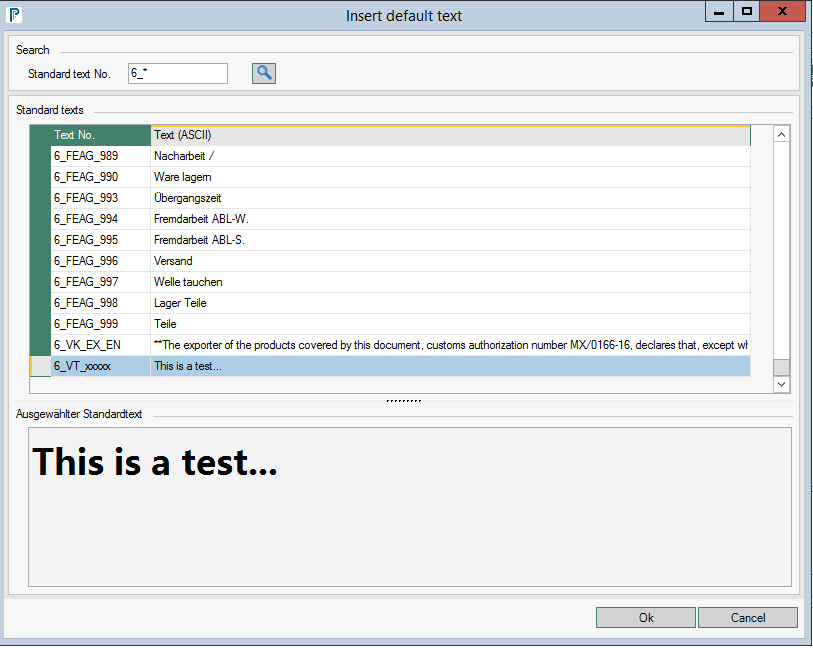
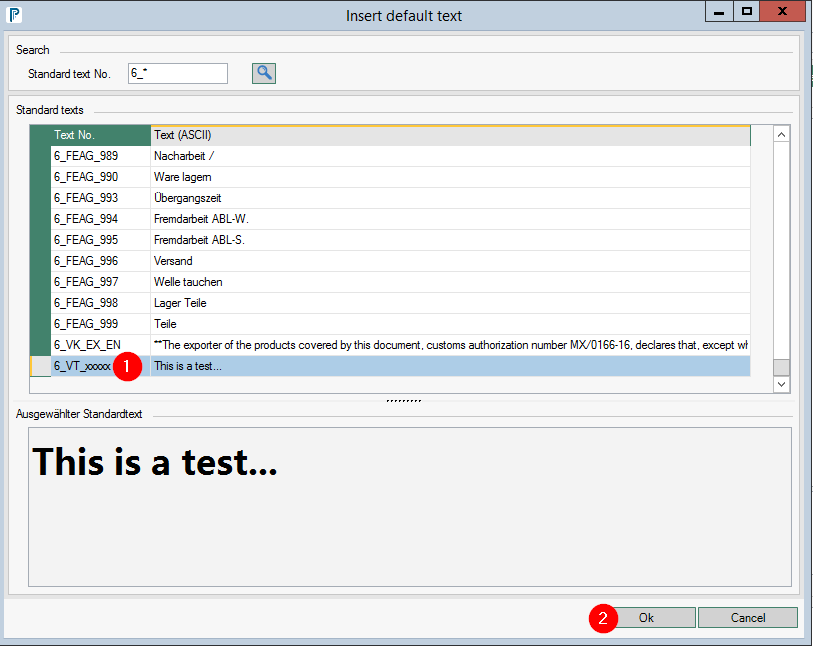
- Click on the text number and press OK
Bild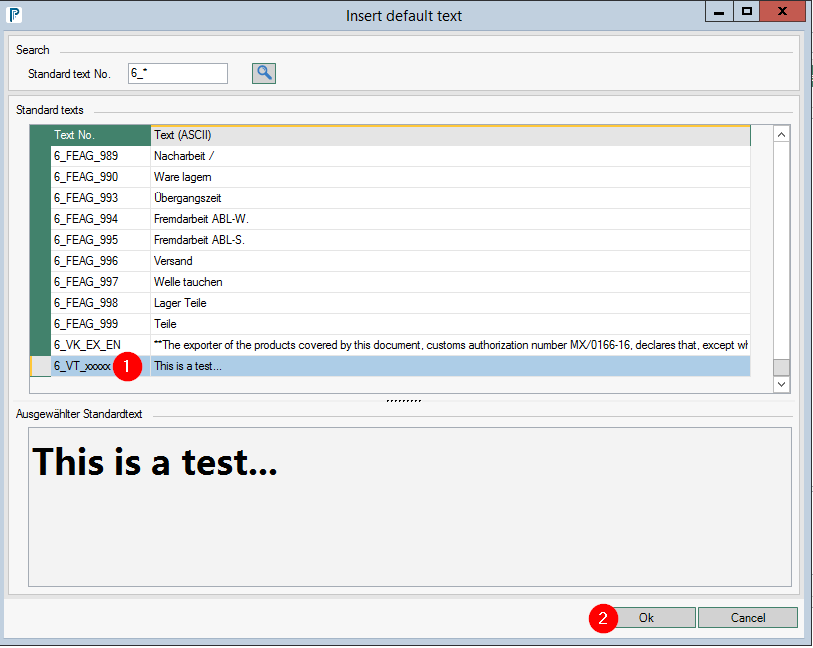
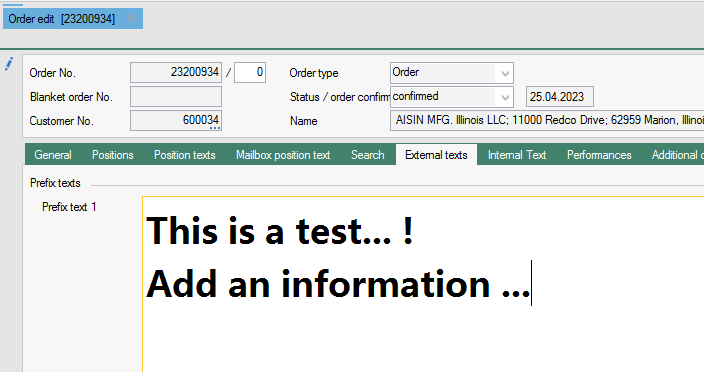
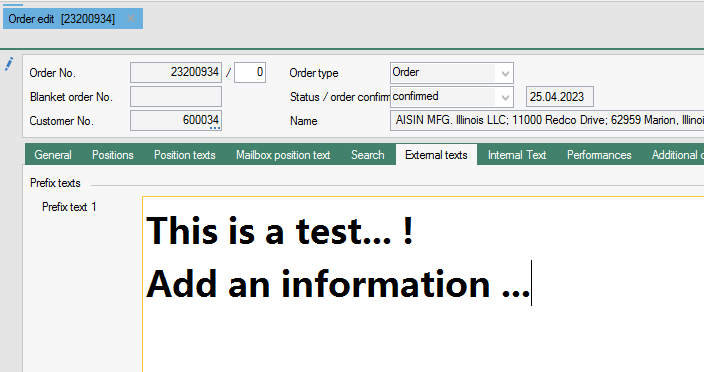
- the text has been inserted and can also be changed if necessary.
Bild