
Rebook inventory quantities
Using the function rebook inventory quantities, a rebooking or transfer of an article to another warehouse can be carried out as a manual actual movement.
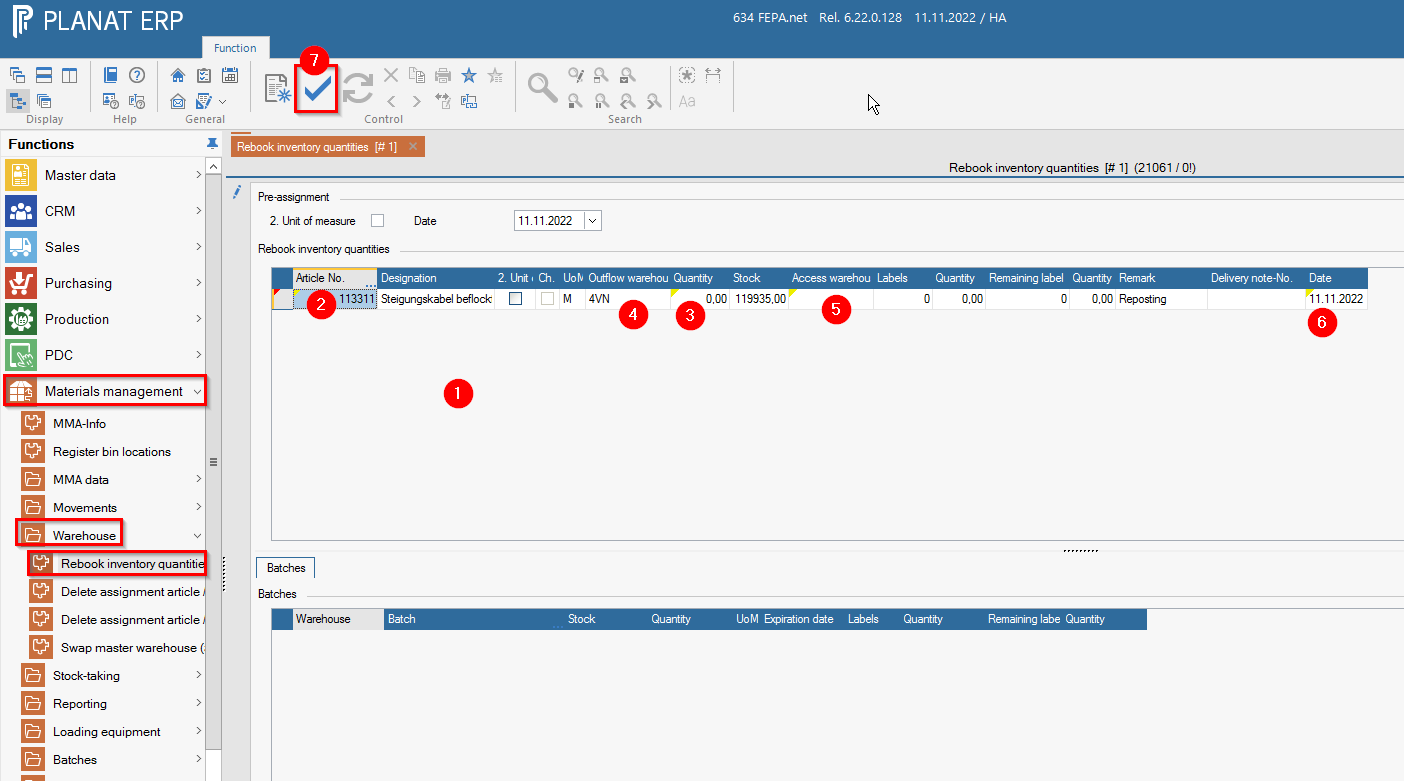
FEPA function: Materials Management > Warehouse> Rebook inventory quantities1.
- append line
2. - enter article number
3. - enter the desired quantity to be transferred (if necessary, note the unit of measure!)
4. - select the warehouse of departure (outflow warehouse, the warehouse from which the goods are to be deducted)
5. - enter the warehouse of receipt (access warehouse)
6. - date fits?
7. - Confirm with the tick in the tool bar, only then will the booking be made.

Note: Information can be entered in the Remark column!