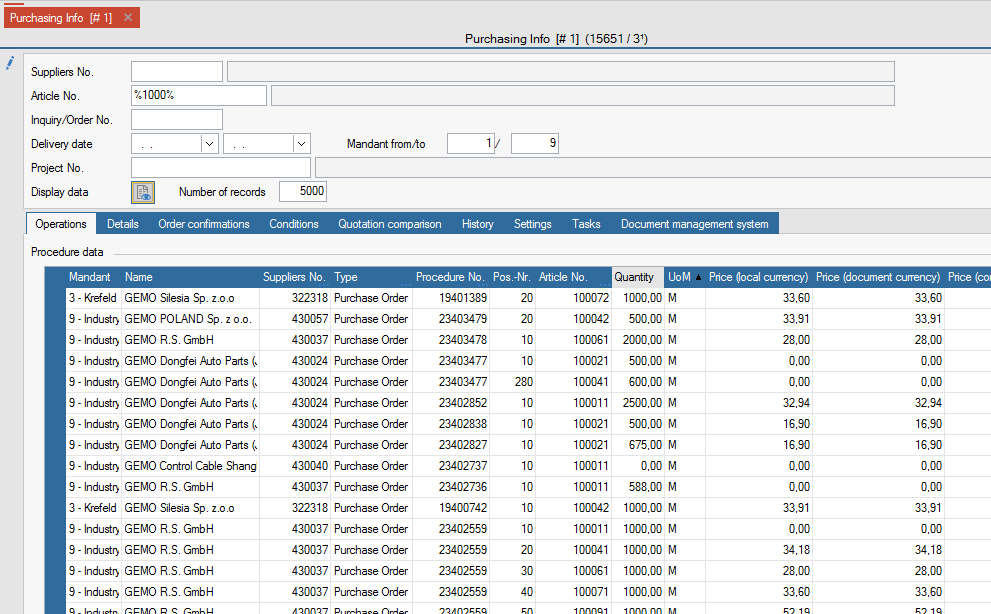
Purchasing-Info
General
Here you can view comprehensive information on the entire purchasing area.
FEPA Function: Purchasing > Purchasing Info
For the fields suppliers no., article no., inquiry/order no. and project no. a field search is possible. To do this, press the key combination [Ctrl]+[F] for search in the field or click on the magnifying glass in the status bar at the bottom of the window.
Settings
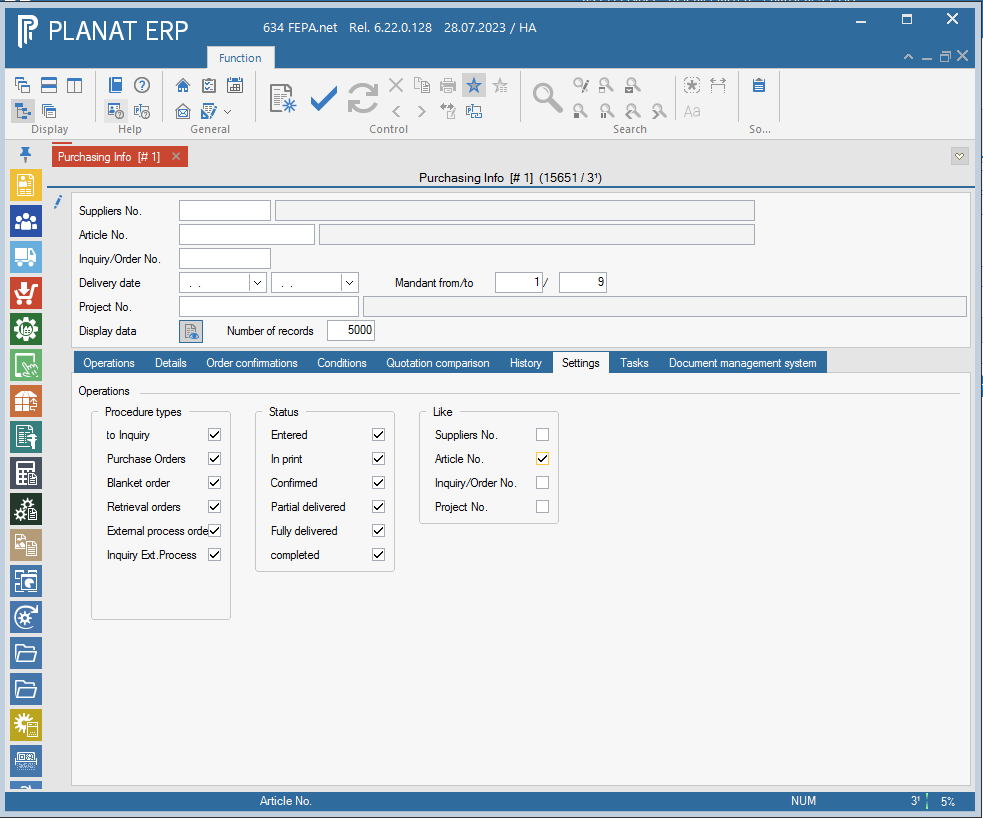
In the tab Settings you can define your display for the type of transactions and their status.
The Like setting means that you can enter % characters after the number in the field ticked here, as in the search/selection, and everything matching this character string is displayed in the result.
For example:
All operations for item numbers that begin with the character string "1000":
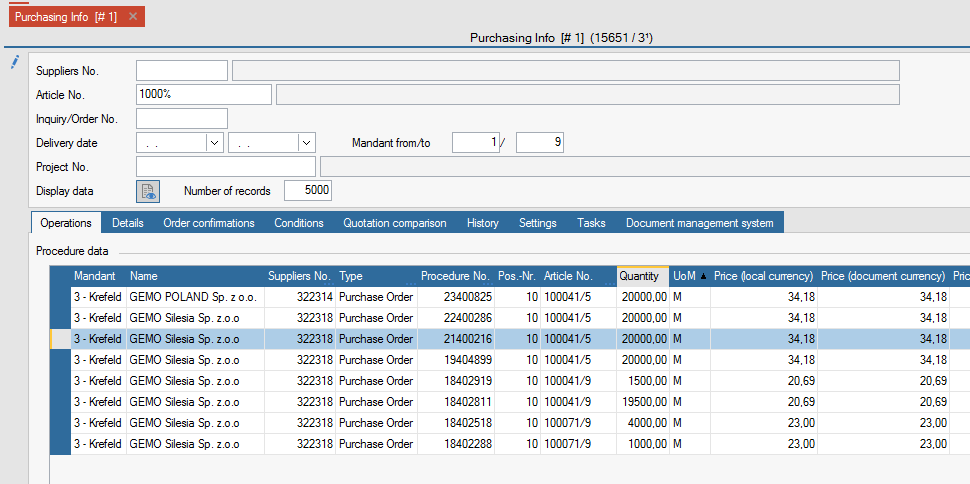
Note: When searching for a purely numeric number, a % character must also precede the number! Numbers are padded with leading blanks when saving if it is an alphanumeric field.