MMA-Info
Settings
FEPA function: Materials Management > MMA Info
In the settings tab, some settings can be predefined and saved so that you always enter MMA Info with these saved settings. The settings can also be adjusted at any time in the current view.
Settings for the header area for the tabs Movements with prices, Movements, Movements condensed.
Warehouse "%" shows all warehouses, "Client abbreviation +%" only all warehouses for the client
Tick for transaction and movement types displays data or not (no tick)
Date (from) /date (to) limits the display period
Number of data records, how many lines are displayed
Settings for the header area for the Availability tab
Settings for the header area for the tab Consumption
Settings for the header area for the Serial No. tab
Availability check stock
FEPA function: Materials management > MMA-Info
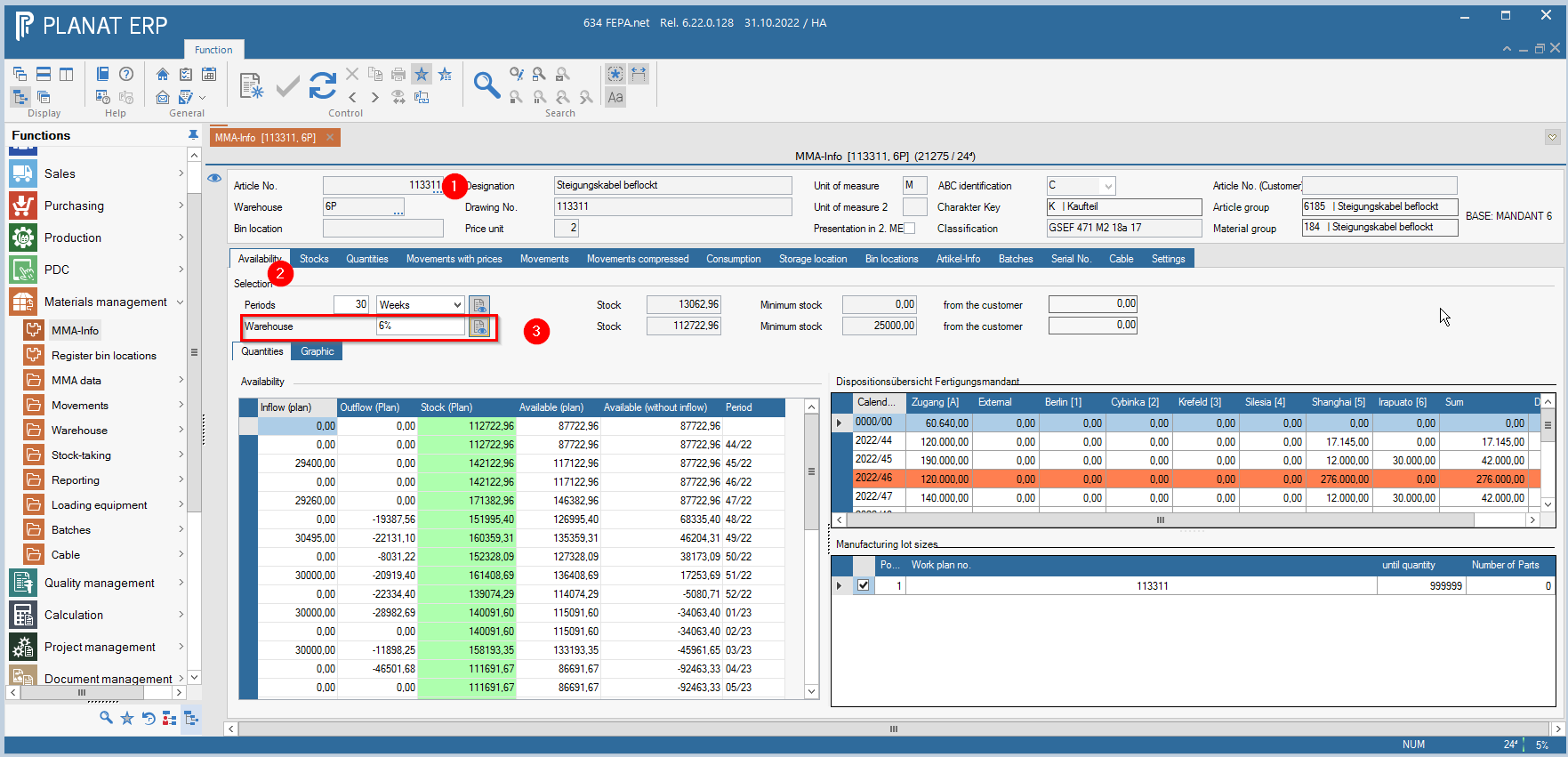
1. enter article no., press enter 2x (until everything is grayed out)
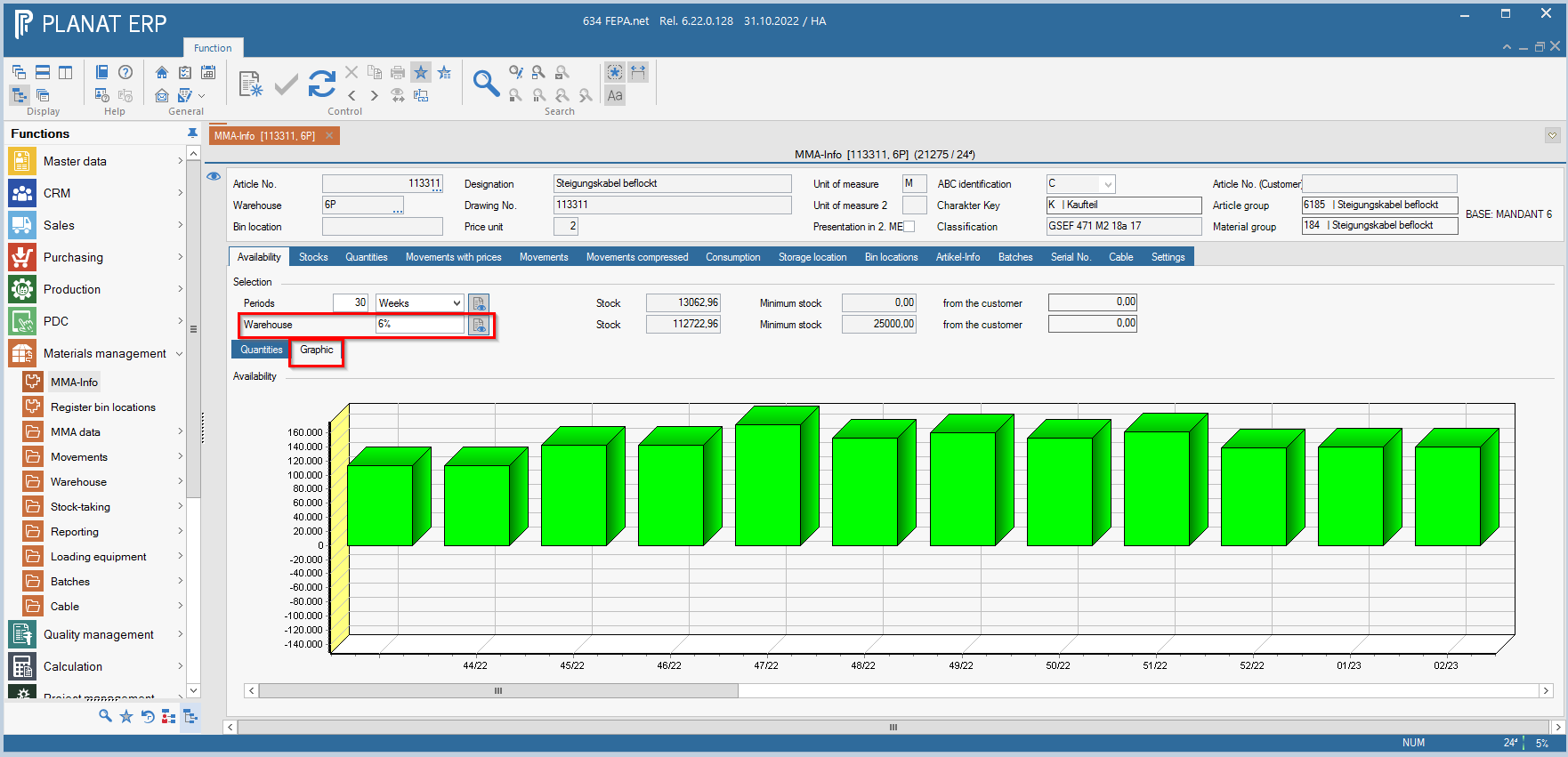
2. select tab Availability (if desired, select the button Graphic, then a graphic view appears instead of the tabular view)
3. enter the mandant+ % for stock to see only the mandant related quantities. Then press the button next to it. (Calculate across warehouses)