MMA-Info
Availability check stock
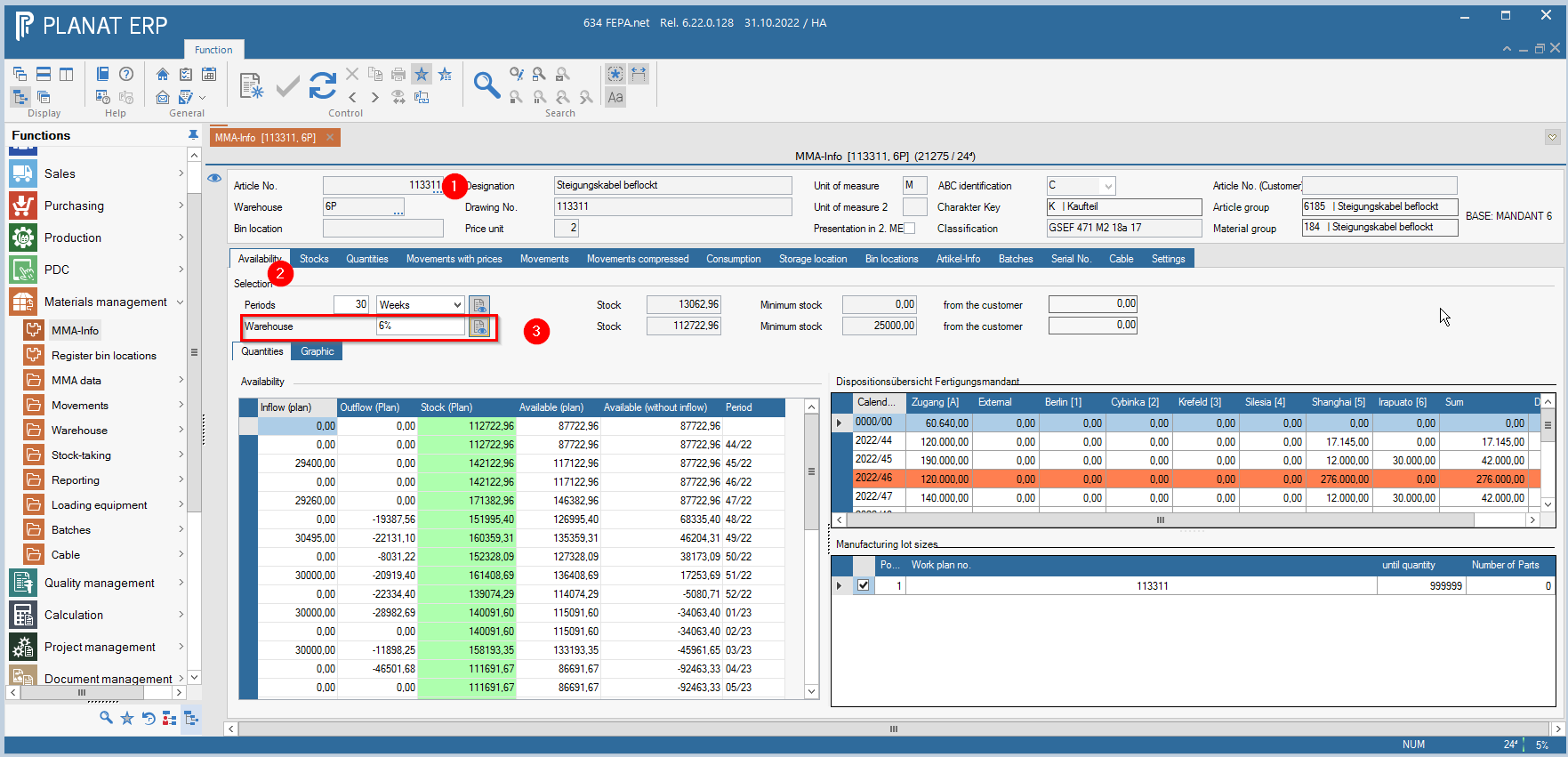
FEPA function: Materials management > MMA-Info
1. enter article no., press enter 2x (until everything is grayed out)
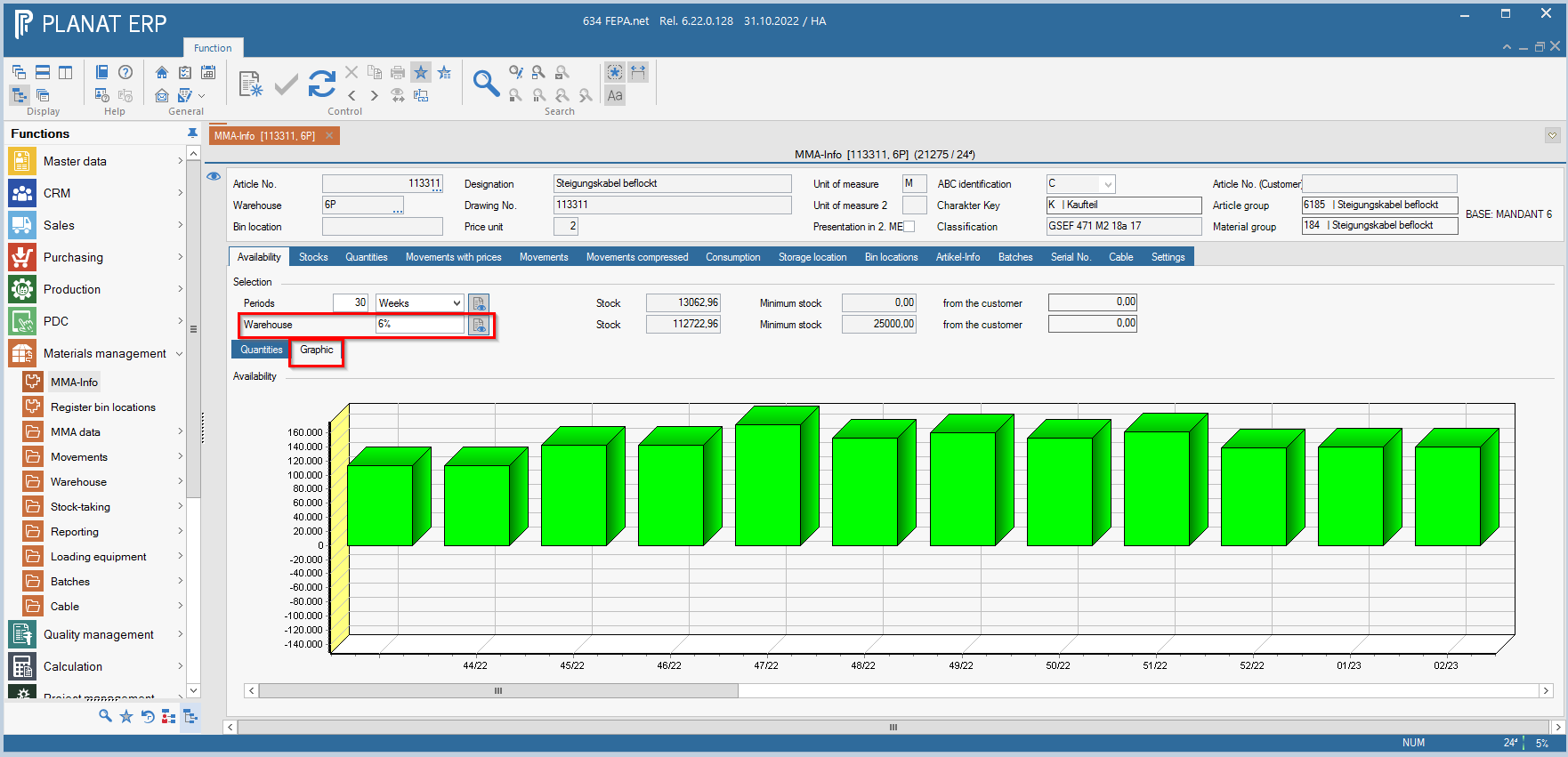
2. select tab Availability (if desired, select the button Graphic, then a graphic view appears instead of the tabular view)
3. enter the mandant+ % for stock to see only the mandant related quantities. Then press the button next to it. (Calculate across warehouses)