Inventory tasks in advance
Monthly work
Stock valuation
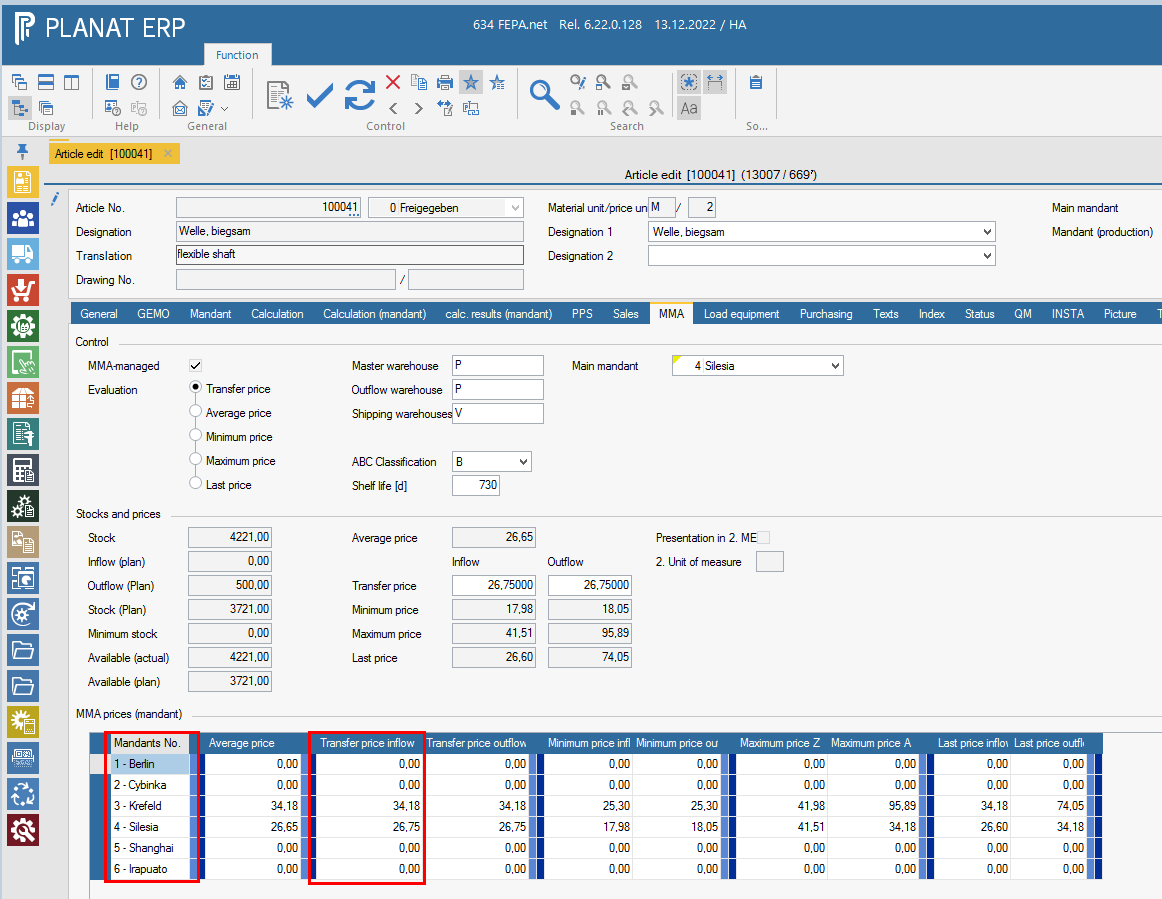
Check the inventory valuation for articles with "0" price. Determine the price and enter it in the field transfer price inflow access in the article master in the programme Master data > Articles > Edit articles in the tab MAWI according to the mandant.
Advance work on annual inventory FEPA
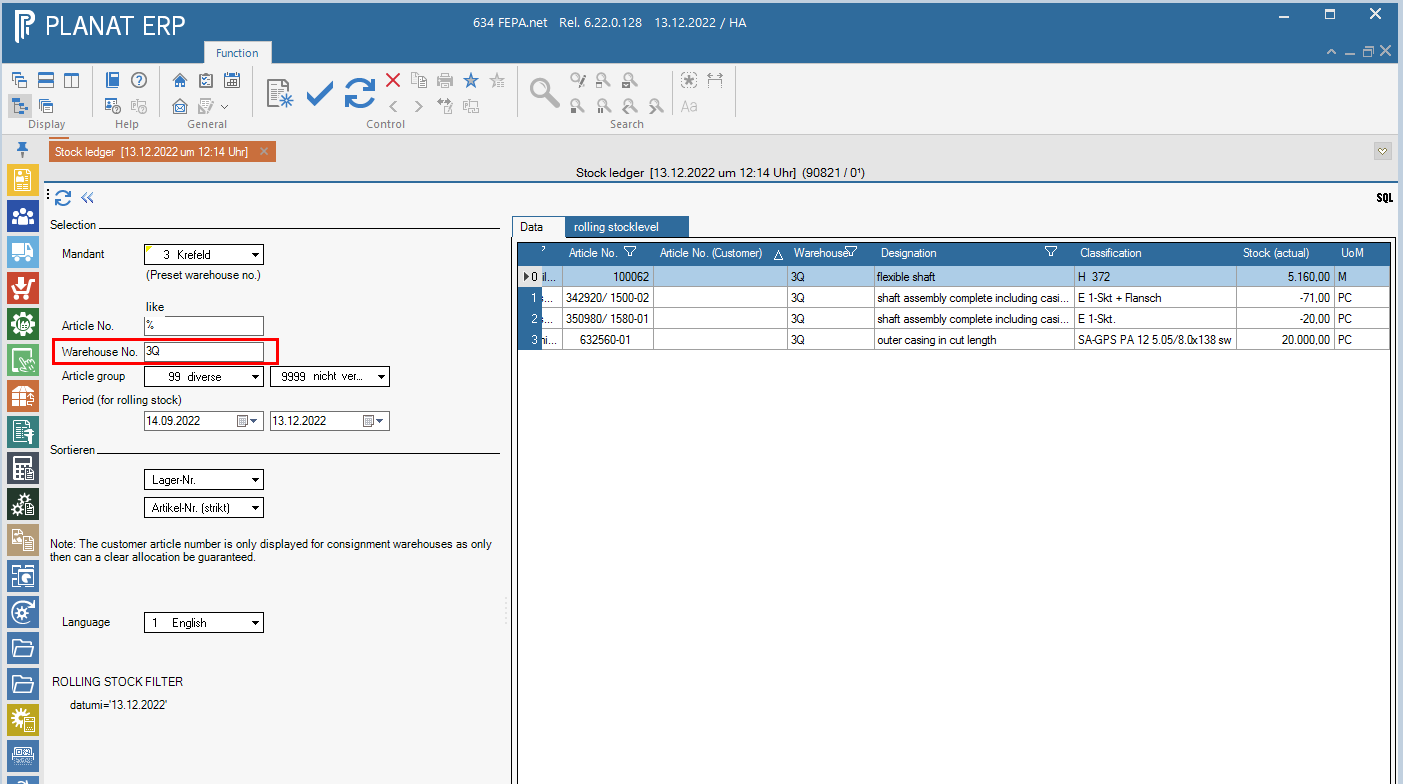
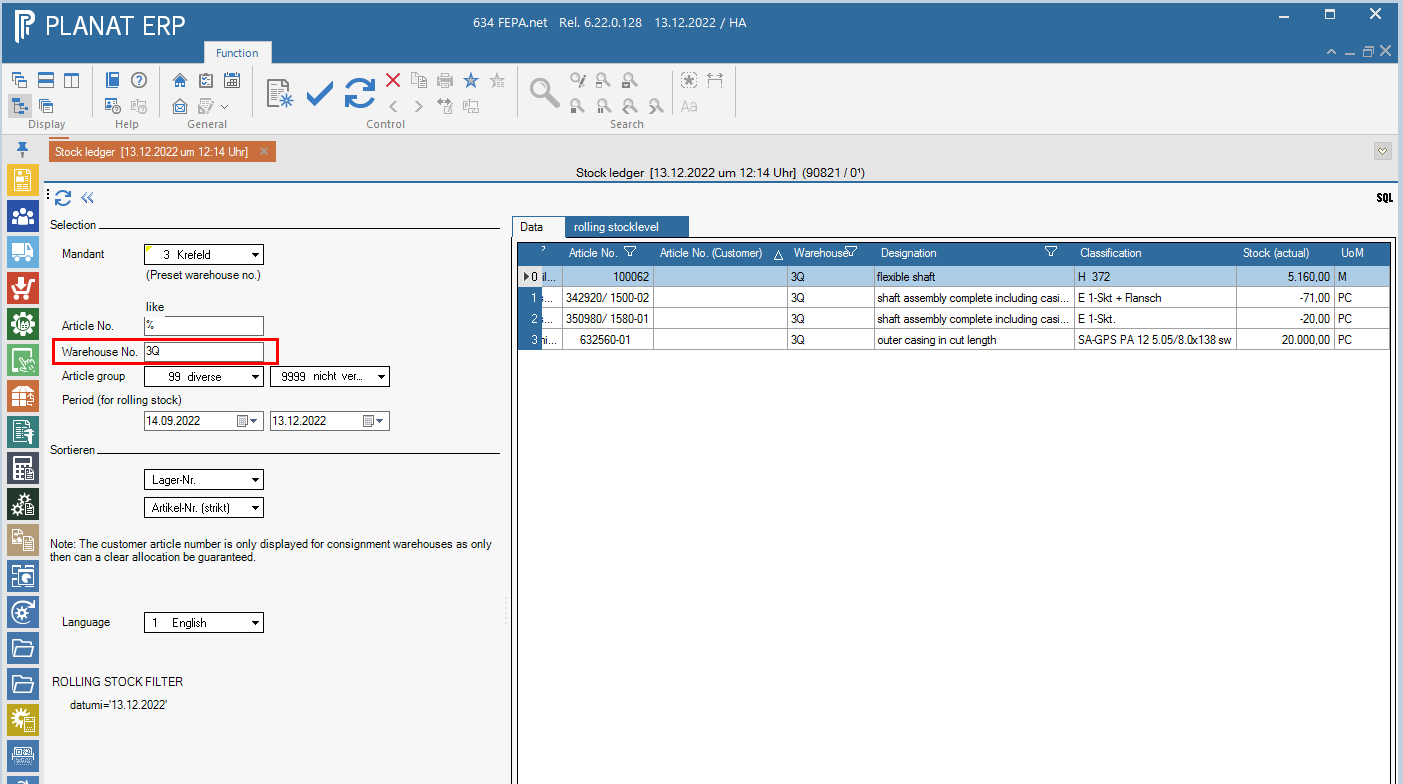
- All goods receipts are recorded and reported via Babteq - Check stock Q Warehouse. See FEPA
Reporting > MMA > stock ledger
And see FEPA programme
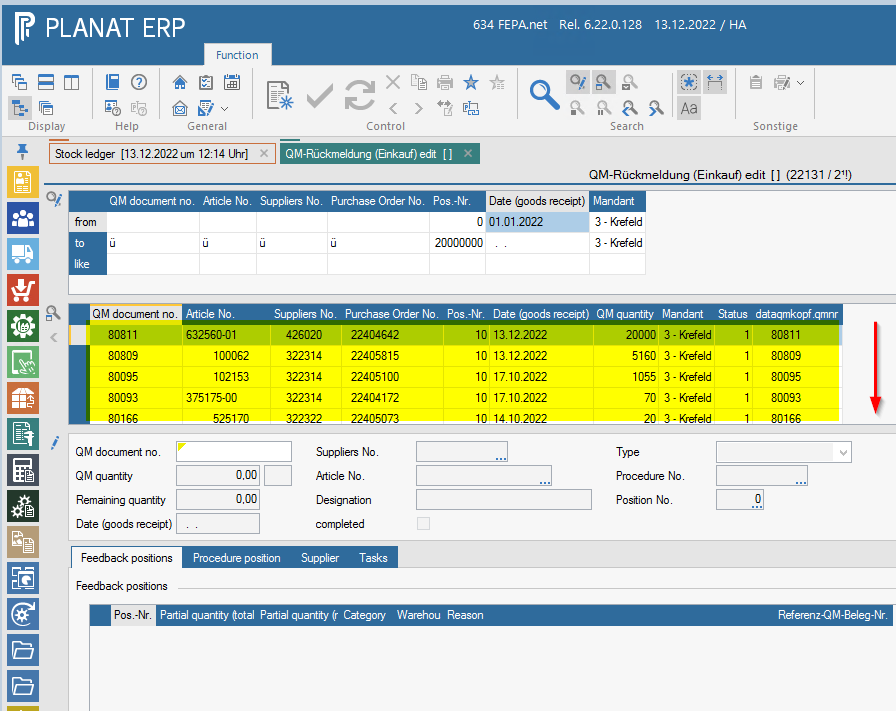
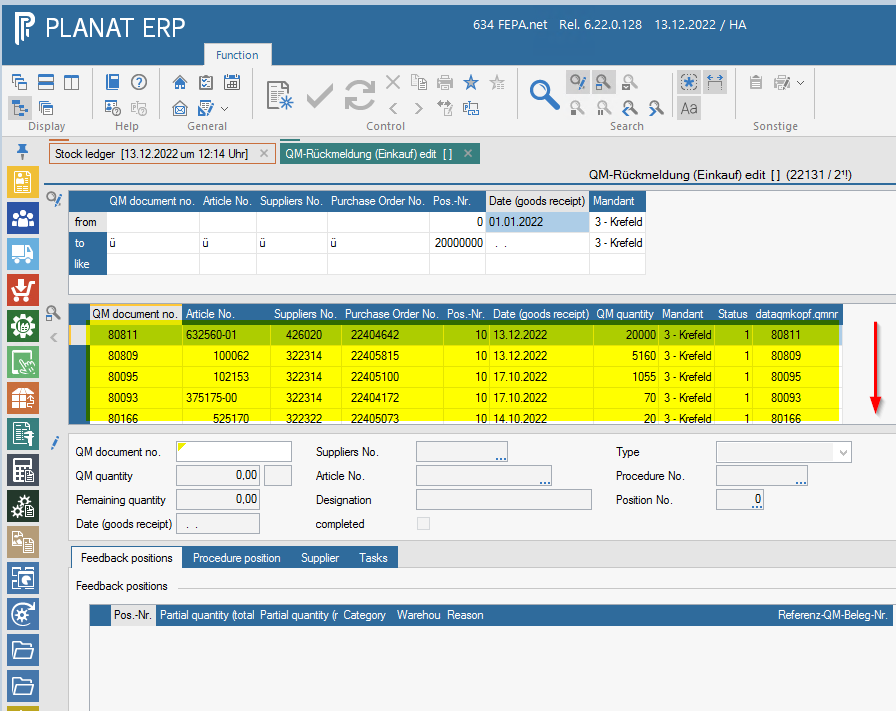
Quality Management > Confirmations > Purchasing > Edit Confirmation, open the selection area of the search, enter the field "Date (goods receipt)" in the line "from" the 1.1. of the current year, check the field " Mandant" and start the search. You will then get a list of all open feedbacks for your 'mandant'. All should be completed and the list should be empty.

- All incoming invoices are posted in FEPA by the purchasing
- All production orders are finished and completed via the programme
Production > PDC > Determine production order status. Check via PPS - Info, settings only work orders (WO) in processing, pull list with all WO, see if all bookings are completed and if the material is booked! If bookings are still missing, add these bookings and complete material bookings so that the WO status is set to completed. - Check FEPA for missing scanner bookings
- All delivery notes and invoices for dispatch have been printed.