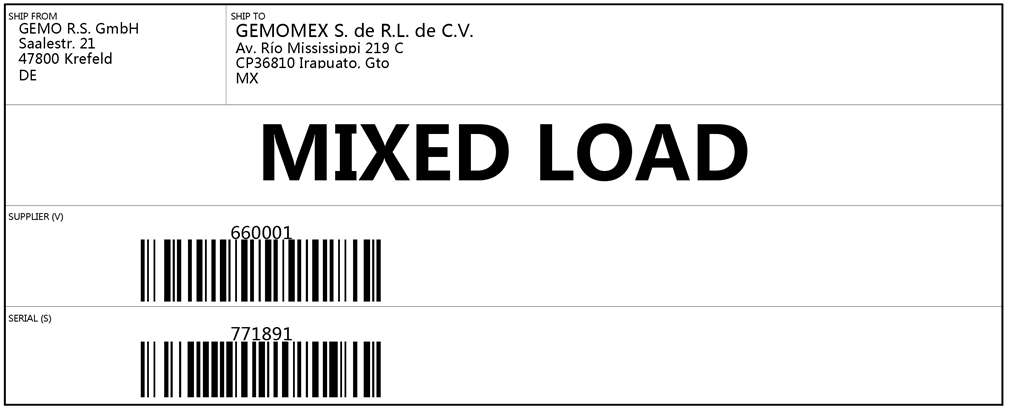
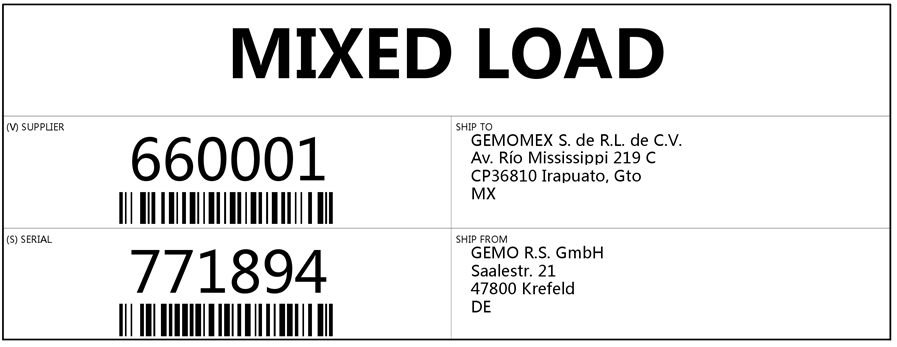
Goods tag (labels)
General
FEPA has the possibility to print goods tags based on the loading equipment used (see also article Loading equipment and loading units). Printing then starts together with the printing of the delivery note. This applies to both EDI delivery notes and non-EDI delivery notes.
Conditions for printing
In order for goods tags to be printed at all, a few precautions must be taken in the delivery note, but these can be automated.
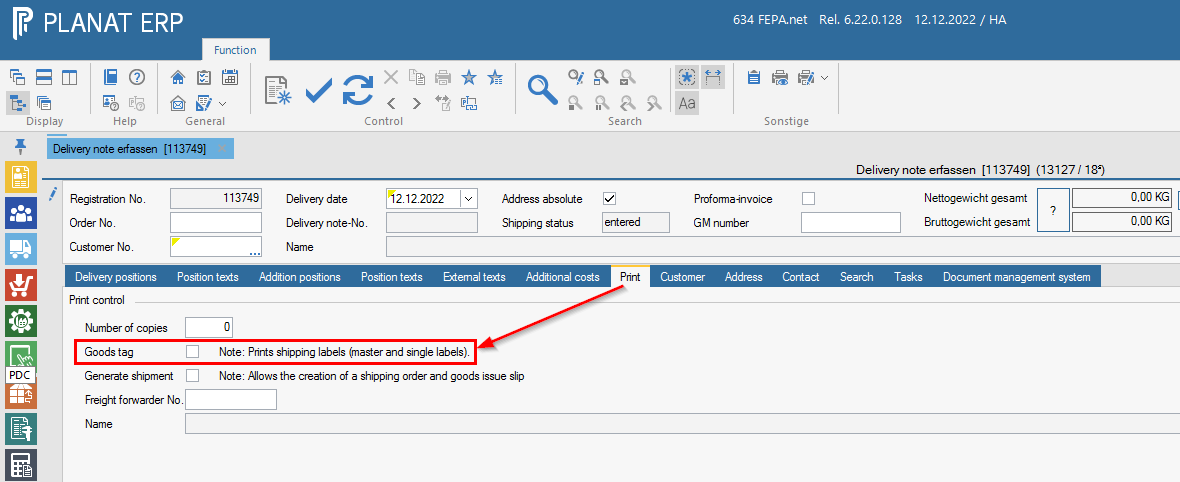
Tab "Print"
In the function Edit delivery note or Edit EDI delivery note there is the tab Print with the option Goods tags. Only if this option is selected will the goods tags be printed together with the delivery note.
Tab Delivery positions
In the function "Edit delivery note" or "Edit EDI delivery note" there is the tab "Delivery positions". All items to be delivered that have a connection to a customer order are displayed here in table form. For non-EDI delivery notes, there is also the option to enter "additional items", but there is no option to print goods tags for these.
Regardless of the type of delivery note, there is an area with additional tabs below the table with the items to be delivered. These are always dependent on the currently selected delivery note item. To create goods tags, the loading equipment to be used must be entered in the Loading equipment tab. The corresponding table only appears when the Enter loading equipment check mark has been activated.
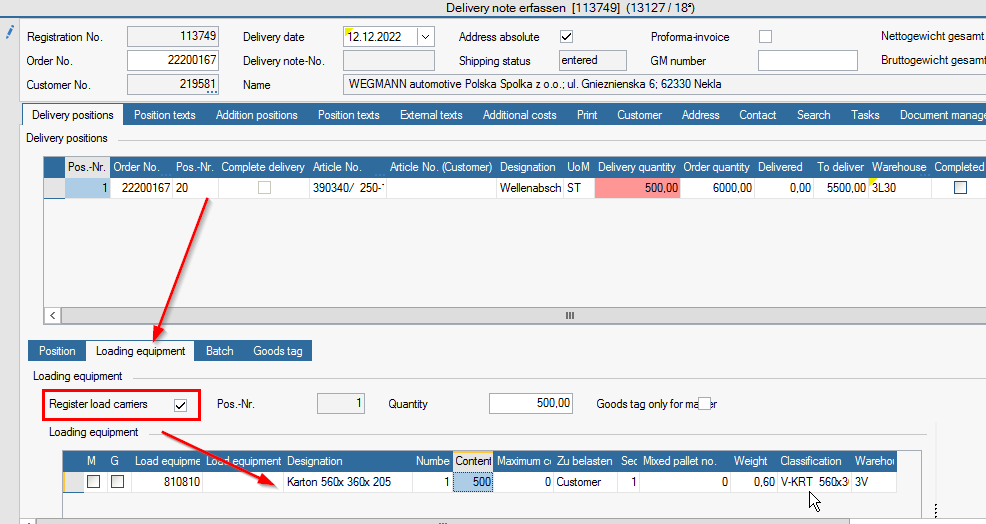
In the screenshot above, you can see the two columns M and G in the loading equipment positions which identify the position as Master, G=Mixed or Single (if neither M nor G is selected). In the following, a Master label, (G=)mixed label or single label is printed accordingly.
It is important to enter the loading equipment in order or to keep an eye on the column "Sequence". All single-label positions always belong to the "previously entered" master-label position. For mixed labels the column "Mixed pallet no." is decisive for the affiliation.
Sales order tab Print
The default setting of the labels for the variant with the "Safety parts" indicator (circle with triangle, "Special features") can be found in the "Edit sales order" in the Print tab.
Types of goods tags
FEPA recognises several types of tags which are briefly explained below:
- Master
This is usually the goods tag that is printed once per pallet and informs about the entire contents of the pallet. All the goods on the pallet must be of the same article. If it is a pallet with mixed goods, tick "G" (stands for "Mixed") in the loading equipment position and the goods tag "Mixed pallet" is used. - Mixed pallet
Is always printed if the tick in the column "G" is ticked in the loading equipment positions. See also "Master". - Single (small)
The "Single" goods tag is printed per package, usually per box (or loading equipment) containing the actual goods. The "Single" goods tag is available in a large and small version, but we actually only use the "Single (small)". - Single
See also "Single (small)". - Load unit
Goods tags for loading units are only printed if a loading unit is selected in the delivery note item AND in the customer-work relation, in the "Control" tab, no tick has been set in the "Dissolve LE" field (stands for "Dissolve loading unit").
Over time, there has been a need to print these different tags with a different appearance, depending on the agreement with the customer. These agreements are very often based on one of the many standards from the automotive industry, supplemented by various customer requests. The automotive standards VDA or AIAG are common.
So there are several different designs for the goods tags, depending on the standard agreed with the customer. The following table is intended to provide information about this.
The following section contains two different tables. One for goods tags from EDI transactions and the second for goods tags from non-EDI transactions.
The numbers in the cells correspond to FEPA internal document numbers for IT to help locate the labels in case of questions. If a value is missing from the cell, then the standard goods tag (first line) is always printed.
| --- | Master | Mixed | Single | Single (klein) | Loading unit |
| Standard | No. 8044 | No. 8047 | No. 8050 | No. 8053 | No. 8041 |
| VDAv1 | No. 8169 | No. 8515 | No. 8189 / 8190 | ||
| VDAv2 | No. 8173 | No. 8518 | No. 8197 / 8198 | ||
| AIAGv1 | No. 8170 | No. 8516 | No. 8191 / 8192 | ||
| AIAGv2 | No. 8171 | No. 8517 | No. 8193 / 8194 | ||
| CamSlide | No. 8172 | No. 8195 / 8196 |
| --- | Master | Mixed | Single | Single (klein) | Loading unit |
| Standard | No. 8043 | No. 8046 | No. 8049 | No. 8052 | No. 8040 |
| VDAv1 | |||||
| VDAv2 | |||||
| AIAGv1 | |||||
| AIAGv2 | |||||
| CamSlide |
Configuration of the types of goods tags
The selection whether the design "Standard" or the design "AIAGv2" is to be printed for a master goods tag is made in the delivery note itself, see the following screenshot:
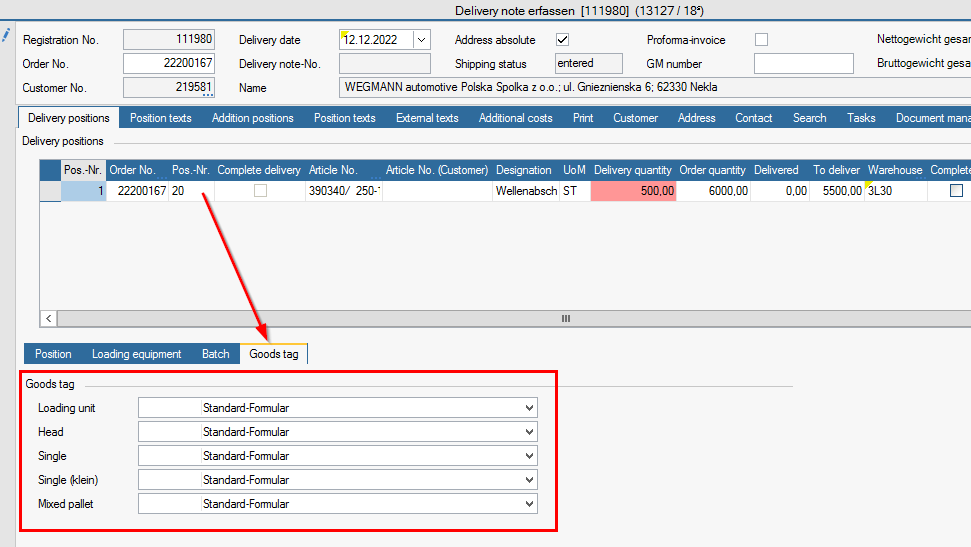
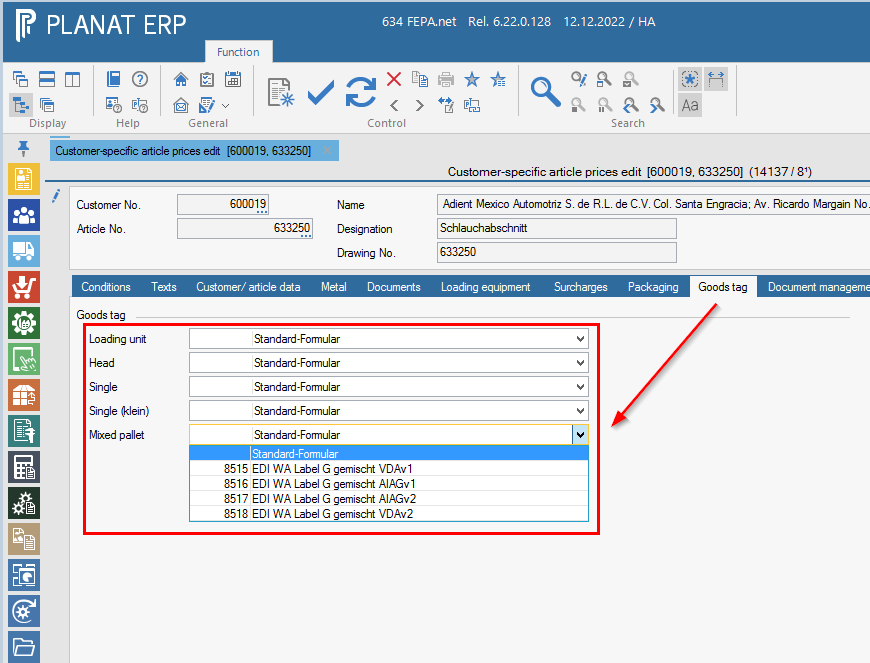
In the case of an EDI delivery note, this setting is loaded from the associated EDI sales order when a new one is created and can thus be preassigned there. The EDI sales order in turn loads the data from the customer conditions when a new order is created (see Sales programme > Customer conditions > Edit customer-specific item prices).
In the case of a non-EDI delivery note, the data cannot be stored in the sales order, but can be stored in the customer conditions in order to be preassigned when a new delivery note is created.
Sample goods tags
The following is the section with examples of the different commodity tag designs possible in FEPA.
Non-EDI
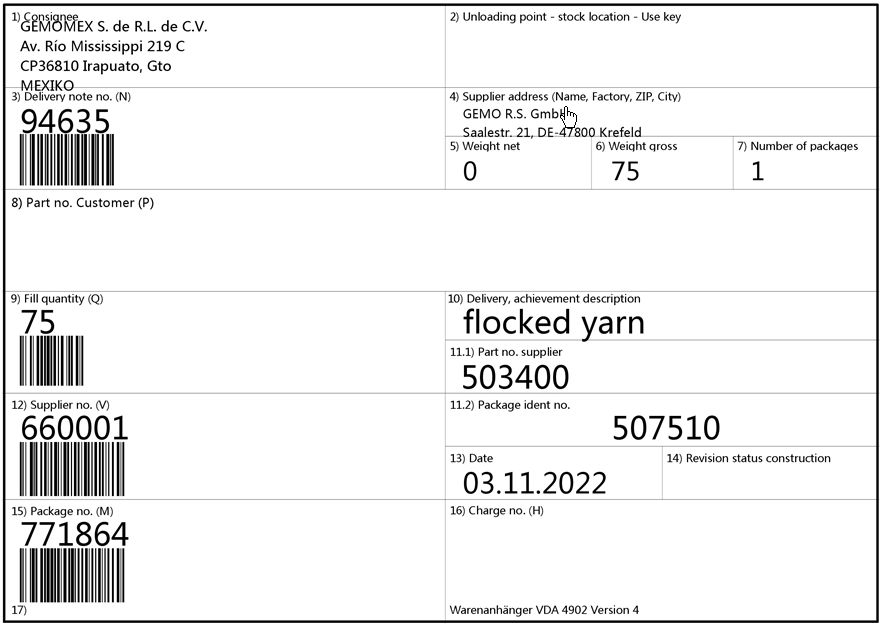
Master
Non-EDI, goods tag master, standard: 8043
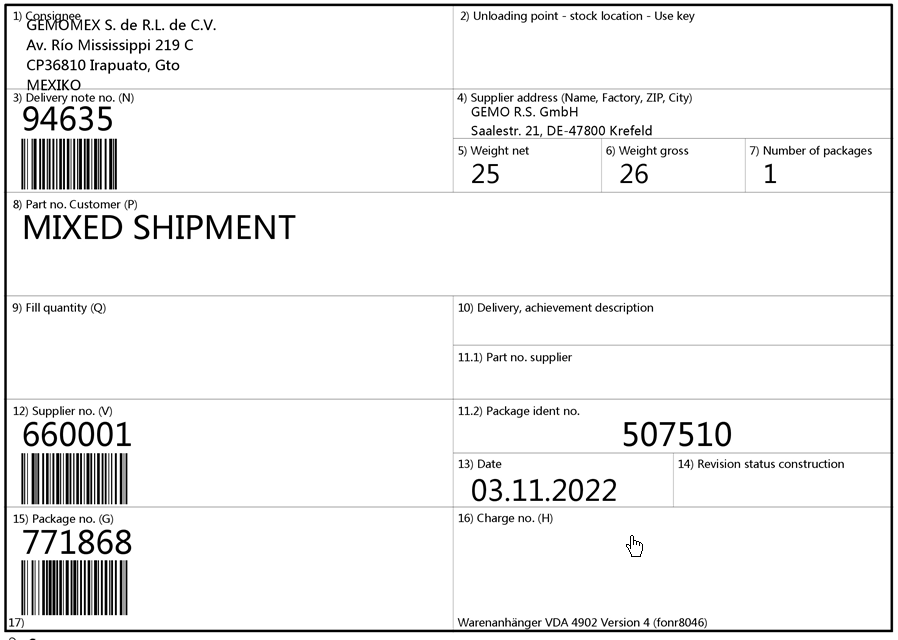
Mixed
Non-EDI, goods tag mixed, standard: 8046
Single
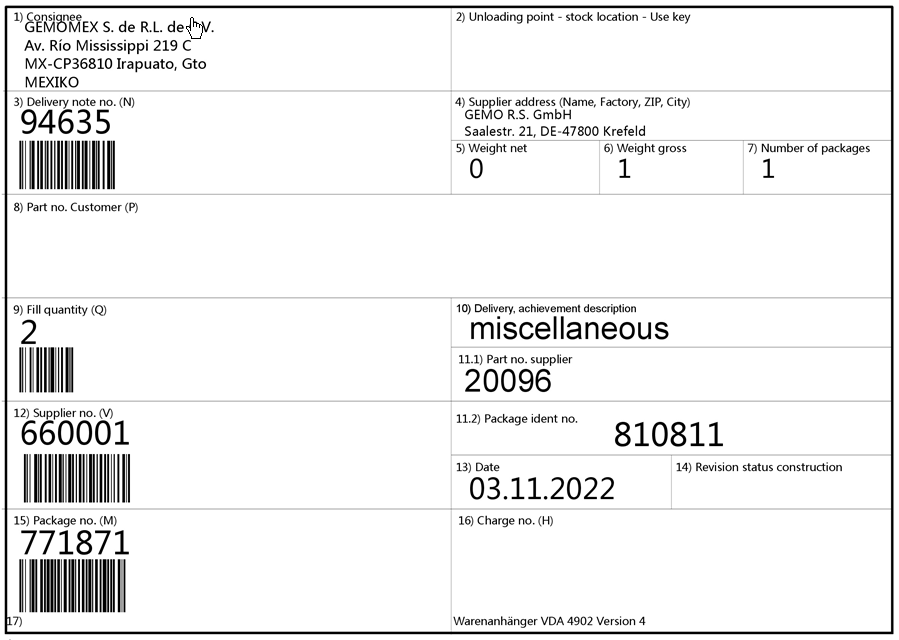
Non-EDI, goods tag single, standard: 8049
Single (small)
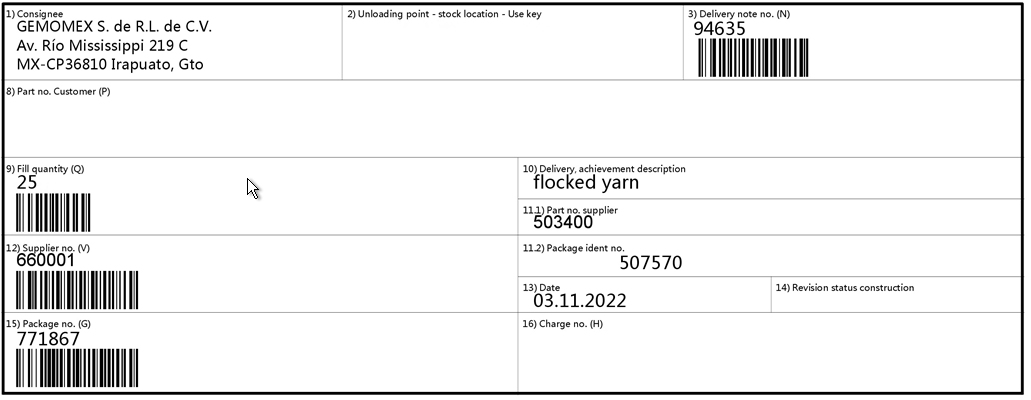
Non-EDI, goods tag single, standard: 8052
EDI
Loading unit
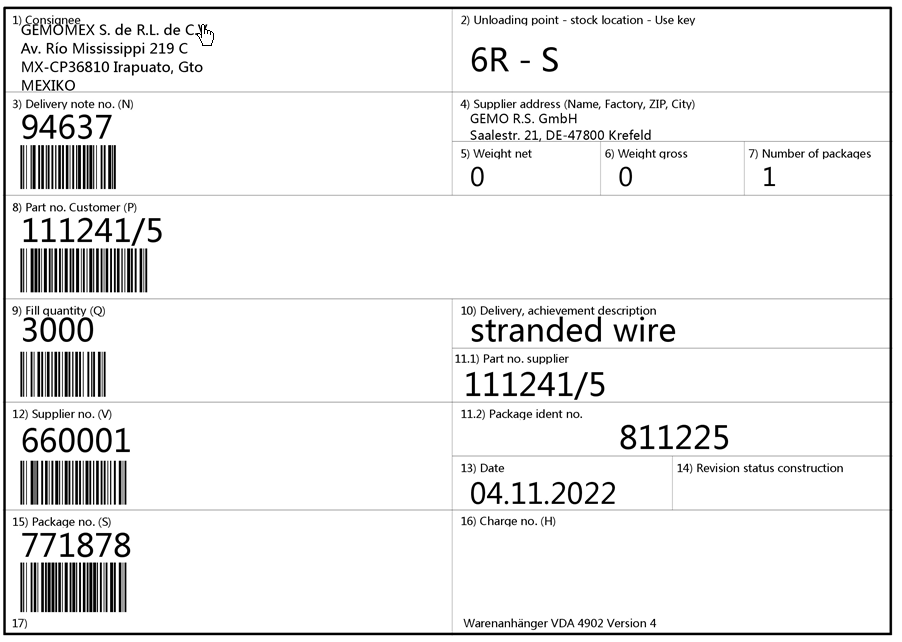
EDI, goods tag, Loading unit: 8041
Master
EDI, goods tag master, standard: 8044
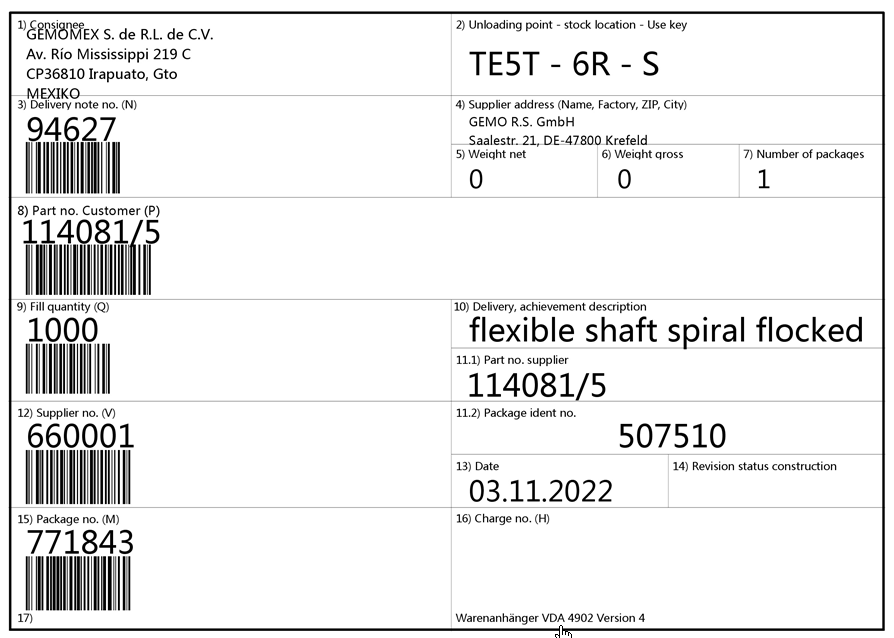
EDI, goods tag, master VDAv1: 8169
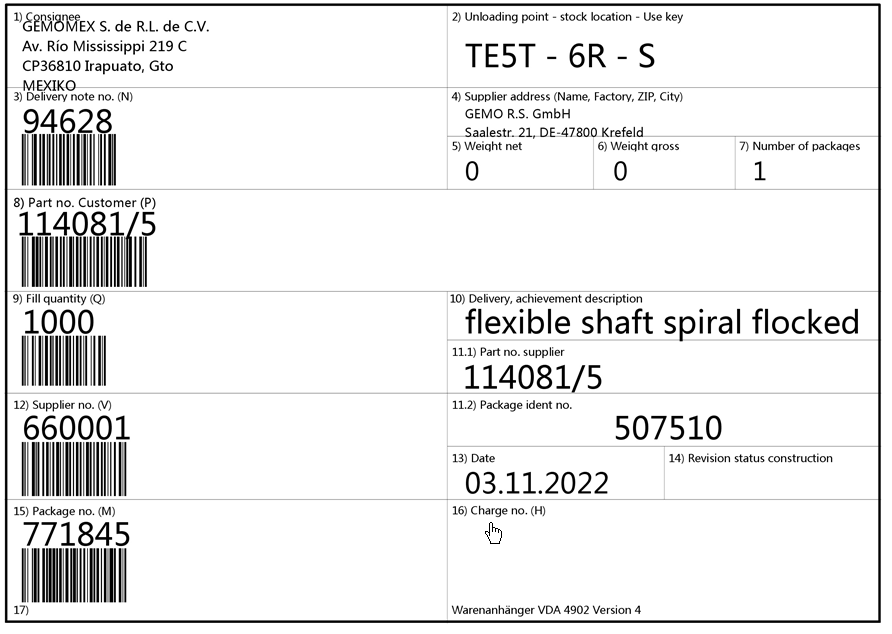
EDI, goods tag, master VDAv2: 8173
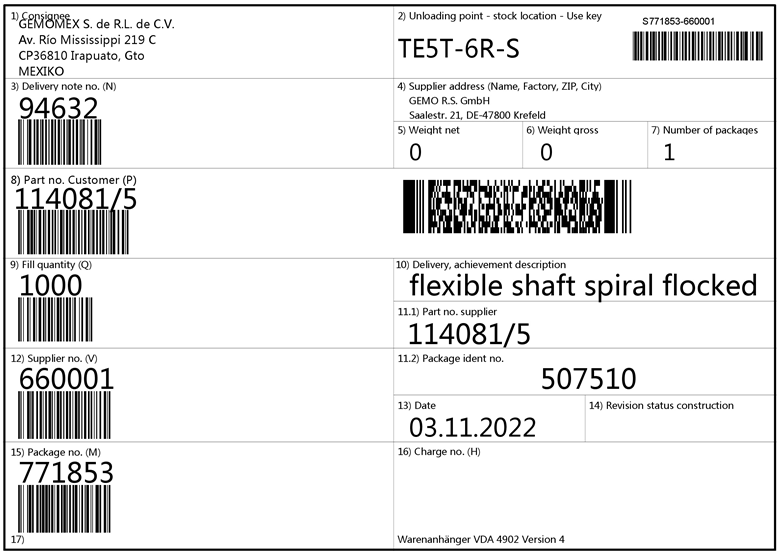
EDI, goods tag, master AIAGv1: 8170
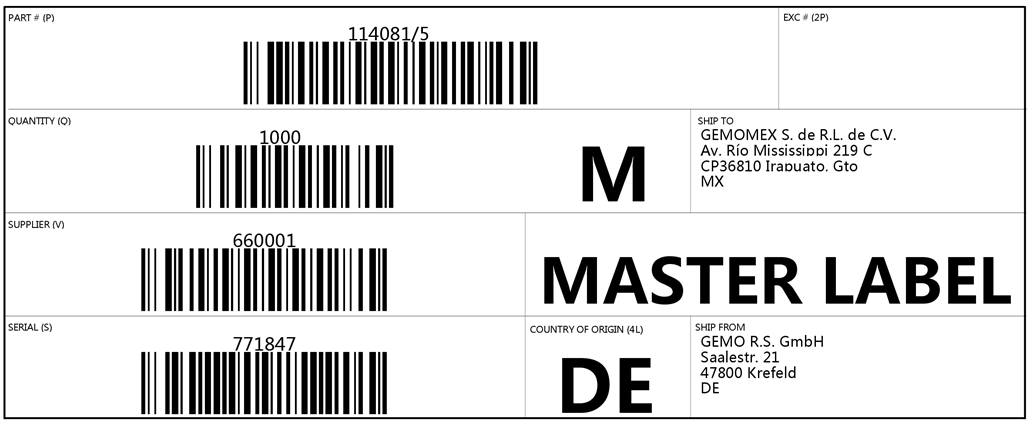
EDI, goods tag, master AIAGv2: 8171
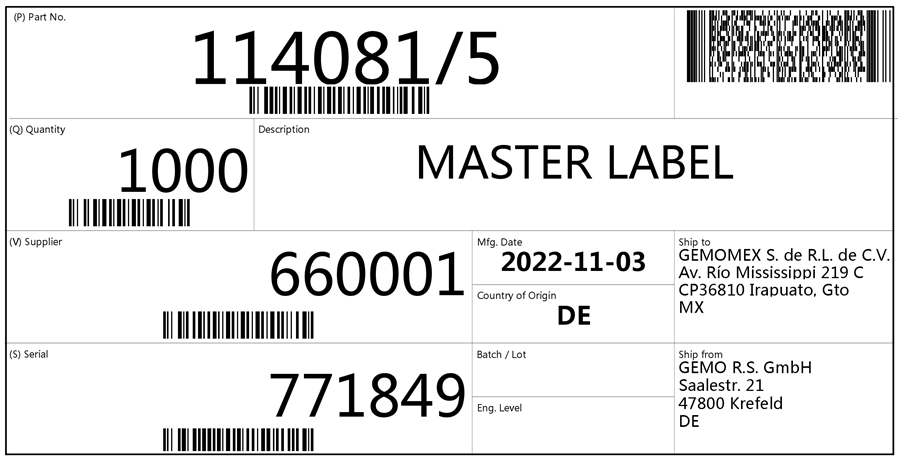
EDI, goods tag, master, CamSlide: 8172
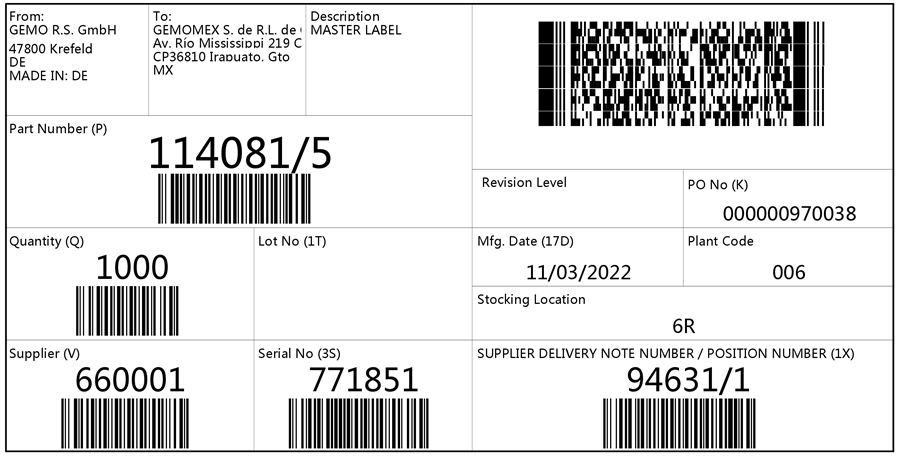
Single
EDI goods tag Single, Standard: 8050
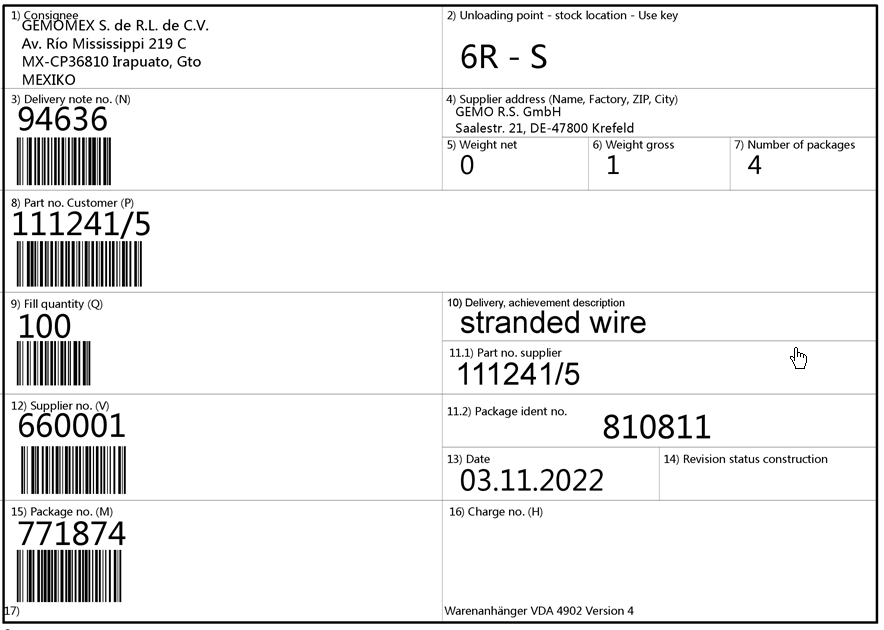
Single (small)
Normally, the product labels of the type "Single (small)" are printed on A4 paper. Usually, three tags fit on one page. However, there are some "Single (small)" tags with an additional "_Single" at the end of the name. The contents of these tags are the same as those without such an appendix, but they are designed for printing on special label printers so that each tag is printed individually.
EDI, goods tag single (small), standard: 8053
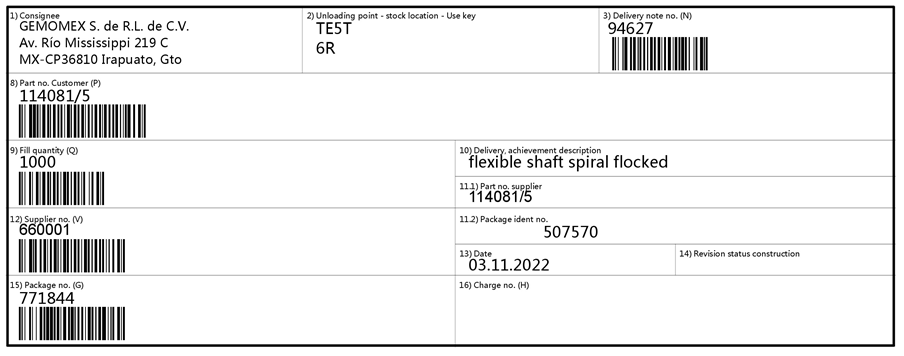
EDI, goods tag single (small), VDAv1: 8189 / 8190
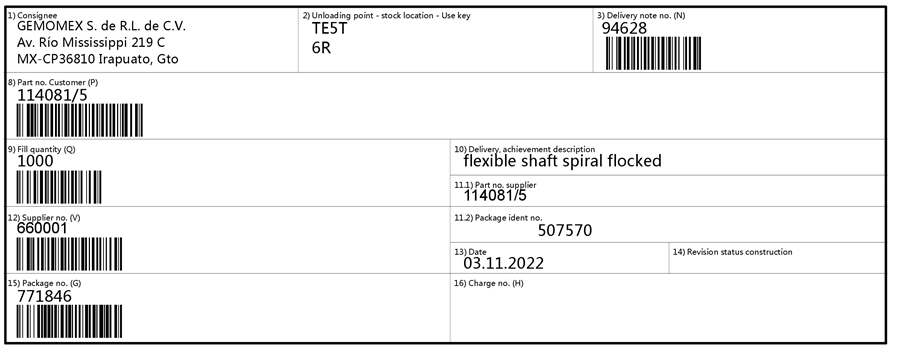
EDI, goods tag single (small), VDAv2: 8197 / 8198
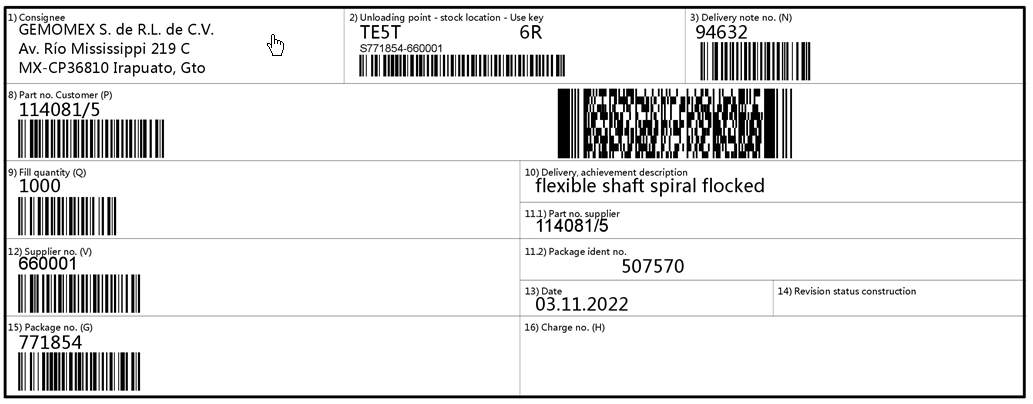
EDI, goods tag single (small), AIAGv1: 8191 / 8192
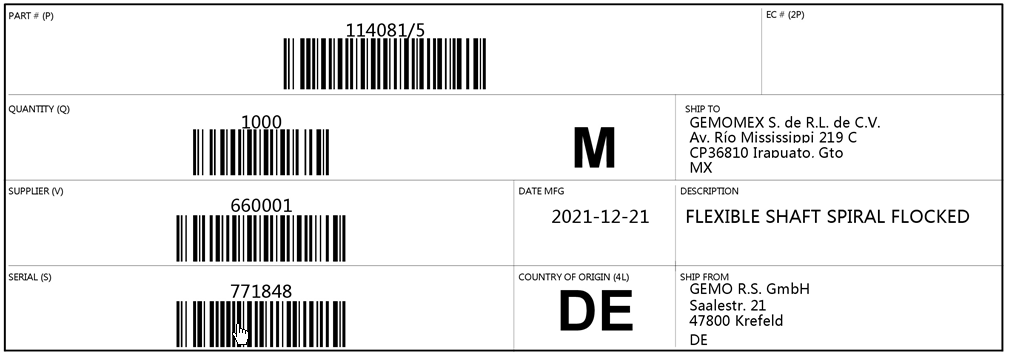
EDI, goods tag single (small), AIAGv2: 8193 / 8194
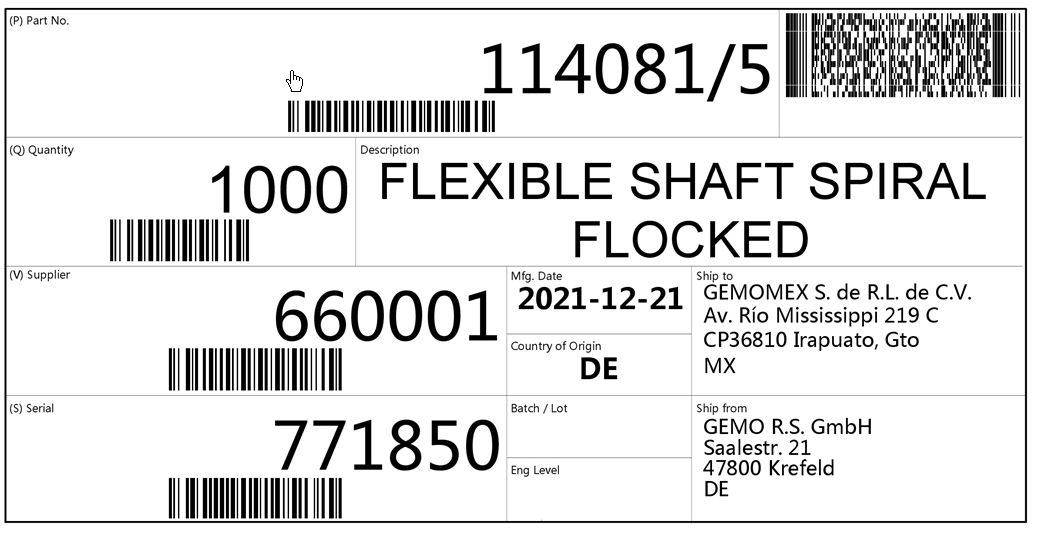
EDI, goods tag single (small), CamSlide: 8195 / 8196
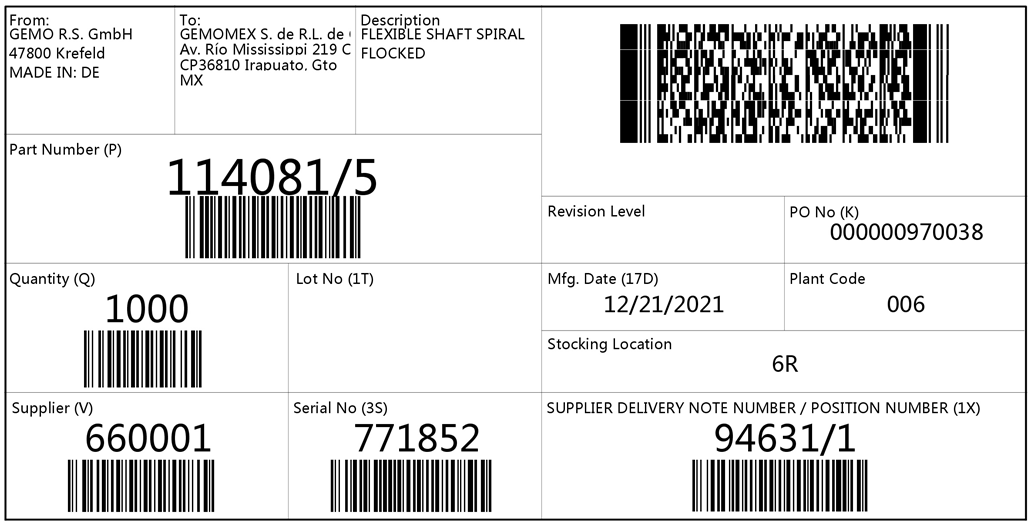
Mixed
EDI, goods tag mixed, standard: 8047
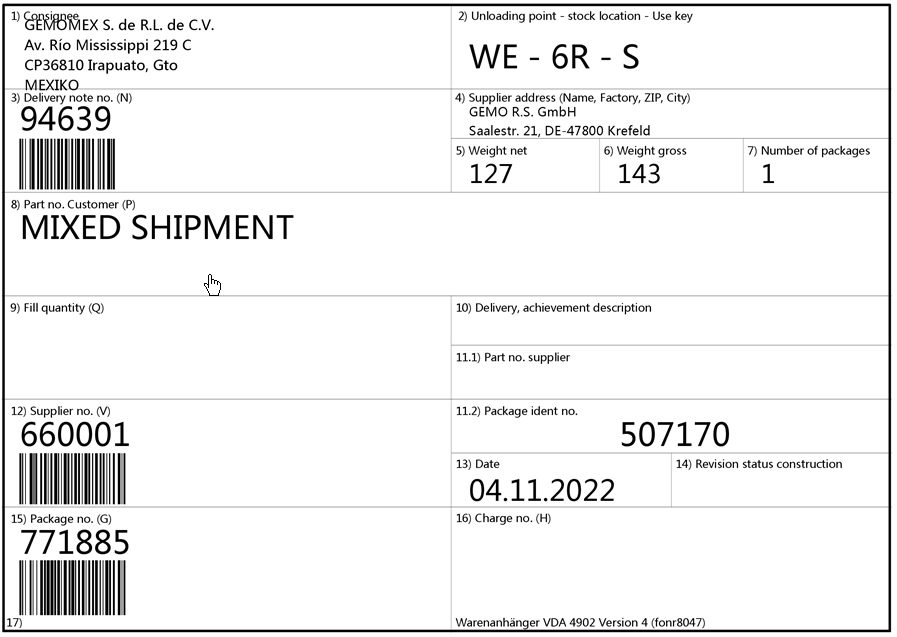
EDI, goods tag mixed, VDAv1: 8515
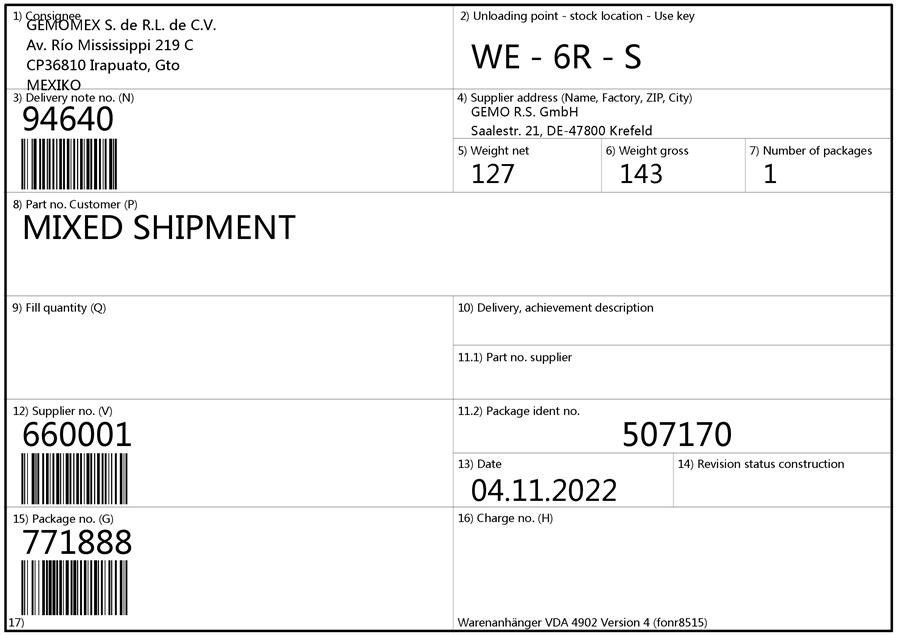
EDI, goods tag mixed, VDAv2: 8518
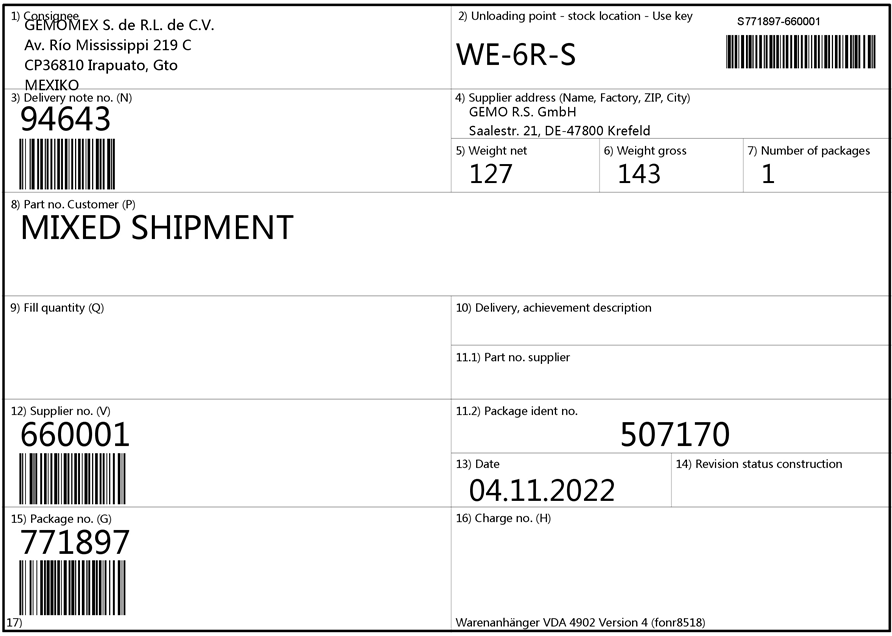
EDI, goods tag mixed, AIAGv1: 8516