Delivery notes
Create delivery notes
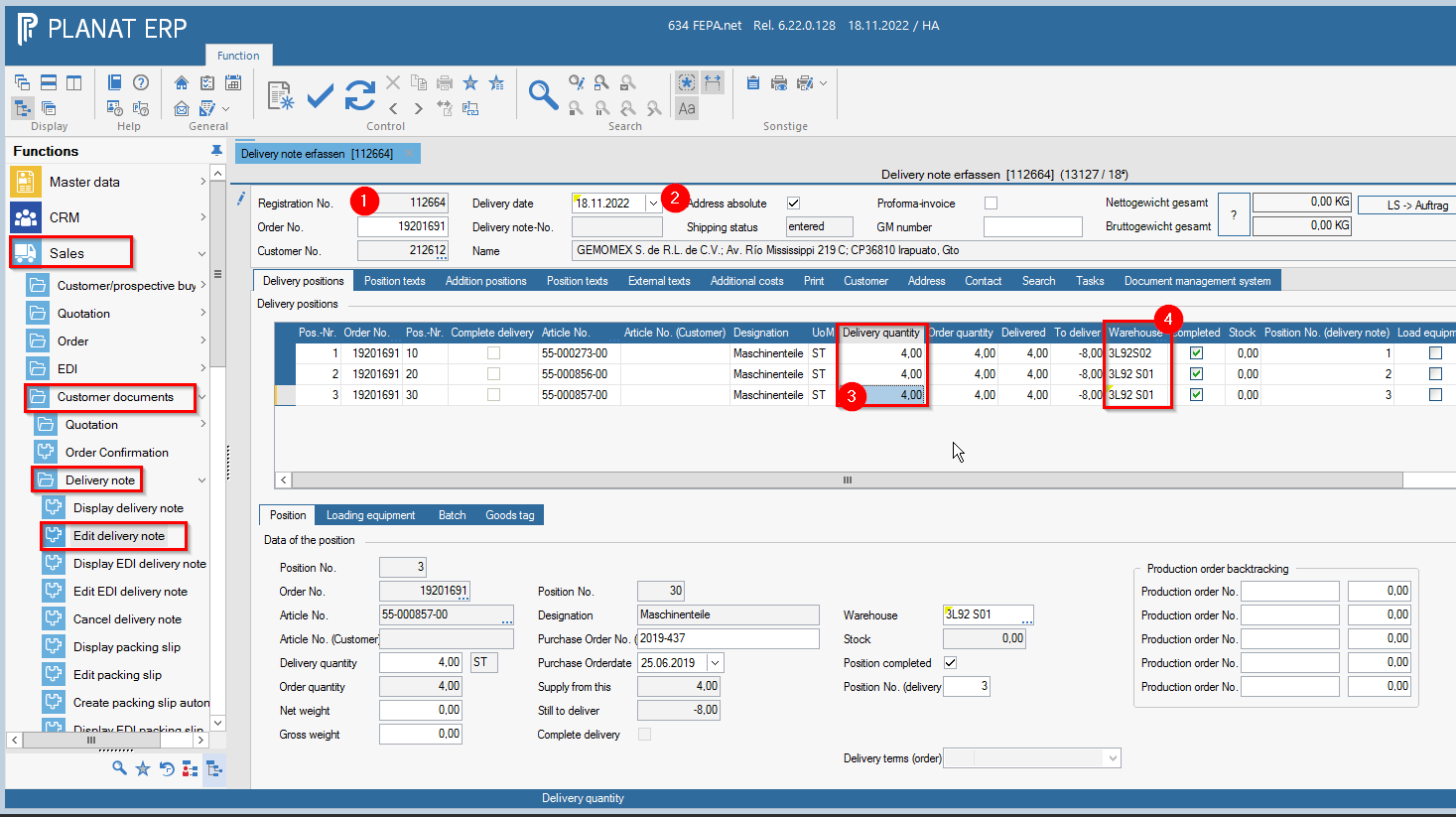
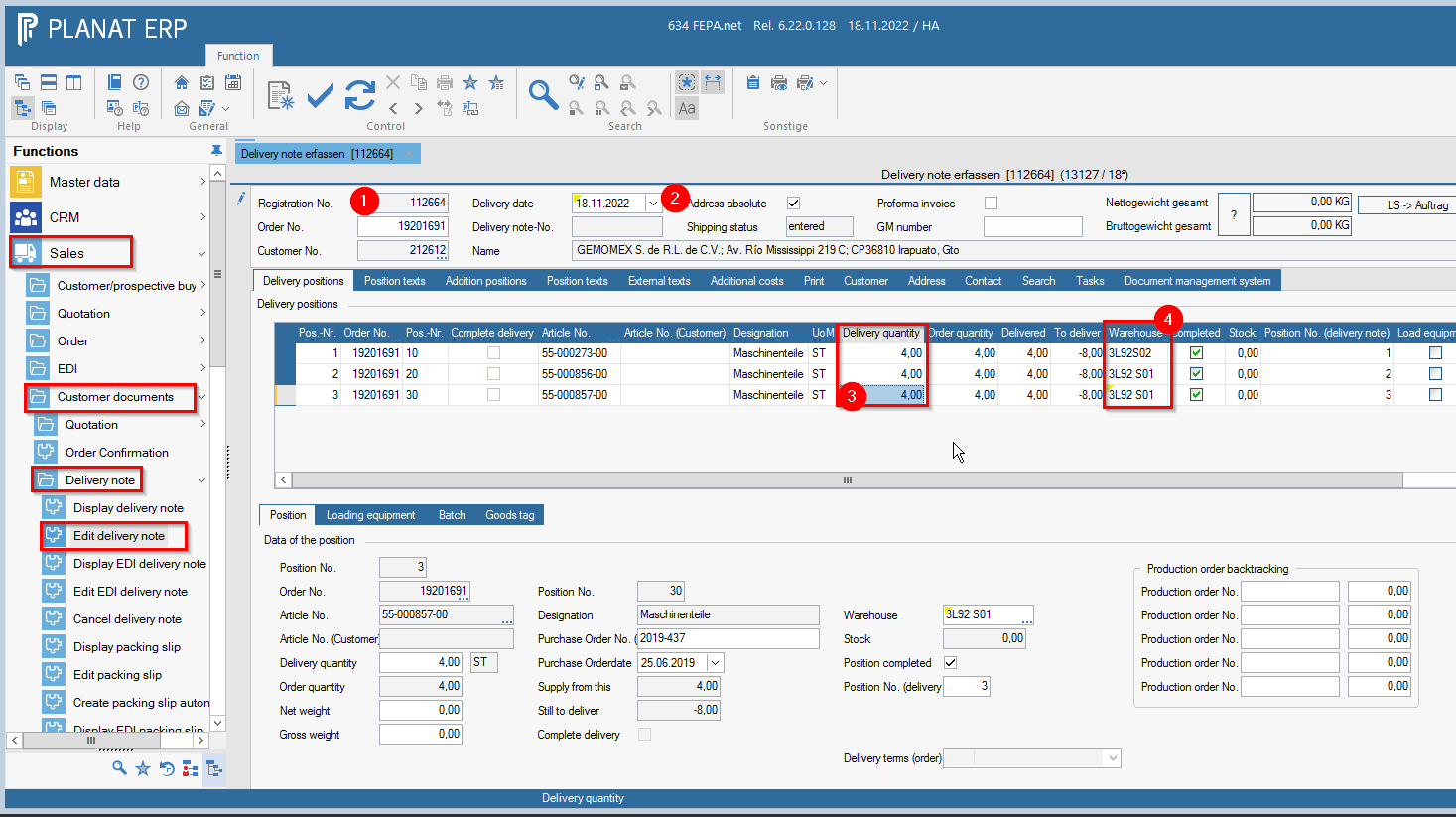
FEPA function: Sales > Customer documents > Delivery note > Edit delivery note
The basis is usually a packing order. However, you can also enter a delivery note without a packing order, in which case you start as in the packing order.
Folder delivery position / position
- Enter the entry number of the packing order
- Change the delivery date to the date of the current day, or enter the date according to the procedure valid at the location.
- Check delivery quantities again, if there are deviations from the packing order, these can be changed in the delivery quantities field.
- Check warehouse, if necessary change to the dispatch warehouse.
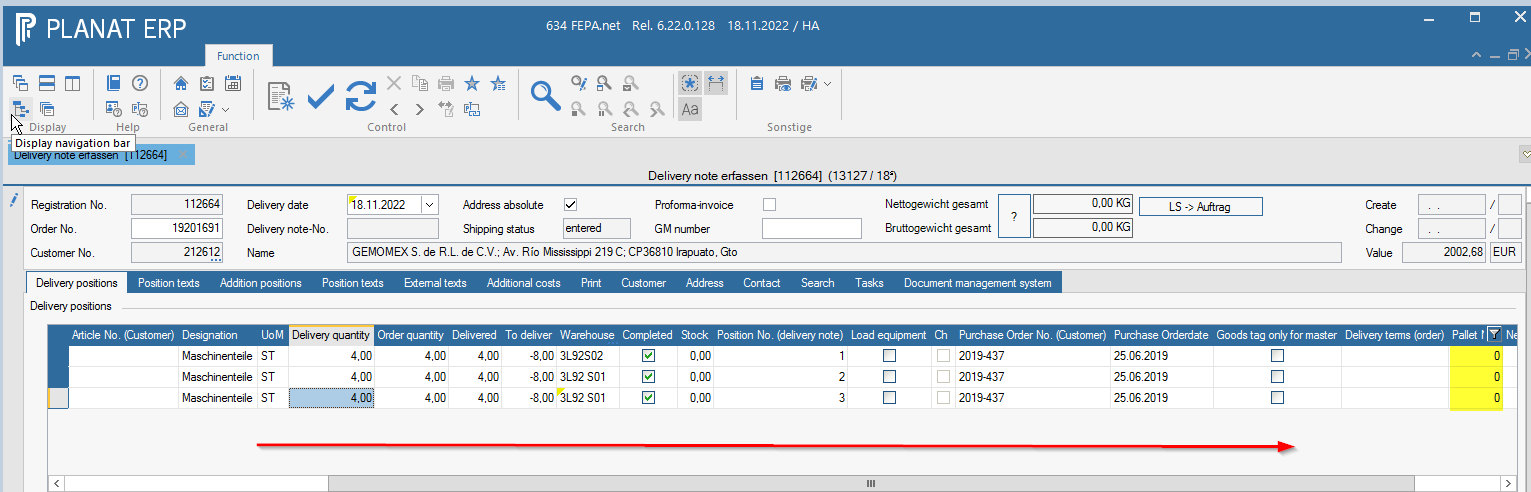
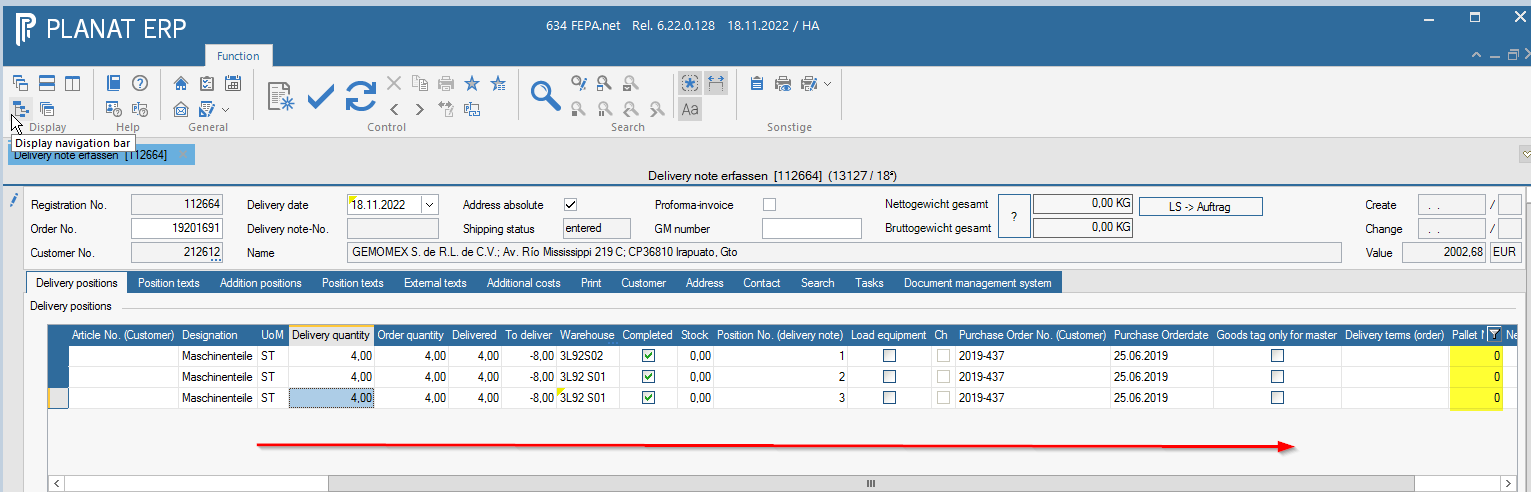
- If there are several pallets, they can be numbered at the pallet number.
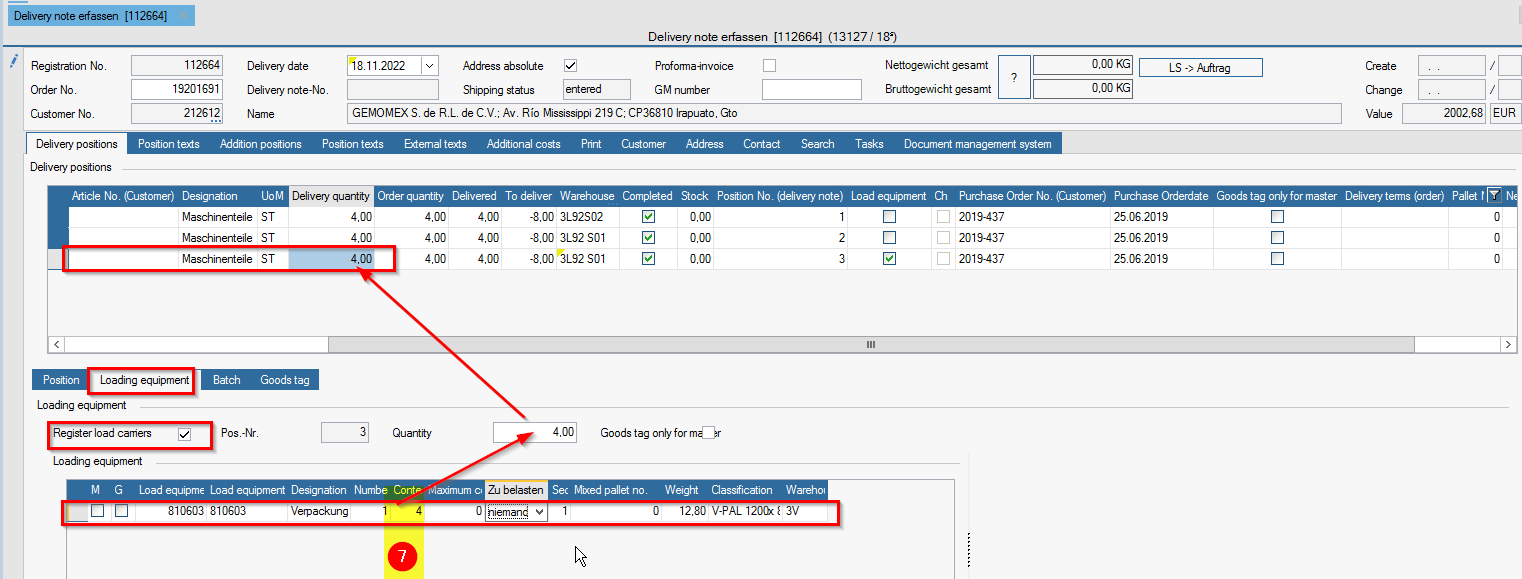
Reiter Lieferposition / Ladungsträger
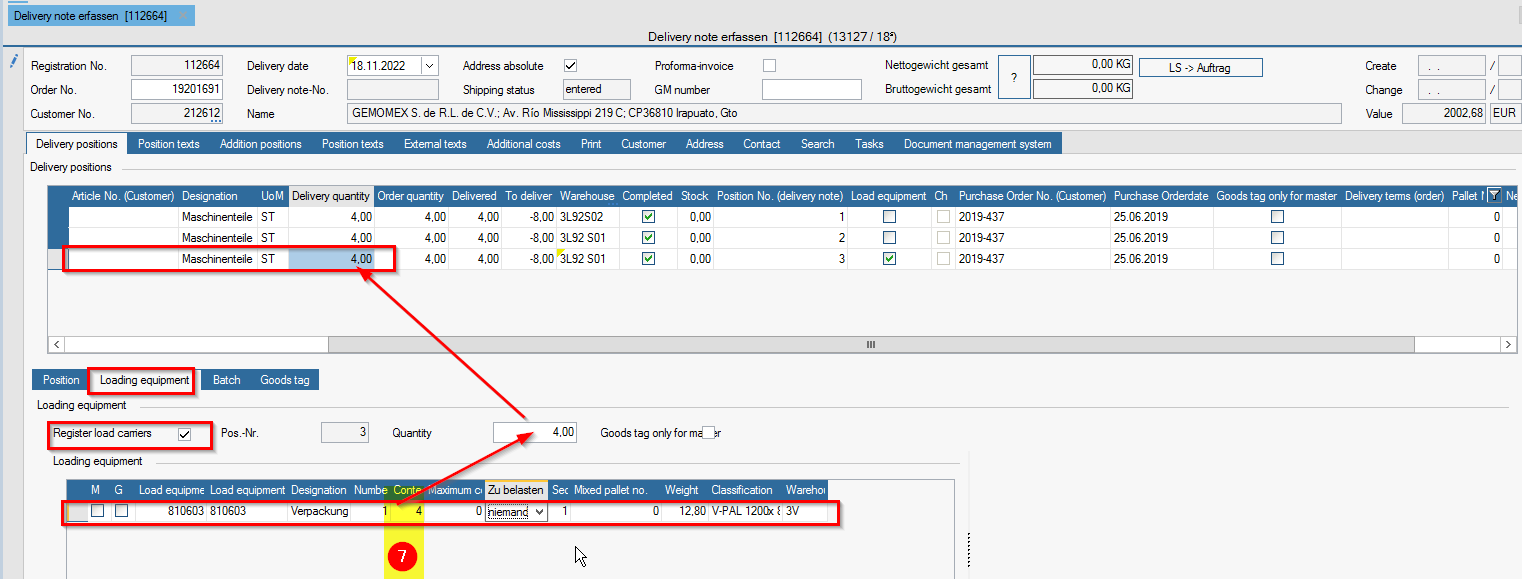
- In the spare parts business, tick the last item for loading equipment and create some, otherwise none will appear on the forwarding order - if no dummy pallet is used, the quantity (number of packaging) will be booked away from the stock, so check the stock here too and in the case of disposable packaging to debit = no one
- It is compulsory to enter the number of pieces for contents, otherwise this position will receive the value 0
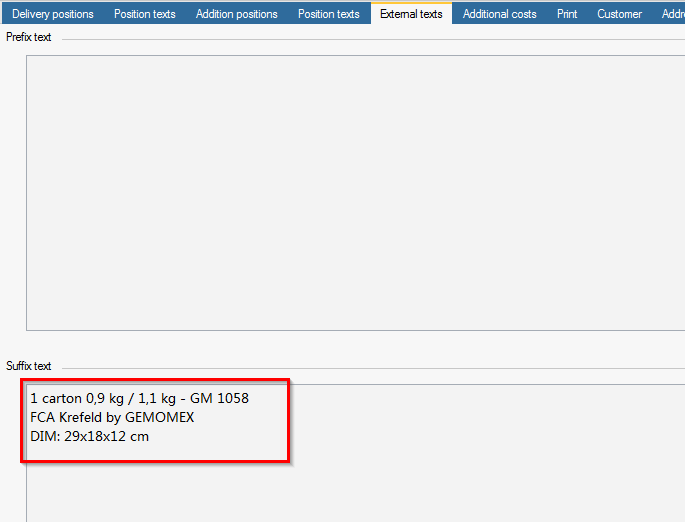
Reiter externe Texte - If desired, enter the number of pallets, pallet dimensions, weights etc. on the external texts tab in the prefix / suffix text; these will then appear on the delivery note.
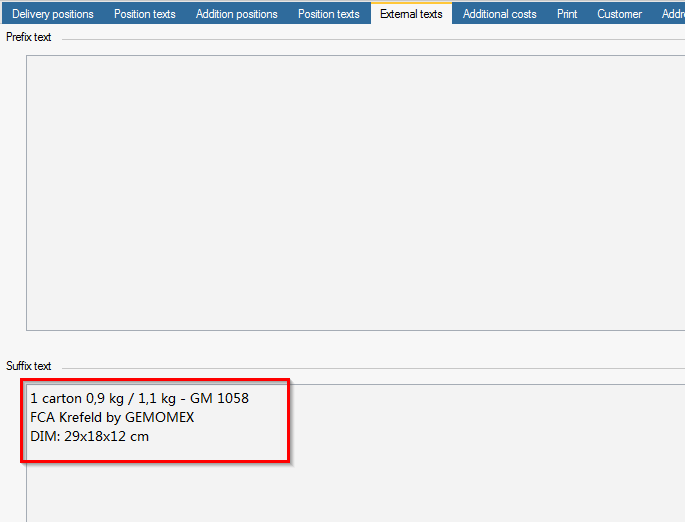
- If nothing is entered, delete the external texts prefix text the week etc. that were in the packing slip for the packing department.
Reiter Druck
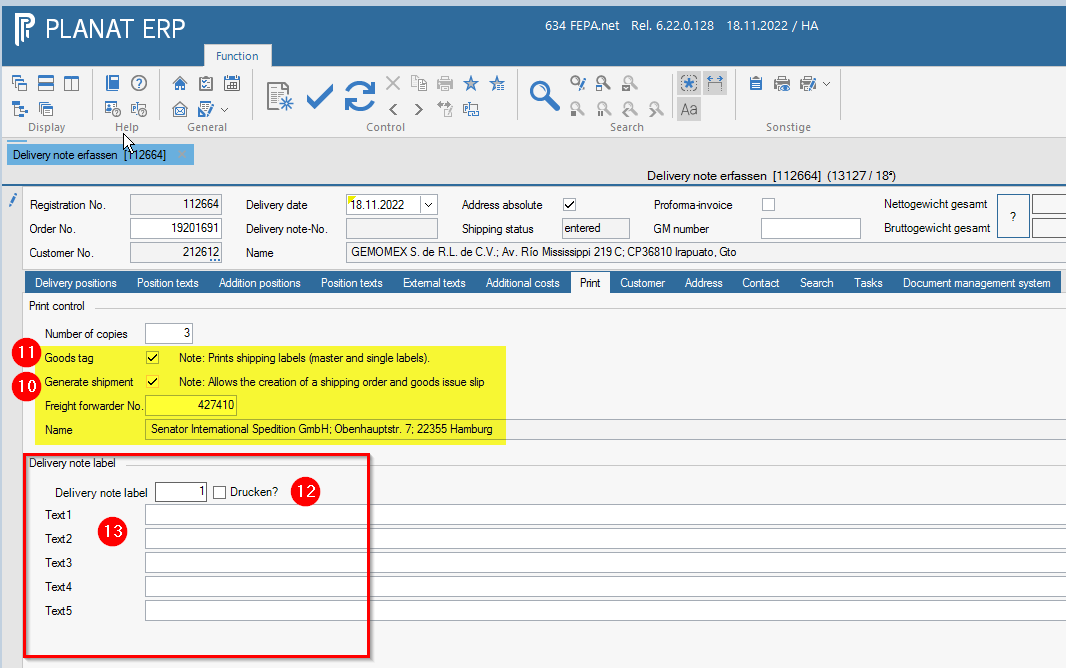
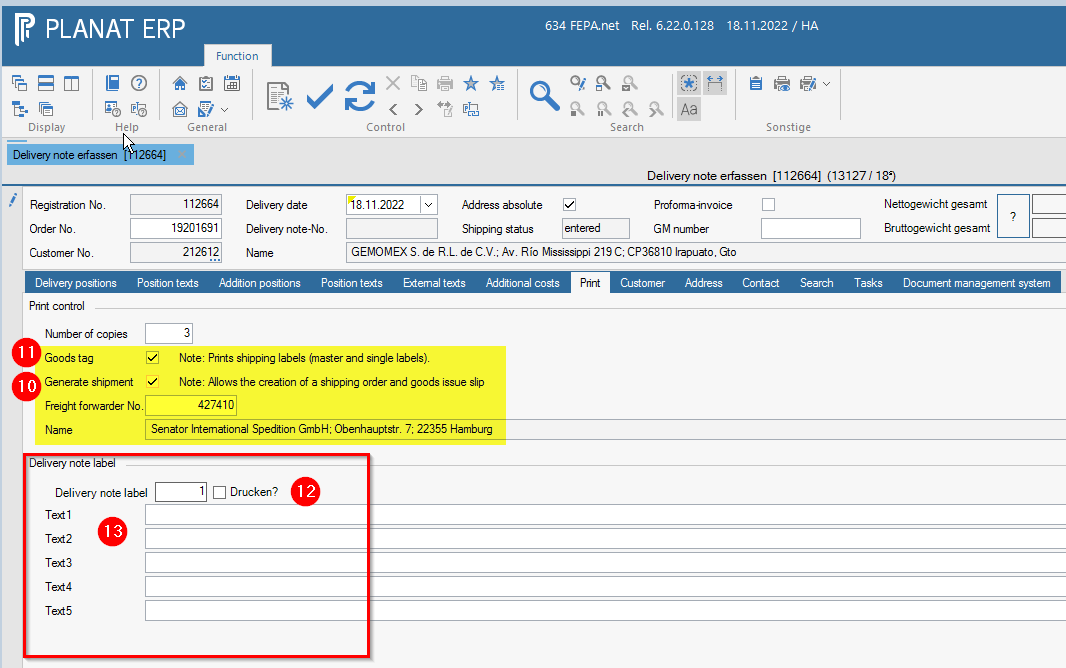
- On the Print tab, tick Shipping documents if it is to be shipped by forwarding agent (the forwarding agent no. should be entered in the field below), if it is to be shipped by DPD or Post, then remove the tick.
- If goods tags are required, also tick the box for goods tags.
- If you want to mark the carton, tick the box for the delivery note label and enter the number of pallets.
- Below this, 4 text fields appear where you can enter the desired marking
- If everything is OK, click on the printer button and the delivery note is processed and printed (and the goods tags, if selected).