
Confirmation of entry
Create an entry confirmation
FEPA Function: Sales > Reporting > Collective receipt confirmation
All confirmation of entry requests are output in the selection area. These entry confirmations are generated when calling up delivery notes for customers with the identifier collective receipt confirmation(periodic, on demand) (Setting in Edit customer)
- All customers? then no entries
- Delivery date, check, adjust if necessary
- Check client, adjust if necessary
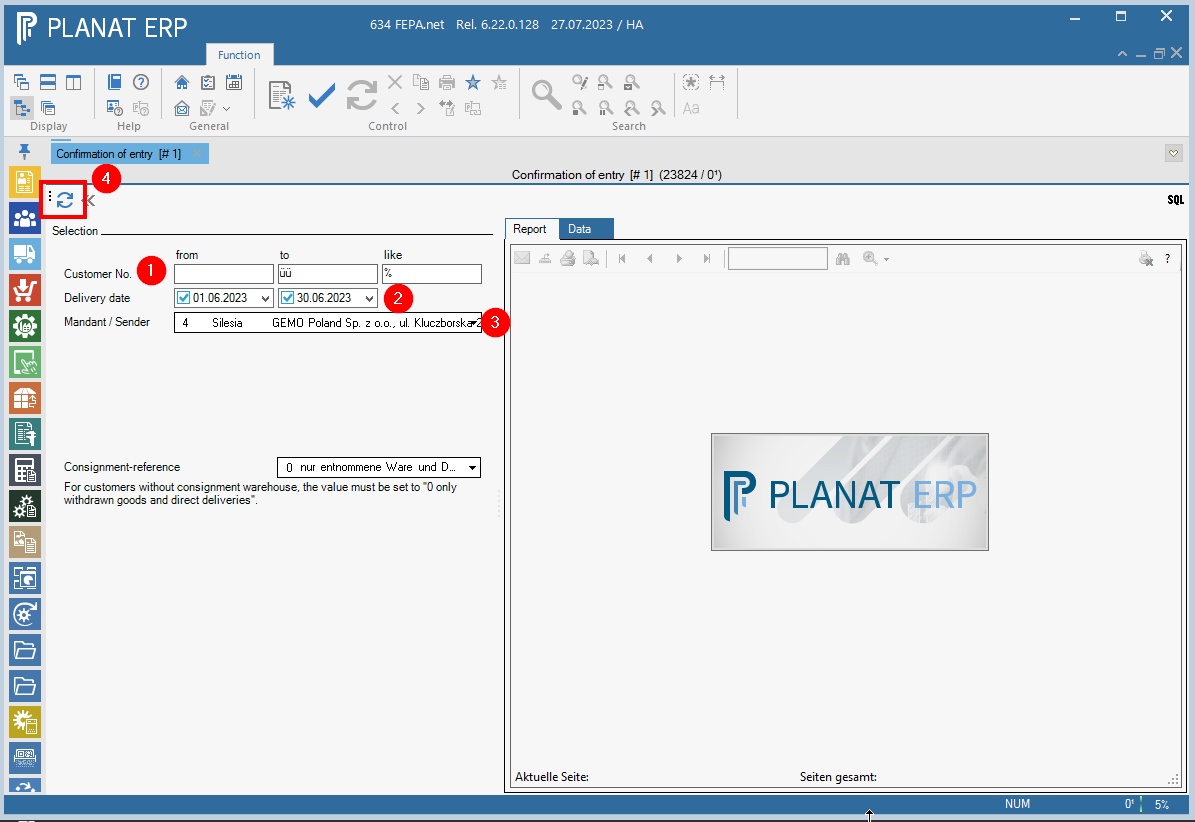
Check created documents + attachments which Confirmation of entry are missing, then print and send to customers. When exporting, a PDF is created for all documents.
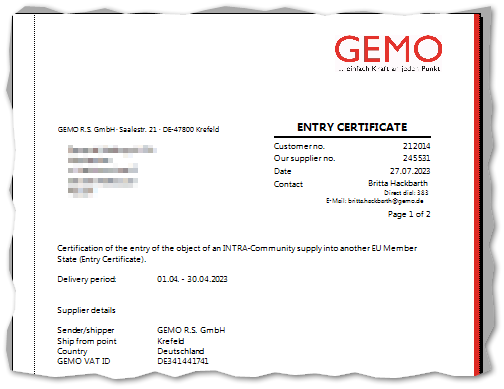
If the Confirmation of entry is to be sent immediately as an email, the Confirmation of entry should be created individually for each customer. Then the email function above the document can be used.
Entering confirmations of entry (GBS)
FEPA function: Sales > Customer documents > Confirmation of entry (GBS)
The purpose of the customer-specific adjustment "confirmation of entry" is to indicate that tax-exempt intra-community supplies from companies within the scope of the German VAT Act have actually arrived in the EU foreign country (cf. WIKIPEDIA - only German version).
For the given selection criteria, it can be noted on the delivery note that a confirmation of receipt has been received from the customer. In addition to the selection criteria, the pre-selection can be
- no confirmation of entry GBS
- confirmation of entry GBS or
- All
can be made. The selection of delivery note types can also be restricted.
Open search, here the delivery date Today (-180 days) is preset as a preselection as well as the main client of the clerk. Further search criteria can be entered. Then click on the magnifying glass and the delivery notes are displayed.
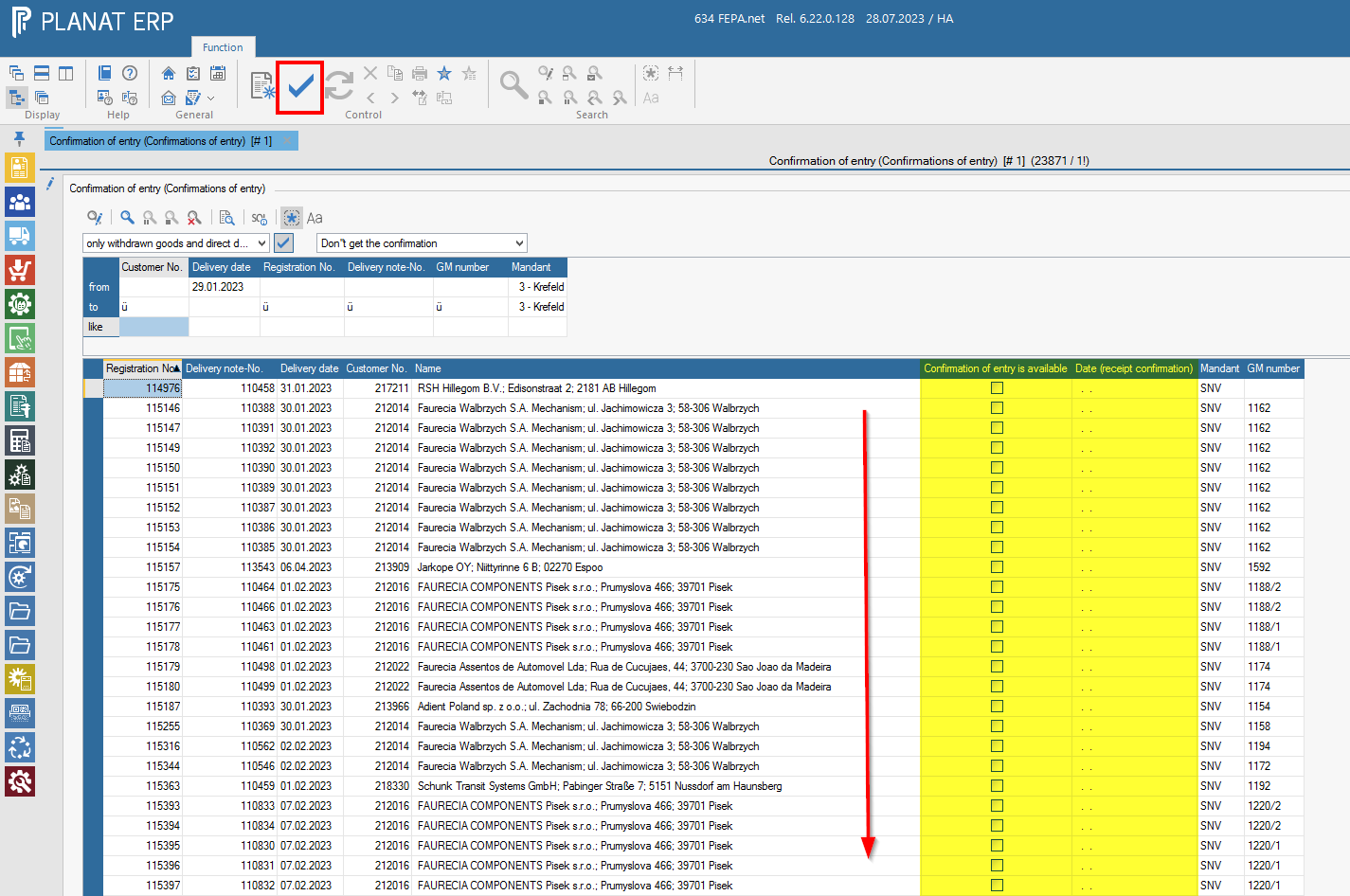
Now tick off the delivery note according to the confirmation of receipt, then today's date is automatically set, and when you have all of them, press the tick in the tool bar to save.