MS Teams Planner App [Teams]
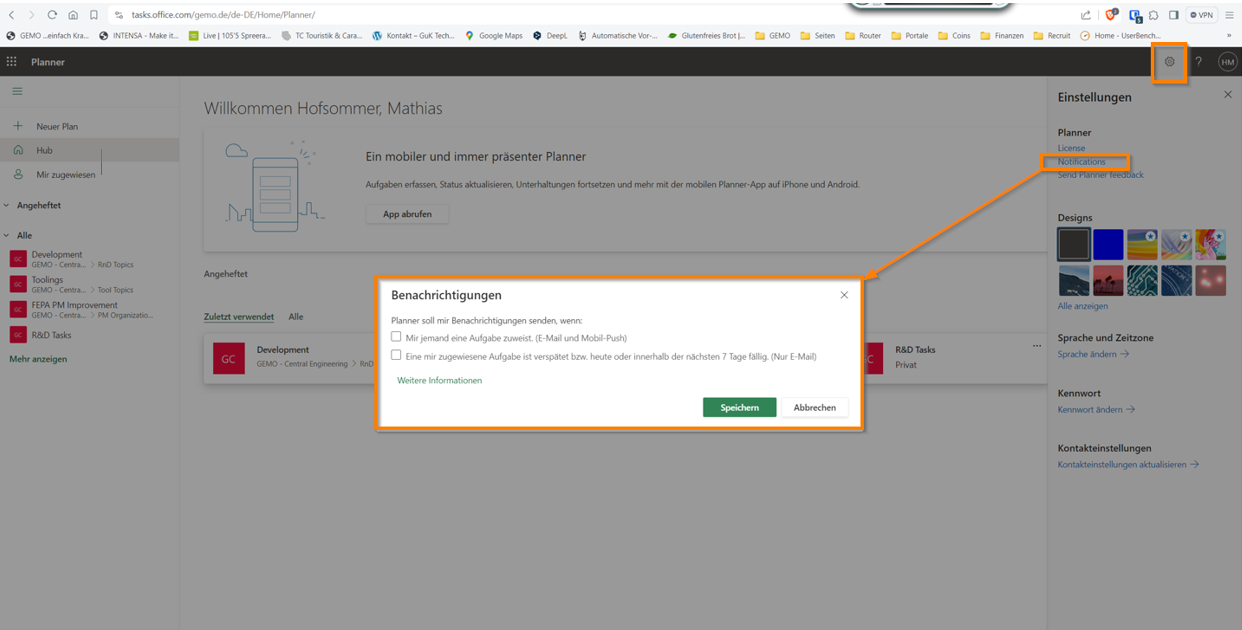
How to change E-Mail notifications
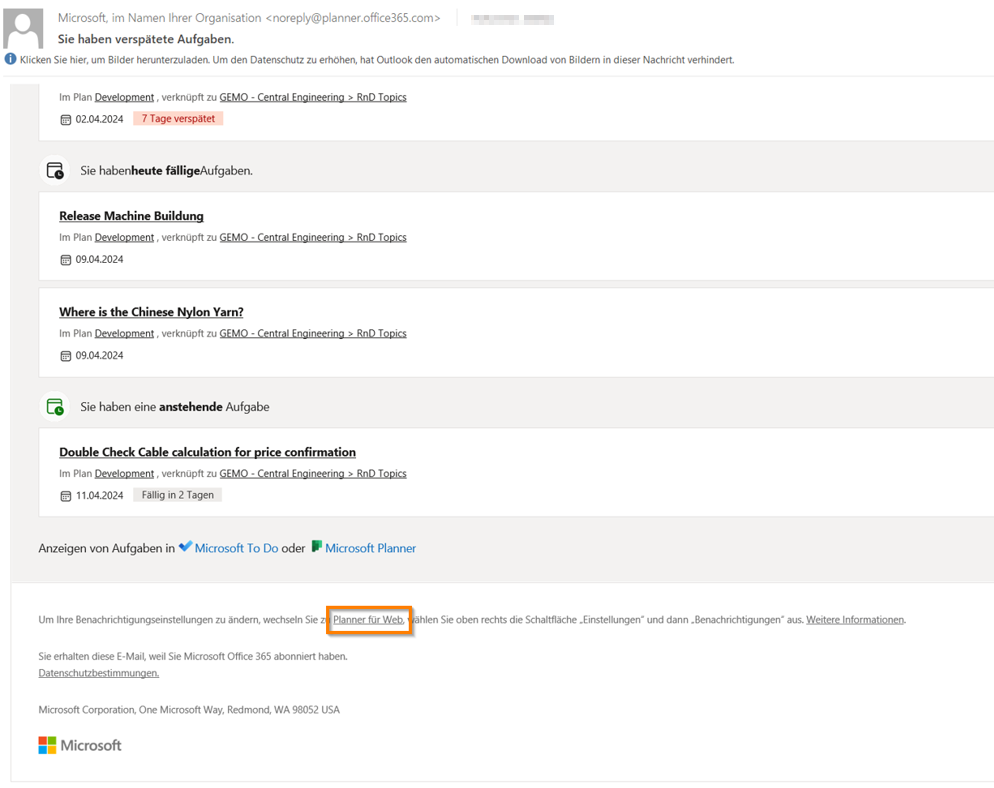
By using the Microsoft Planner App in your team it might be the case that you receive automatic mail notification from app about tasks you are assigned.
Mails look like following example:
To stop or change these kind of notifications it is necessary to log in your Office Web Portal.
Just on the bottom of your notification mail you can klick on “Planner for Web” (see screenshot) and you will be guided to your Office Web Login in your internet browser.
Login works with same user name and password like your windows user access on your computer. After successful login you can change notification in your settings for Web planner.