Sales - Info
General
Here you can view comprehensive information on the entire sales area.
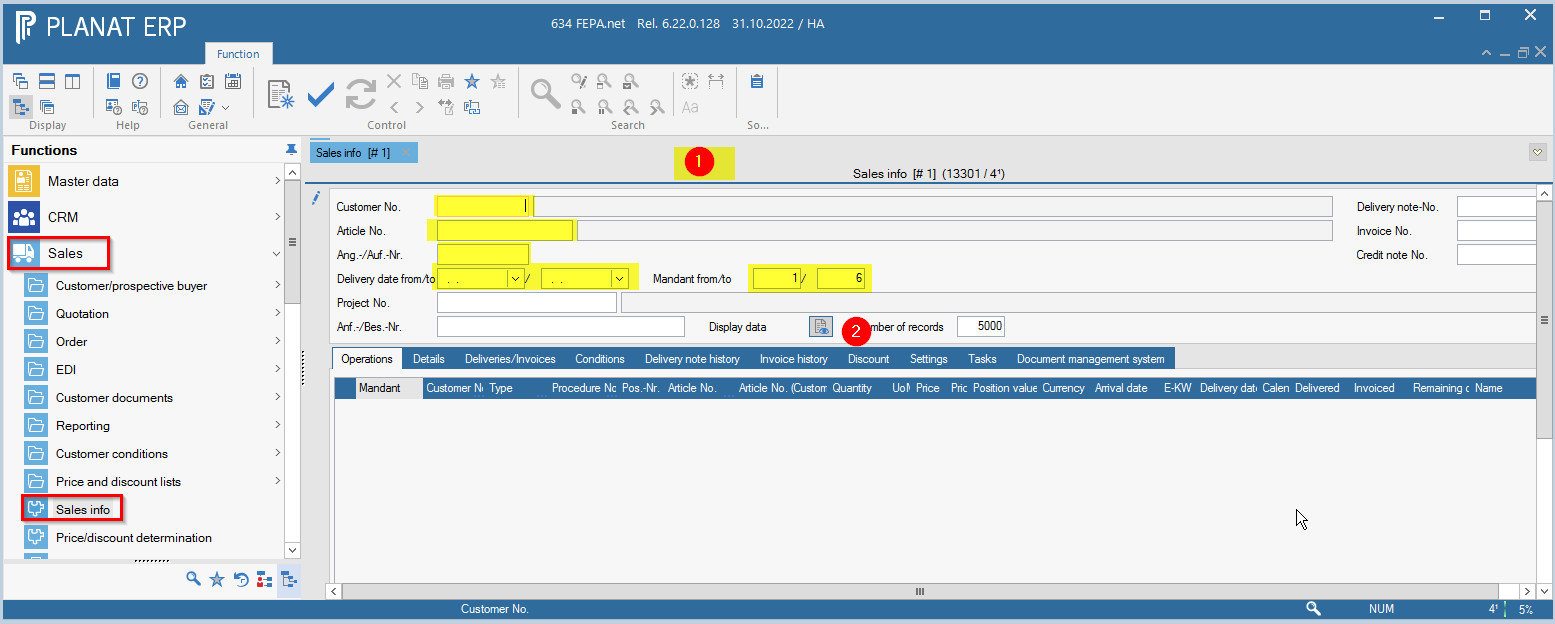
FEPA function: Sales > Sales Info
A field search is possible for the fields Customer No., Article No., Quot. /Order No. and the Project No. To do this, press the key combination [Ctrl]+[F] for search in the field. Alternatively, press the magnifying glass in the right footer of the window.
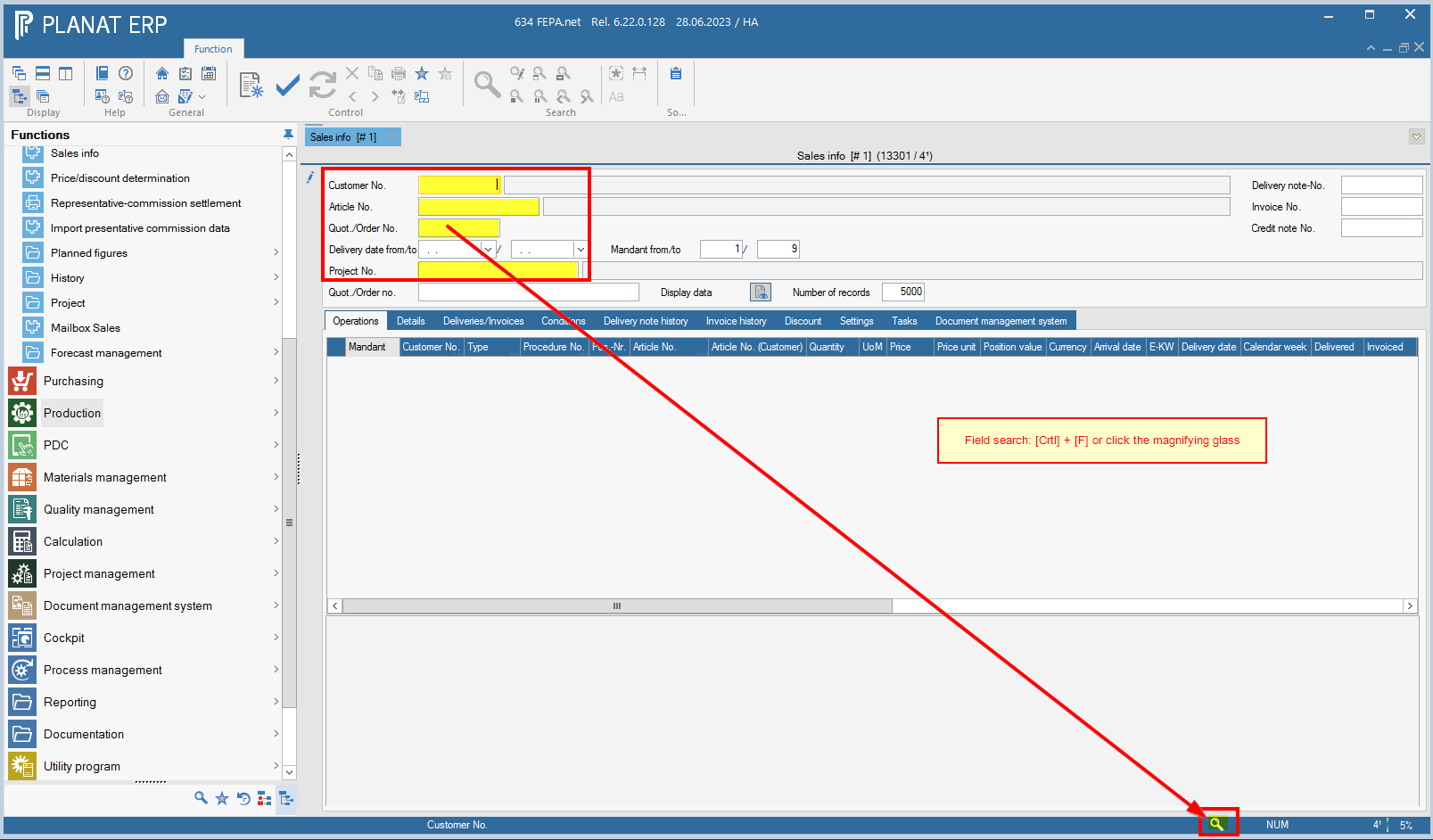
Press Display data to load the operations.
Settings
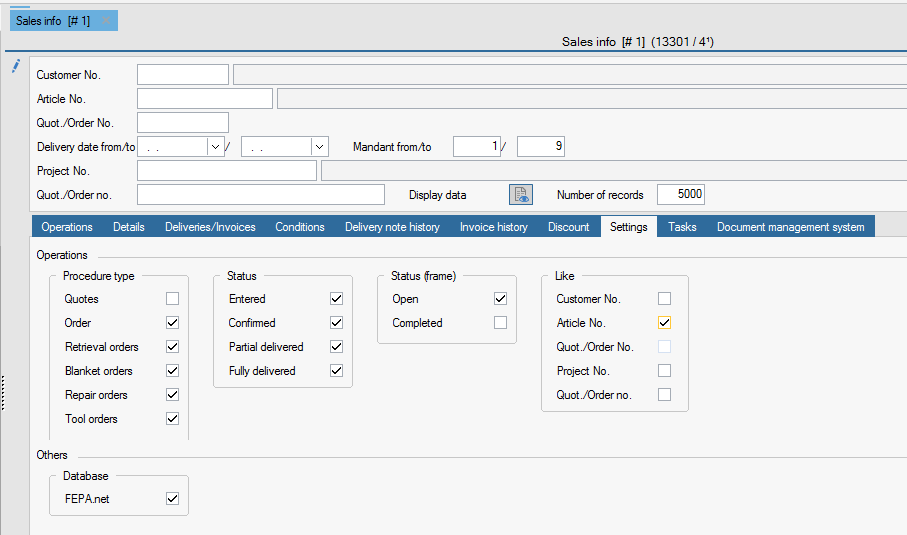
In the Settings tab, you can define your display for the type of activities and their status.
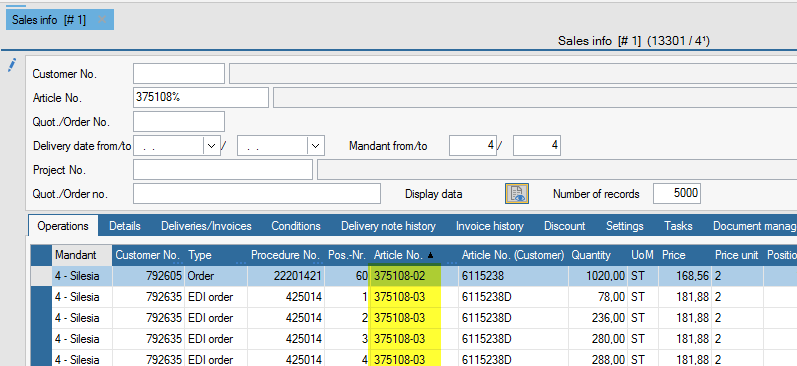
The Like setting means that you can enter % characters after the number in the ticked field, as in the search, and everything that matches this character string will be displayed in the result.
For example:
Result, all transactions except offers that have an item beginning with "375108" in the line item.
Note: When searching for a purely numeric number, the number must also be preceded by a % character! Numbers are completed with leading blanks when saving, if it is an alphanumeric field.
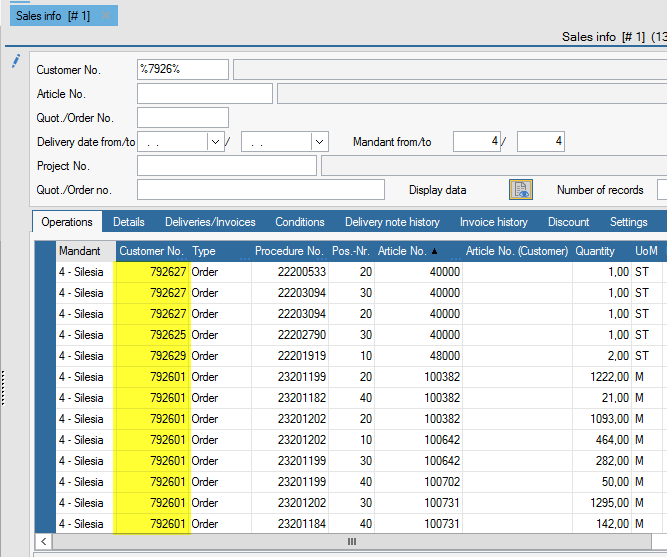
Overview of all sales orders
FEPA function: Sales > Sales-info
1. There determine the individual search criteria, such as customer number, article number, etc..
2. Then click on Display data
3. Under the tab Settings, you can set the following search criteria:
- Procedure type (order, blanket order, retrieval order, etc.)
- Status (entered, partially delivered, etc.)
- Example of settings to view all open orders for shipping:

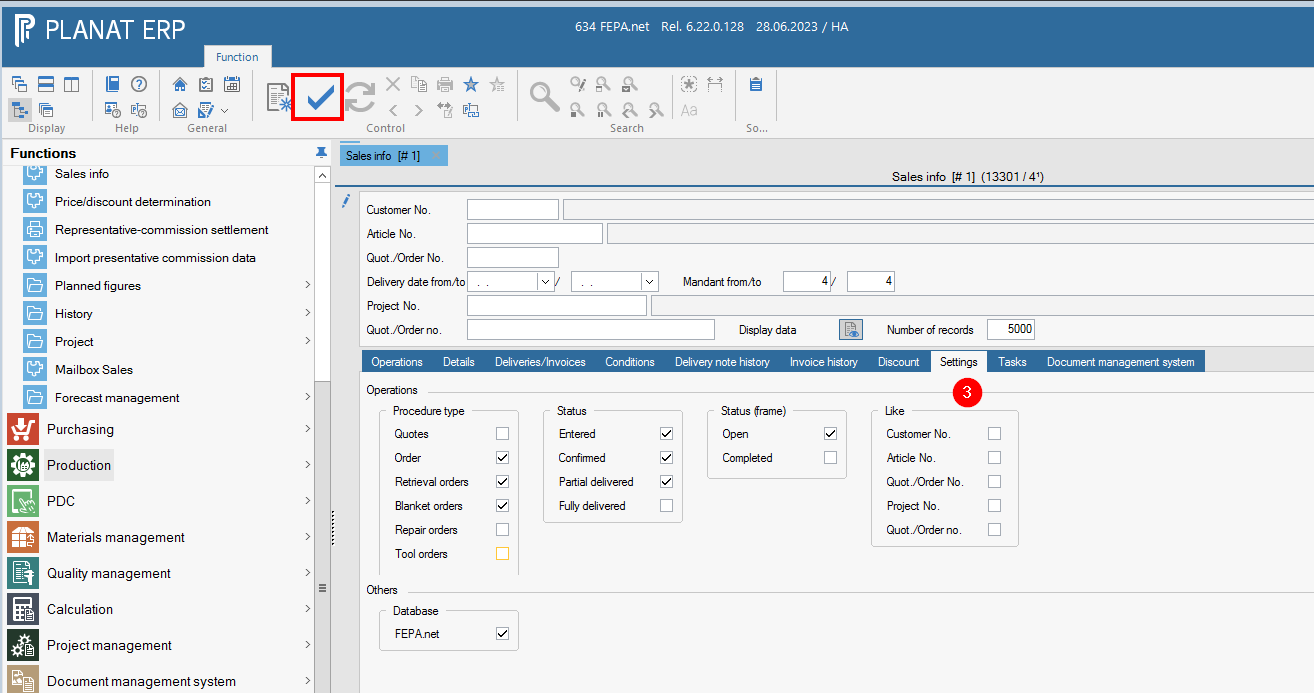
These settings can be saved with the checkmark in the ribbon toolbar.