Loading equipment and loading units
General
Loading equipment and loading units are always articles in FEPA and are represented by their own article number. For more information on the printing of goods tags, see article Goods tags (labels).
Loading equipment
Loading equipment is an article that represents specific packaging equipment in FEPA. For example, a specific carton or a Euro pallet.
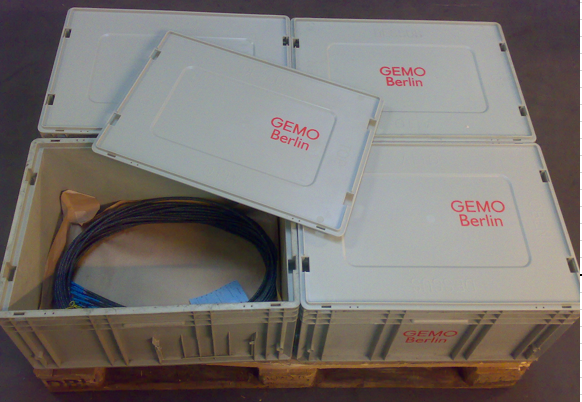
Here are a few examples of loading equipment:


To mark an article as such a loading equipment, the article must be called up in FEPA in the programme Master data > Article > Edit articlesand then marked as such. Only after this marking is the article available as loading equipment in all other FEPA programmes and functions:
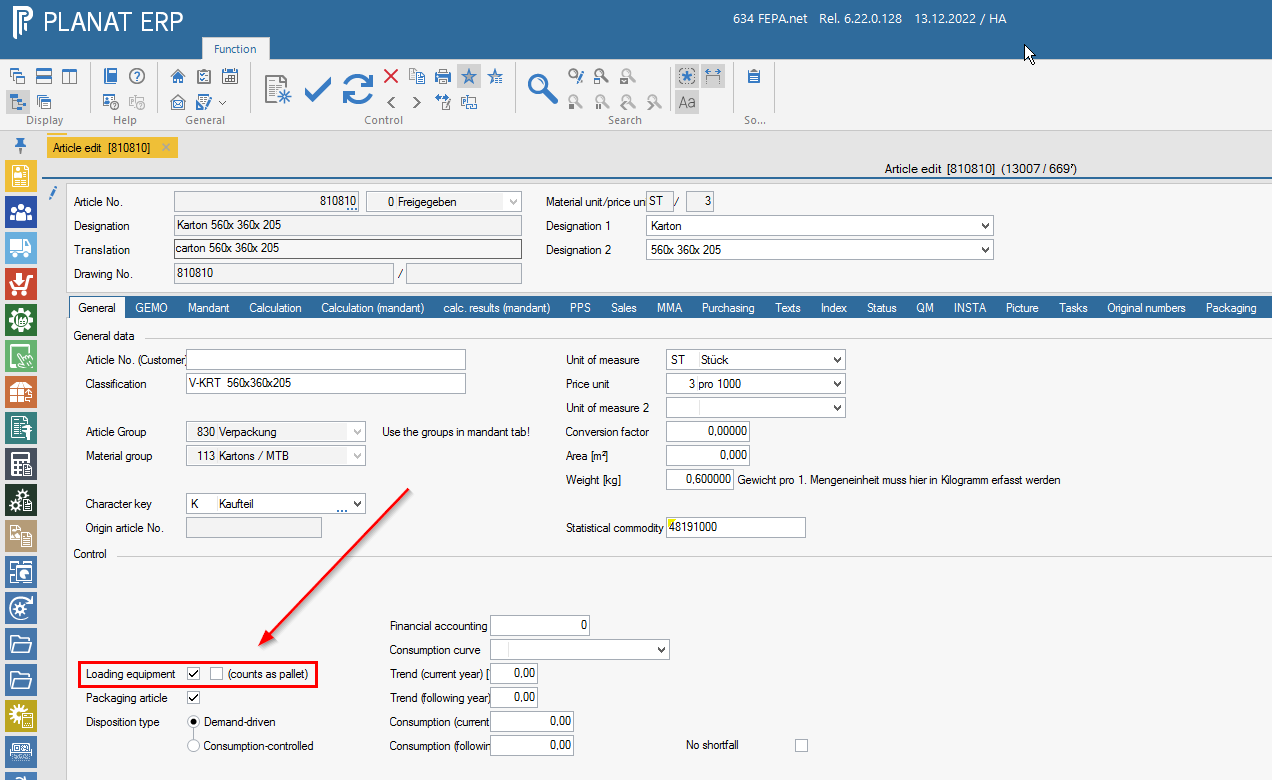
The tick "counts as pallet" only has an effect on the printing of the forwarding order. In the document all loading equipment is listed with the items they contain. Only if the tick is set, the text for the forwarding order item appears.
If the item has been marked as loading equipment, further settings for a loading equipment can be made in the programme Master data > Loading equipment > Edit loading equipment:
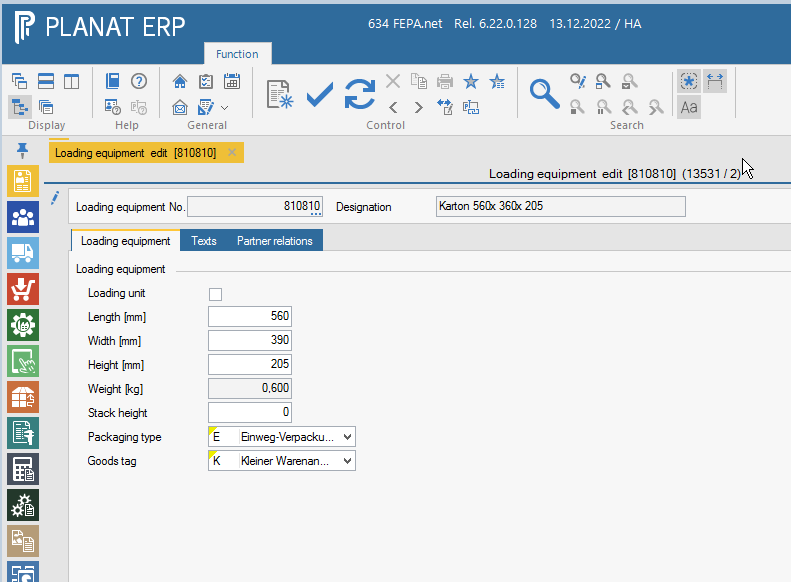
Here are a few explanations of the settings:
- Loading unit:
Marks the loading equipment as a loading unit. Directly after marking, another table appears in the same programme with which the details of the loading unit can be configured. - Length [mm], Width [mm], Height [mm]:
Indicates the dimensions of the loading equipment in the unit millimetres. Has no effect in FEPA and is for information only. - Weight [kg]:
This is the same field as in the article master and can therefore not be edited here. To change the weight, it must be adjusted in the item master (seeMaster data > Article > Edit articles). The weight is used to calculate the gross & net weight of the consignment. - Stack Height:
A purely informative field which indicates the maximum stacking height for loading equipment. You can display the field as information in some functions. - Packing type:
Here you have the option to mark the loading equipment as one-way or reusable packaging. If set as one-way packaging, the item will be consumed (ergo debited) when used in the delivery note. If reusable packaging is selected, the loading equipment is not consumed but transferred to a partner's warehouse (customer, supplier, forwarder) (in this case via posting of issue/consumption to GEMO warehouse and receipt to partner warehouse). The behaviour with reusable packaging can be set even more precisely in the "Partner relations" tab. - Goods tag:
Here you have the option of influencing the printing of the goods tag.
Loading units
Loading units are loading equipment that has been marked as a loading unit in the loading equipment master data (Master data > Loading equipment > Edit loading equipment). These loading units represent a group of several loading equipment and are intended to simplify their handling. You could also say that the complete combination of pallet, cartons, layer pads, cover boards / lids and outer cartons represents a loading unit.
Loading units themselves should not be inventory-managed (Master data > Article > Edit articles, field "MMA-managed") because their components are already booked in the warehouse. For the same reason, loading units should not be assigned their own price and weight.
Here are a few examples of loading units:
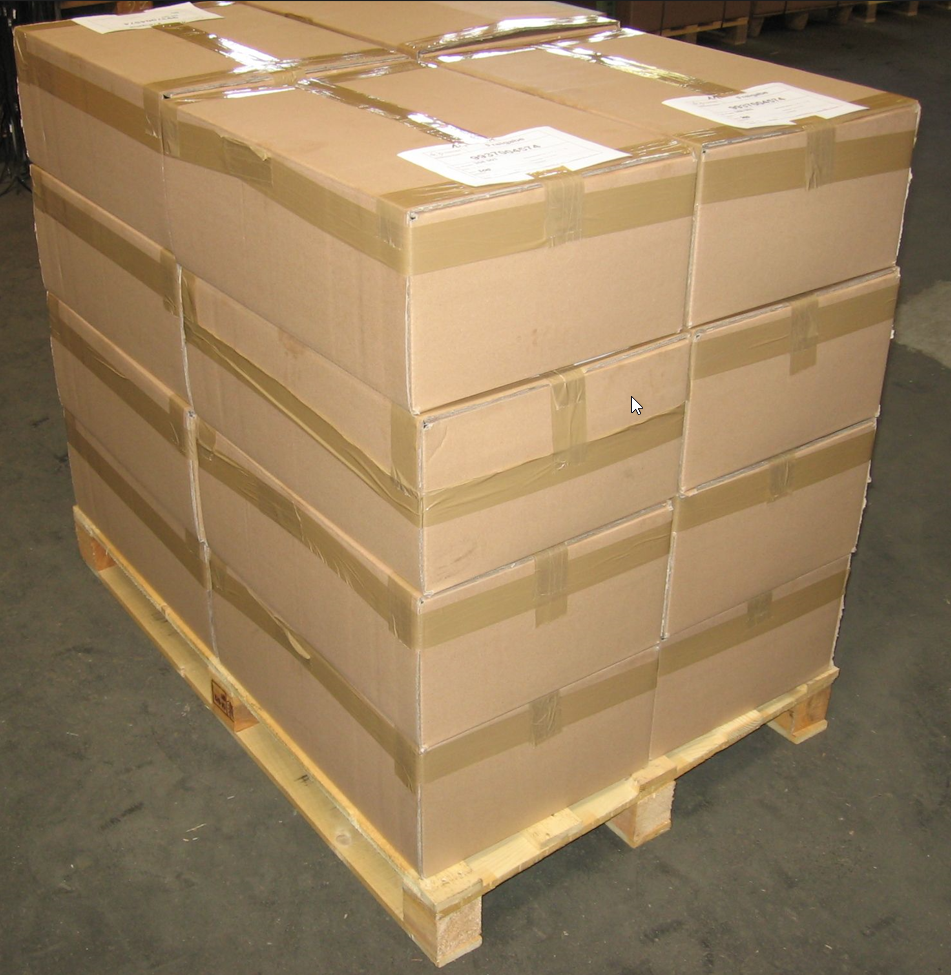
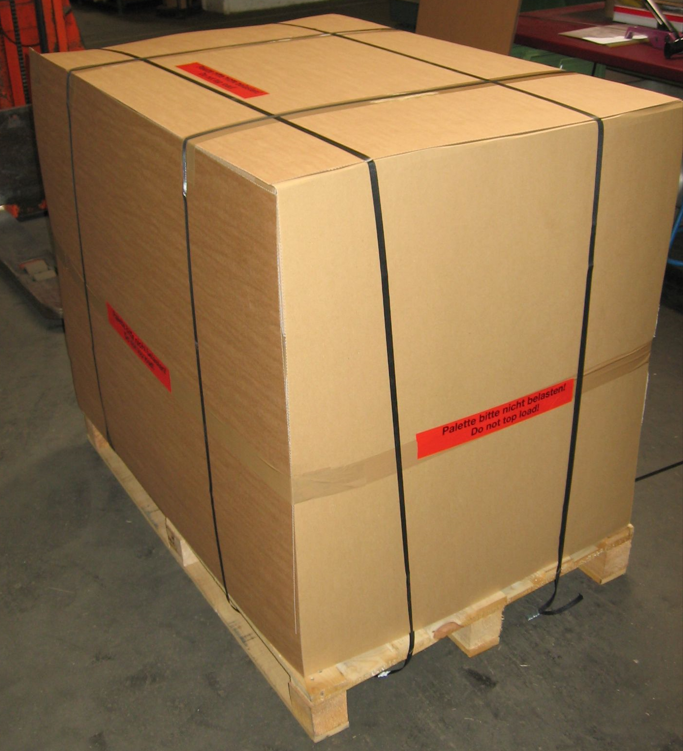
In the programme Master data > Loading equipment > Edit loading equipment a loading equipment can be marked as a loading unit by ticking the box "Loading unit" [1]. A new table appears in which the details of the new loading unit can be configured [2].
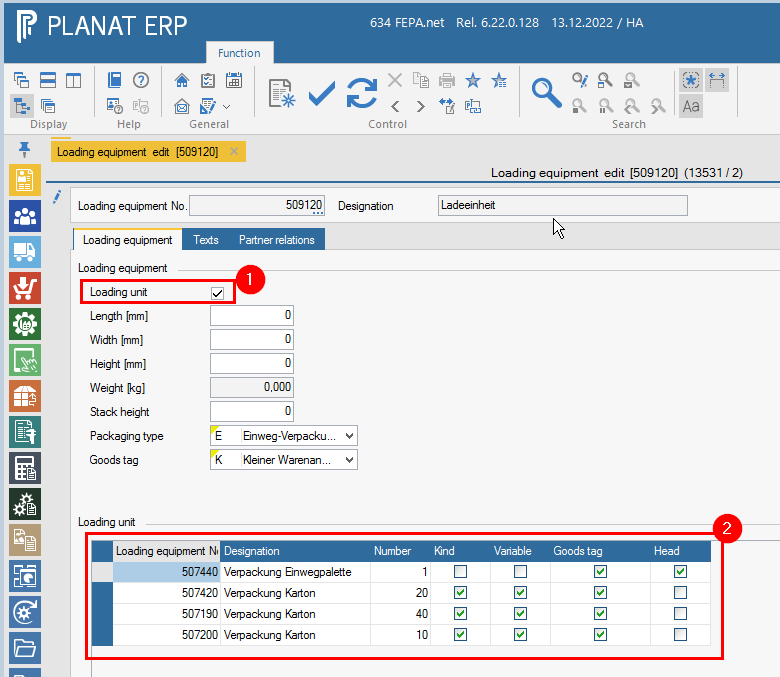
Explanation of the above screenshot:
You can see that this loading unit must always consist of at least one pallet 507440 as this is the only loading equipment that has not been marked as variable. The other loading equipment is all marked as variable and therefore optional. However, these boxes contain the goods to be shipped, i.e. the actual articles (column "Kind"). In this case it is therefore possible to use three different cartons for this loading unit. Due to the different sizes of the individual cartons, they all have a different maximum number. A goods label is to be printed for each of these loading equipment, but the so-called master label for the pallet.