# Forwarding order

### General

Delivery notes will only be proposed in the function `Arrange Shipment` if the checkmark for *Generate Shipment* was set in the tab *Print* of the delivery note when processing the delivery note.

There is also a setting option for this on the customer, in which case the tick is pre-assigned.

### Create forwarding order 

FEPA function: ` Sales > Customer documents > Shipping documents > Arrange shipment`

1. enter *customer number* and Enter (forwarder no. appears)
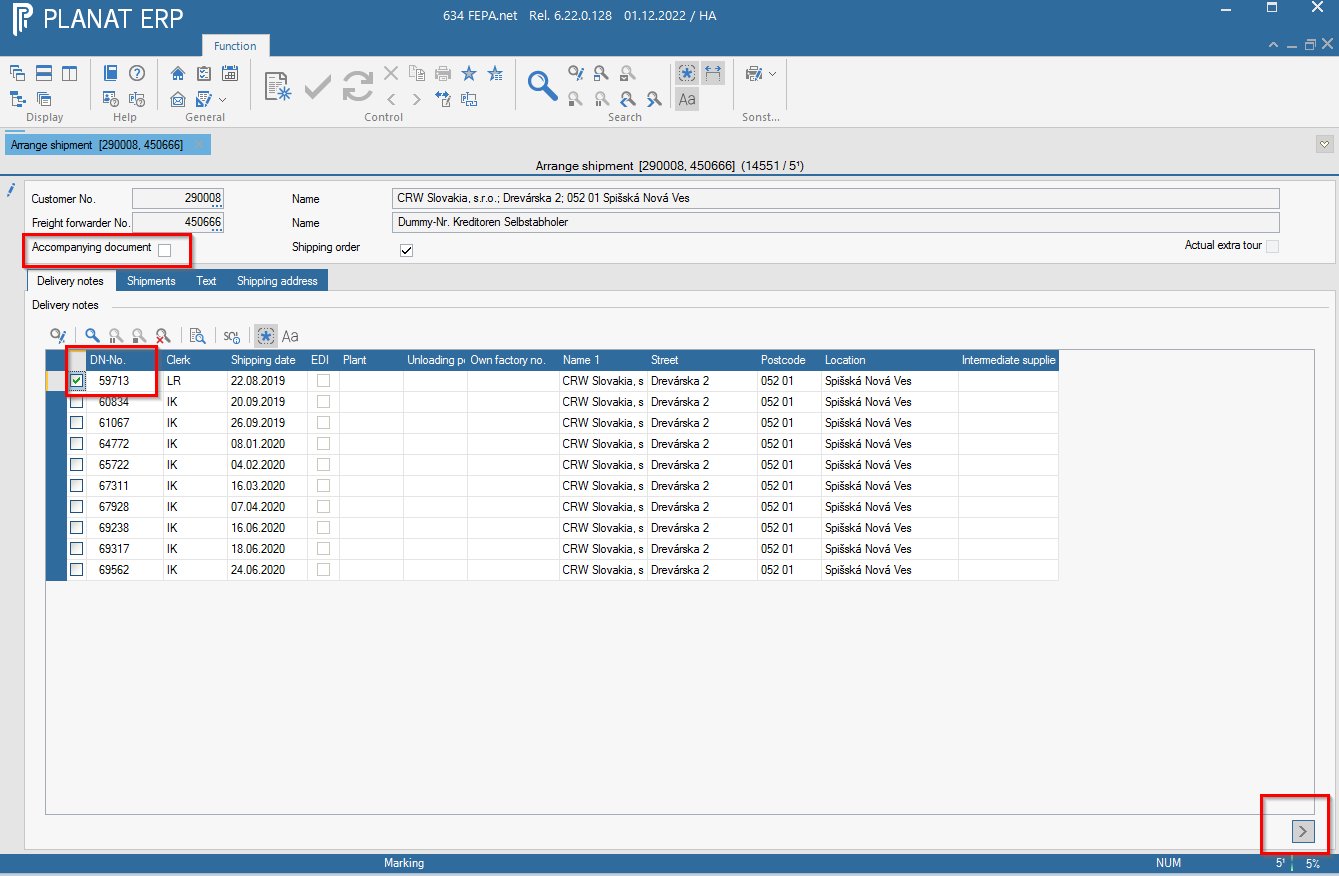
2. Press the magnifying glass in the tab *Delivery notes*. Select the desired delivery notes (There are possibible as much as you want.).
3. uncheck the goods accompanying document (will then not be printed)
4. Then click on the "&gt;" button at the bottom right (items are transferred to the Shipments tab).  
    <p class="callout info">Note: the search in the delivery note tab is preset with the main mandant.  
    </p>
    
      
    [![image.png](https://bookstack.gemo-group.com/uploads/images/gallery/2022-12/scaled-1680-/9gCWDcCVBTPvKFyO-image.png)](https://bookstack.gemo-group.com/uploads/images/gallery/2022-12/9gCWDcCVBTPvKFyO-image.png)
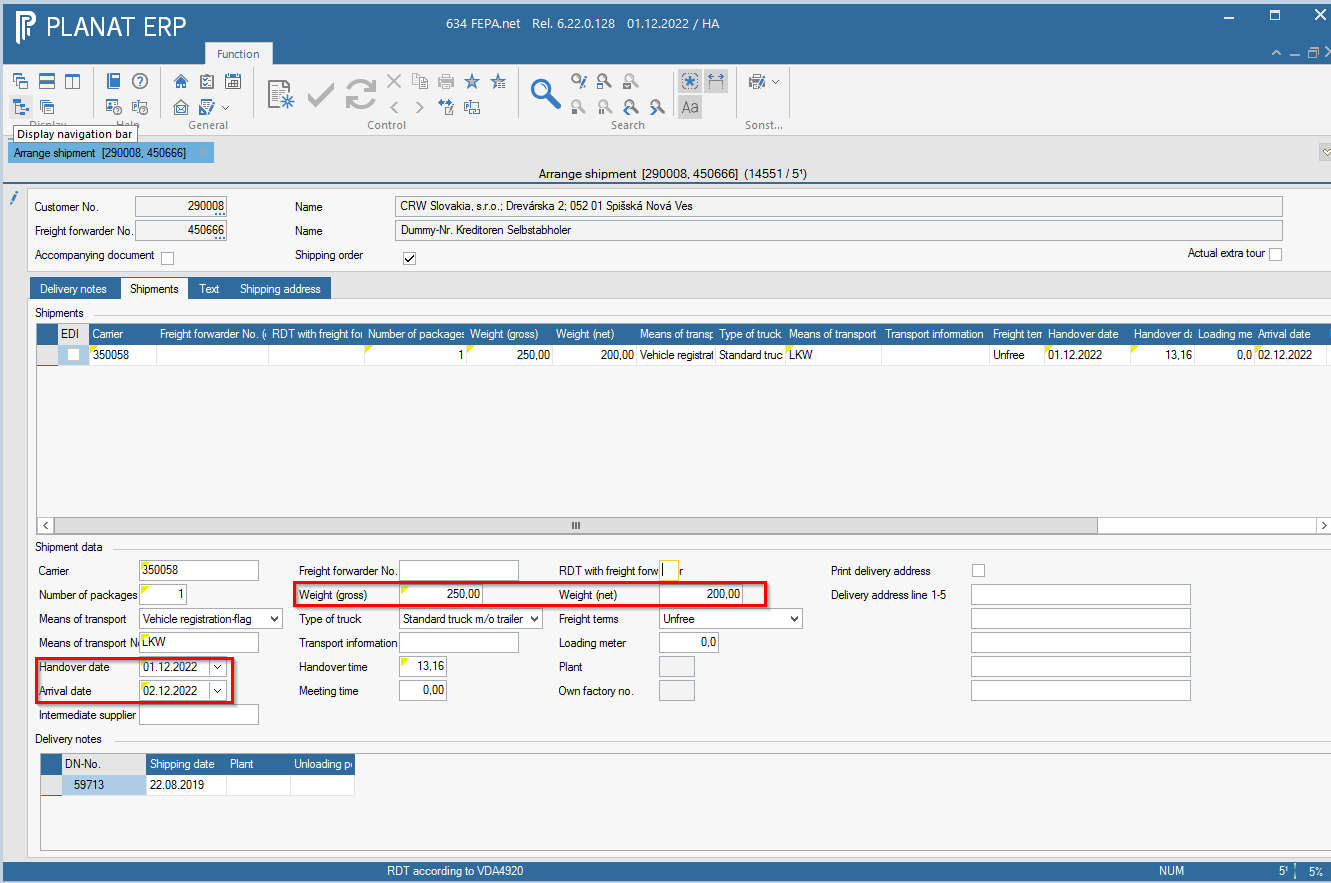
5. enter gross and net weight in the *shippments* tab
6. change the date of delivery and the date of arrival (also empty mandatory fields)  
    [![image.png](https://bookstack.gemo-group.com/uploads/images/gallery/2022-12/scaled-1680-/U7uXplYE1GYDKrRs-image.png)](https://bookstack.gemo-group.com/uploads/images/gallery/2022-12/U7uXplYE1GYDKrRs-image.png)
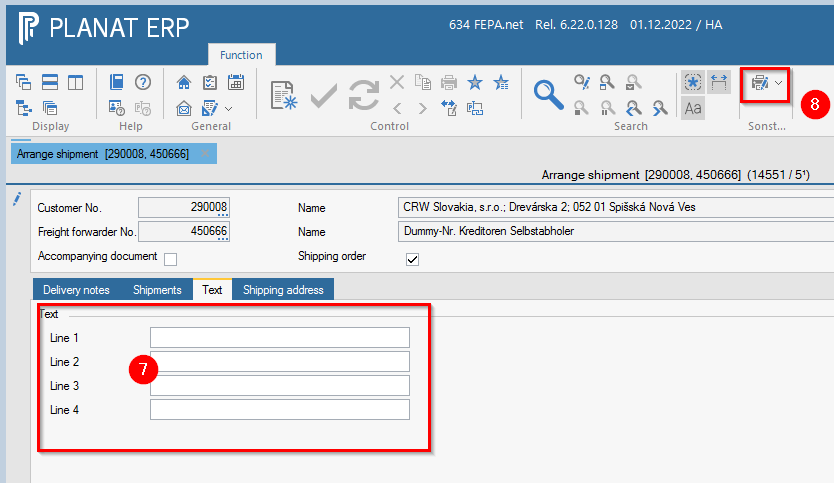
7. enter the invoice number and, if applicable, ABD, CMR, etc. in the *Texts* tab. There is also space here for information for the forwarder.
8. Click on the *print button* and the forwarding order will be created and printed.  
    [![image.png](https://bookstack.gemo-group.com/uploads/images/gallery/2022-12/scaled-1680-/hxYZzbJYRKNZBeCw-image.png)](https://bookstack.gemo-group.com/uploads/images/gallery/2022-12/hxYZzbJYRKNZBeCw-image.png)
### Create EDI forwarding order

<div id="bkmrk-">  
</div>FEPA Function: `Sales > Customer Documents > Shipping Documents > Arrange Shipments`

1. See help [Create forwarding order](https://bookstack.gemo-group.com/books/fepanet-en/page/forwarding-order "Create forwarding order") (not EDI).
2. proceed in the same way as described there, weight is determined from the delivery notes, Fepa automatically pulls if all weights were stored in the master data!

<p class="callout danger">Attention carrier field - Please do not enter any special characters here. Only characters from 0-9 and Latin letters A-Z are permitted in VDA 4913. Language-related special characters lead to errors in the VDA file and thus in the ASN! </p>