# Copy workplace
1. open a workplace with function `edit workplace`
2. enter the "old" workplace no. or a similar workplace no. and press enter
3. press the copy button [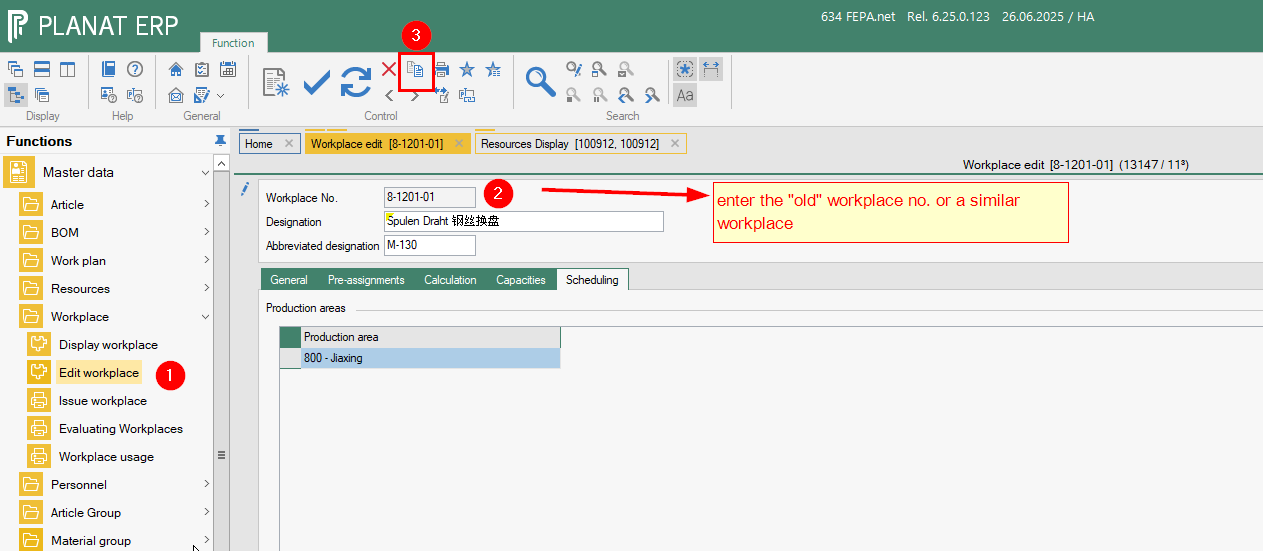](https://bookstack.gemo-group.com/uploads/images/gallery/2025-06/GxZklpIzNPGXeTBD-image.png)
4. enter a new workplace number
5. [mark also "copy capacities"](https://bookstack.gemo-group.com/uploads/images/gallery/2025-06/GiPJTMgi2RW5Cqfo-image.png)
6. [press ok button and a new worplace will becreated an opended 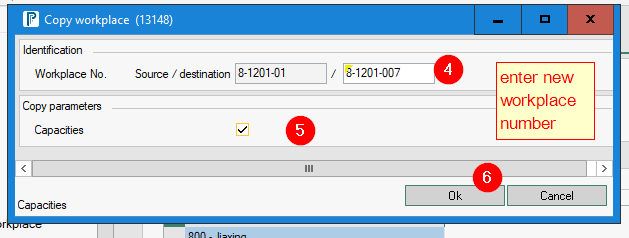](https://bookstack.gemo-group.com/uploads/images/gallery/2025-06/GiPJTMgi2RW5Cqfo-image.png)
7. Change alle fields and in all tabs !
8. press the save button to save the new work place.[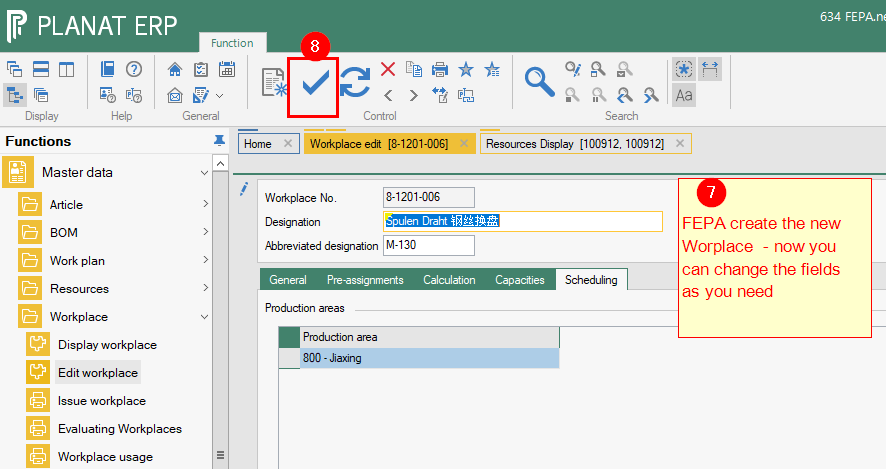](https://bookstack.gemo-group.com/uploads/images/gallery/2025-06/9VgDriKpgkIem39c-image.png)